View your review history
AI summary
View all your past reviews in the Rencore Teams App to see what changes were made in each one and check their status. Filter by service type or search by workspace name to find specific reviews.
See all your past reviews in the Rencore Teams AppRencore Teams AppThe Rencore Teams App (formerly Rencore Nova) brings Rencore Governance into Microsoft Teams for the people who own and use workspaces.Read more and what changed in each one. Use this when you need to check the outcome of a review you took part in.
Before you begin
- No Rencore Governance role is needed: you see the reviews that were assigned to you as a reviewer.
Steps
-
Go to Reviews in the Rencore Teams App.
-
Open the History tab.
-
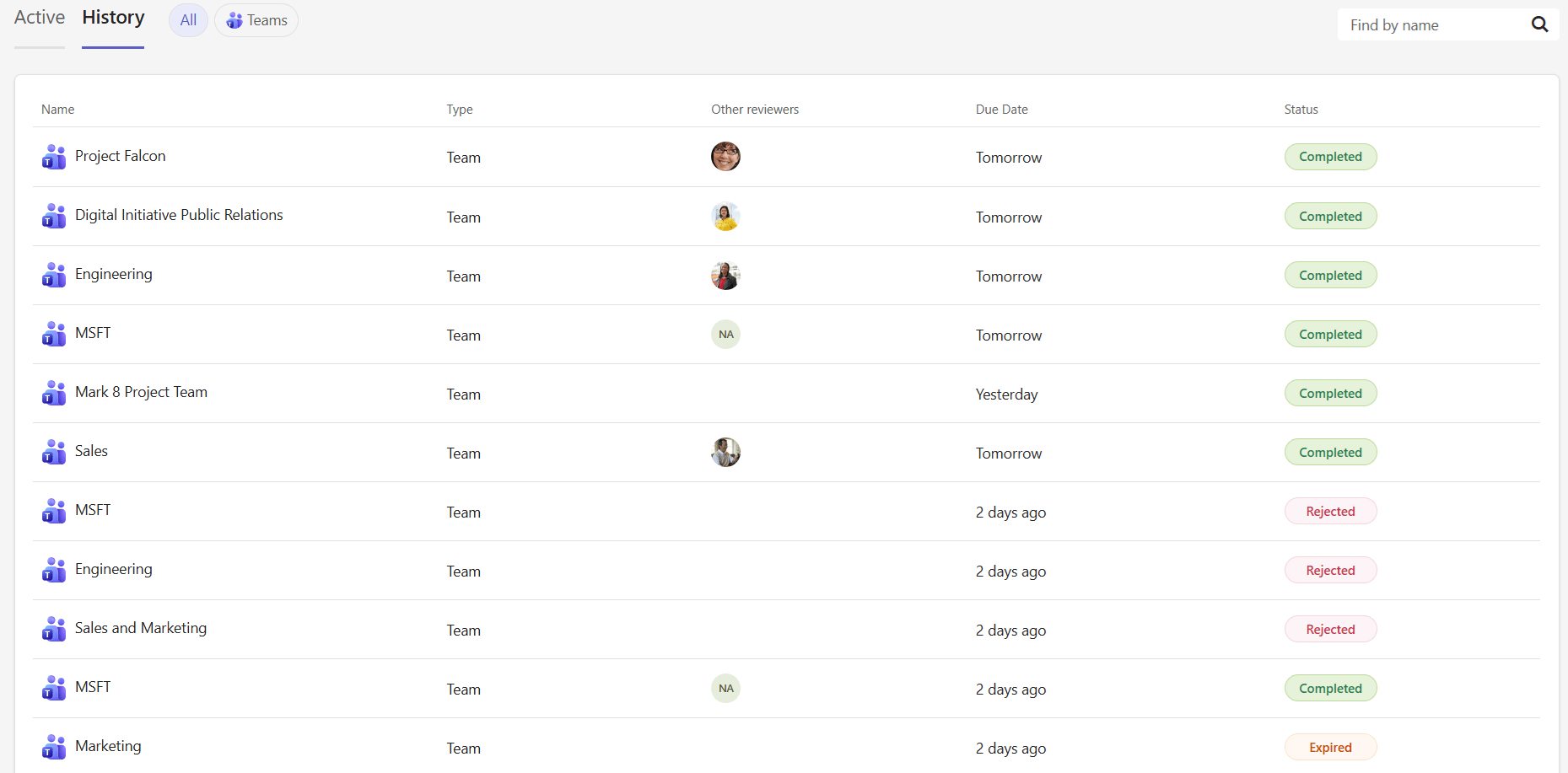
Use the filter pills at the top to filter by service type, or the search bar to find a specific workspace by name.
-
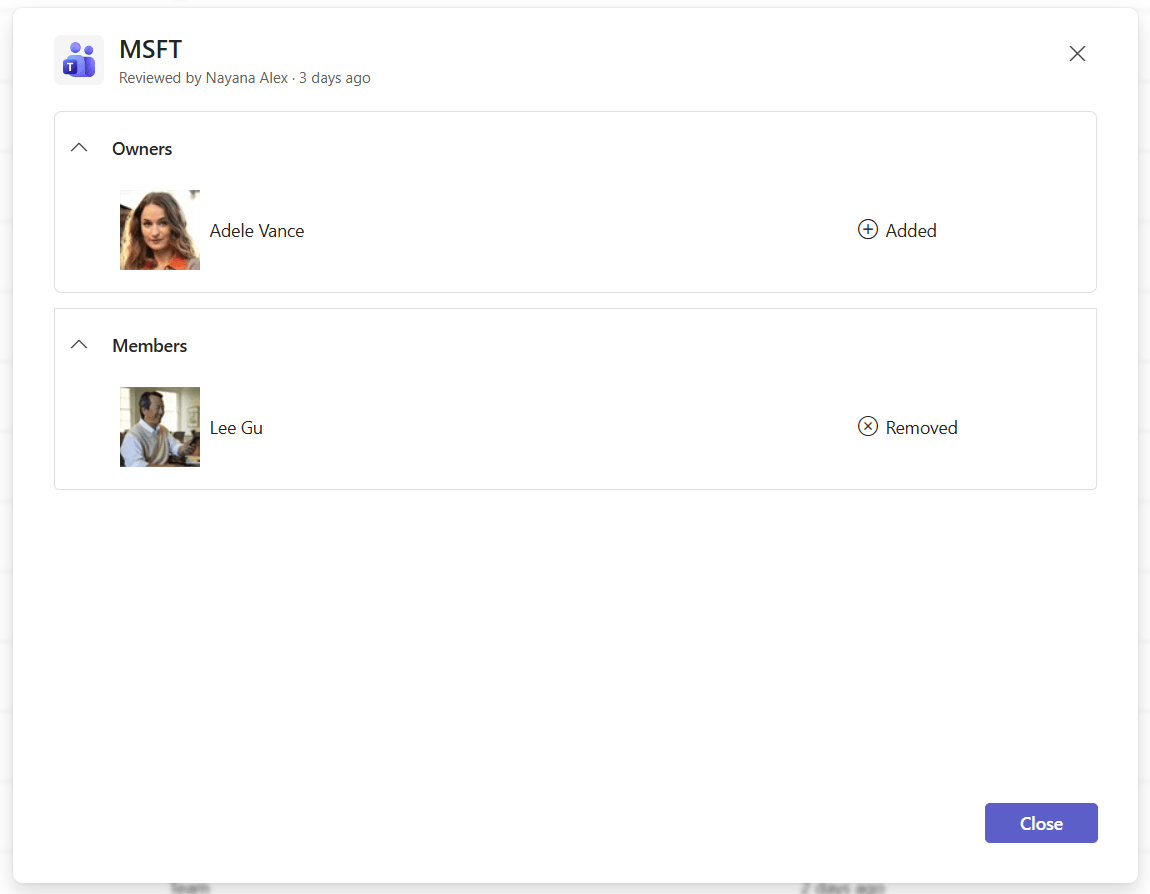
Click any row to open a summary that shows the changes made during the review, organized by step. Each change shows whether a person or permission was added or removed.
What you see
Each entry shows the workspace name, type, other reviewers, due date and status:
Status | Meaning |
|---|---|
Completed | You finished the review and your changes were applied |
Expired | The review due date passed before you completed it |
Rejected | You declined the review assignment |
Cancelled | Your admin cancelled the review before it was due |
Frequently asked questions
How do I see the reviews I took part in before?
Go to Reviews in the Rencore Teams App and open the History tab. Click any row to open a summary of the changes made during that review, organized by step.
Do I need a Rencore Governance role to view my review history?
No. No Rencore Governance role is needed. You see the reviews that were assigned to you as a reviewer.
What does the expired status mean in my review history?
Expired means the review due date passed before you completed it. Other statuses are Completed, Rejected (you declined the assignment) and Cancelled (your admin cancelled the review before it was due).
Was this page helpful?
Thanks for the feedback.
Thanks. What was wrong?