Create a custom team
AI summary
Create a custom team to control which services and objects its members can see in Rencore Governance. You will need the Manage teams permission, which the Admin and Owner roles have.
Create a custom teamCustom teamA custom team is a team you build yourself in Rencore Governance to control which inventory objects its members can see.Read more to choose exactly which services and objects its members can see in Rencore Governance.
Before you begin
- Your role needs the Manage teams permission, which the Admin and Owner roles have. See Rencore roles.
Steps
-
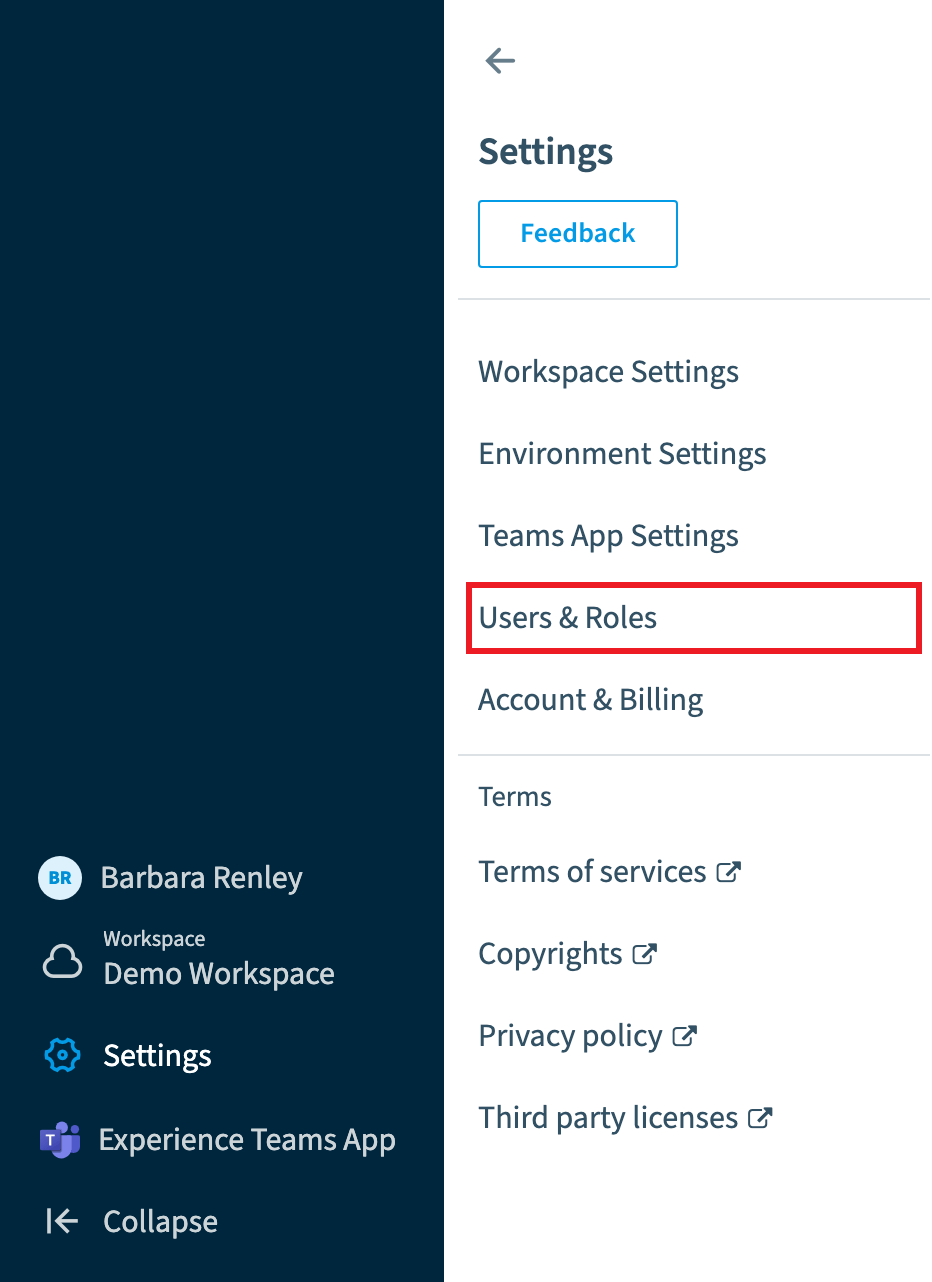
Go to Settings > Users & Roles.
-
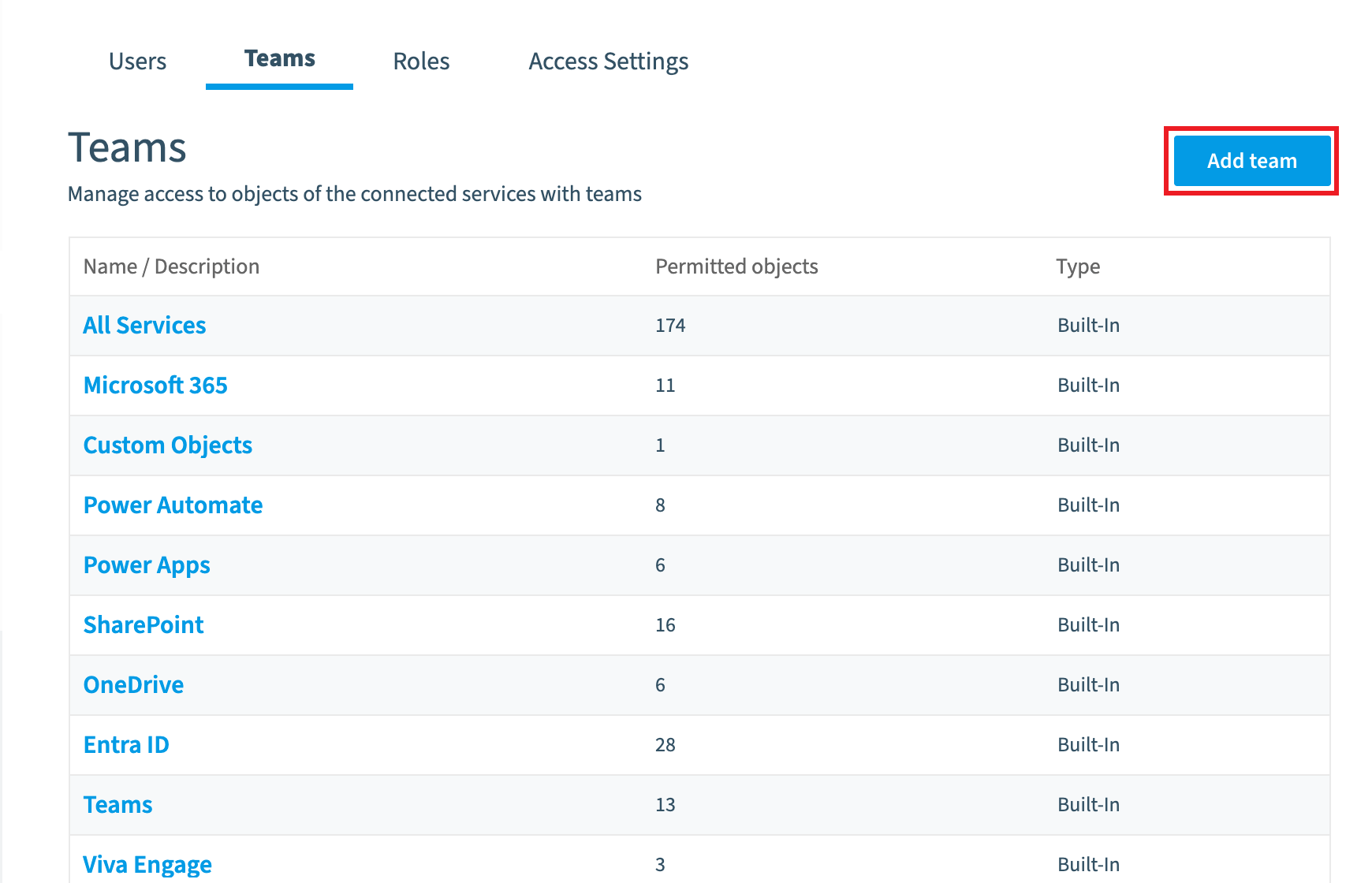
Click Teams, then click Add Team.
-
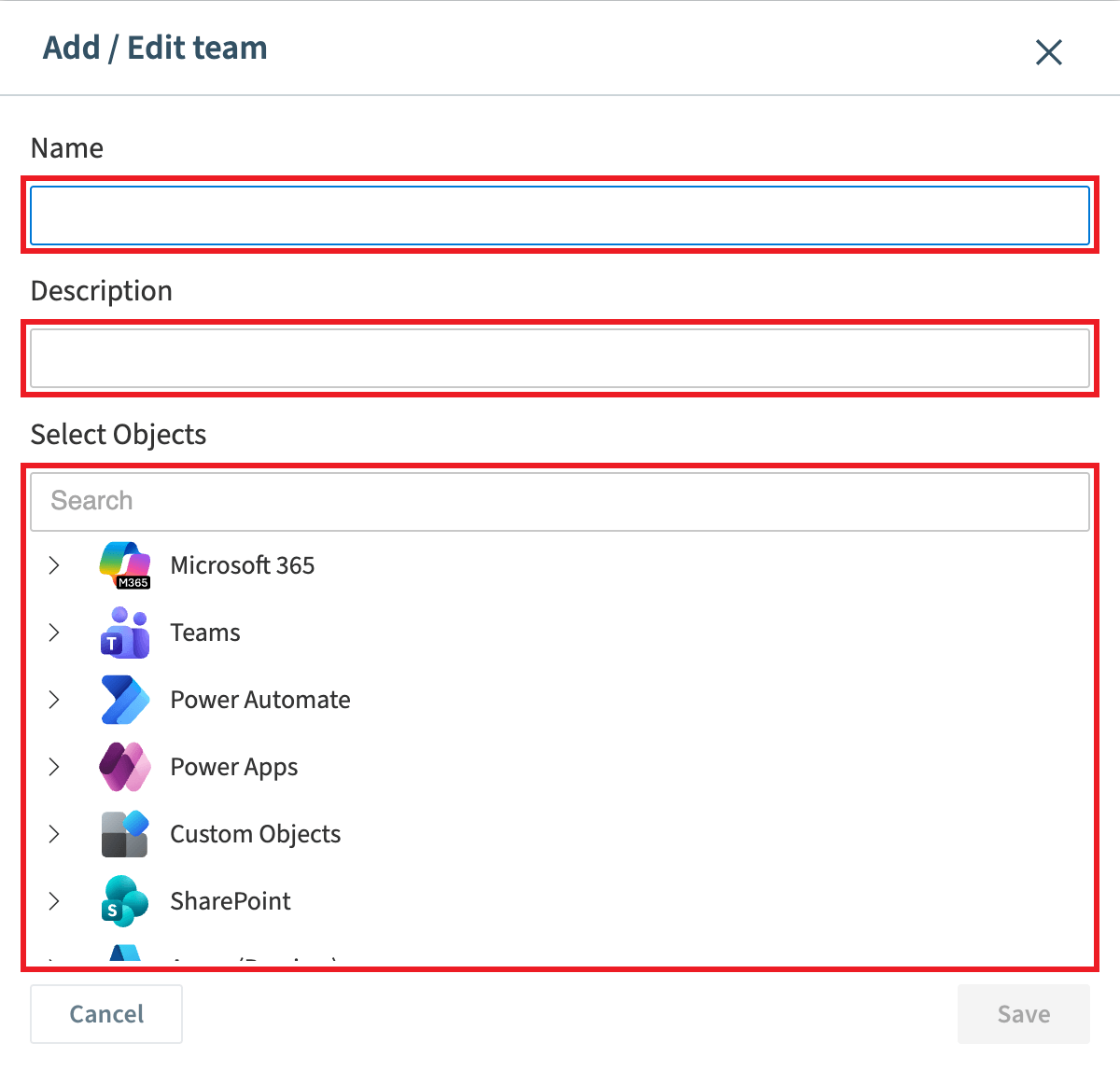
Enter a Name and a Description for the team.
-
Select the Services and Entities the team will have access to (they are listed in the inventory reference).
-
Click Save.
What you see
The new team is listed under Teams, and you can add users to it when you assign a user a role and team.
Frequently asked questions
Which permission do I need to create a custom team in Rencore Governance?
You need the Manage teams permission. The Admin and Owner roles have this permission.
Where do I add a new team in Rencore Governance?
Go to Settings > Users & Roles, click Teams, then click Add Team. Enter a Name and a Description, select the Services and Entities for the team, and click Save.
How do I add users to a custom team after I create it?
The new team is listed under Teams. You can add users to it when you assign a user a role and team.
Was this page helpful?
Thanks for the feedback.
Thanks. What was wrong?