Create a custom role
AI summary
Create a custom role when the built-in roles do not fit your needs. You need the Manage roles permission; then enter a name, description, and select the specific permissions the role will have.
Create a custom roleCustom roleA custom role is a role you build yourself in Rencore Governance when no built-in role fits.Read more when the built-in rolesBuilt-in roleA built-in role is one of the four roles every Rencore Governance Workspace comes with: Owner, Admin, Contributor and Reader.Read more give a user too much or too little. A custom role has a name, a description and exactly the permissions you choose.
Before you begin
- Your role needs the Manage roles permission, which only the Owner role has. See Rencore roles.
Steps
-
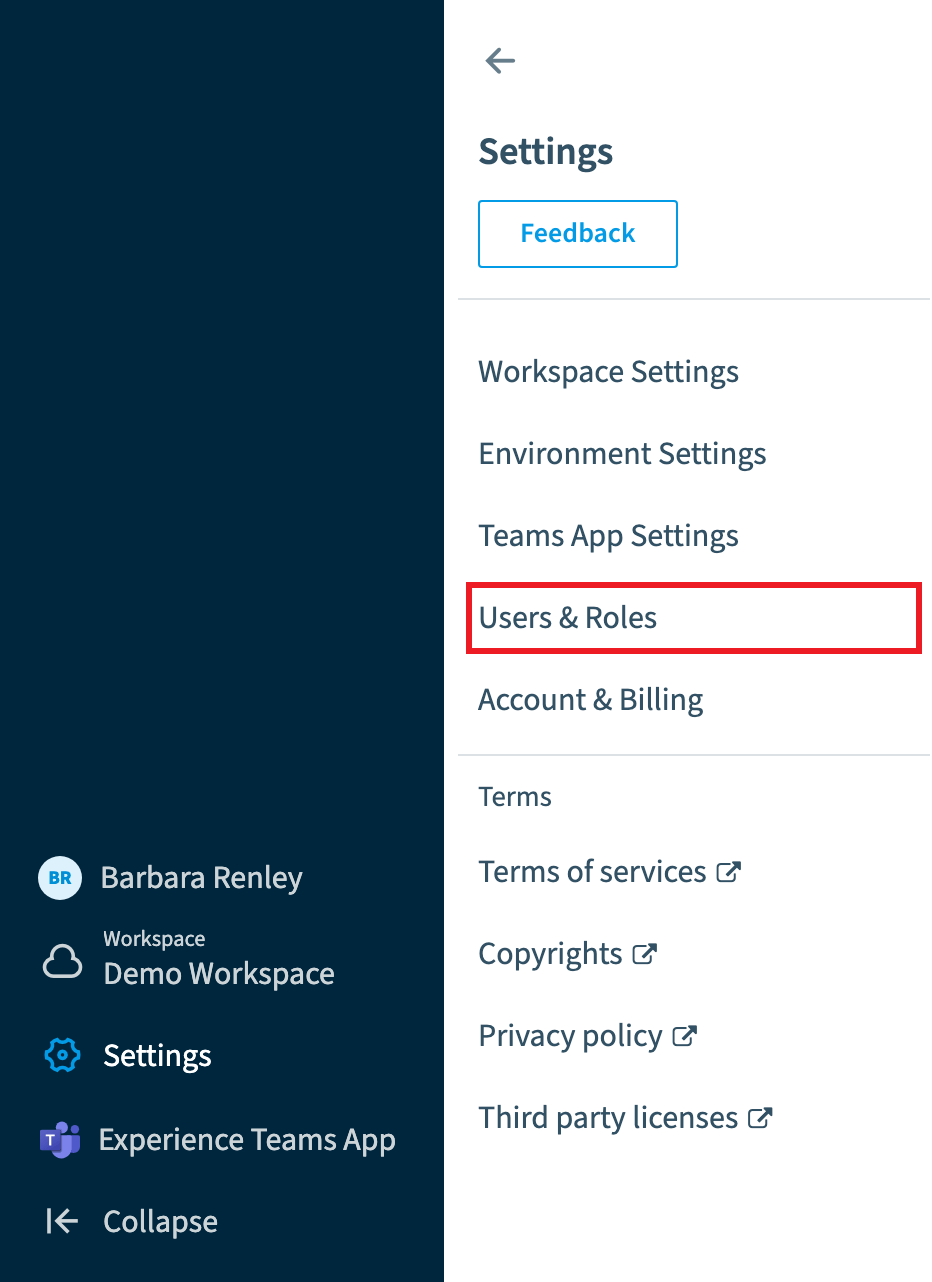
Go to Settings > Users & Roles.
-
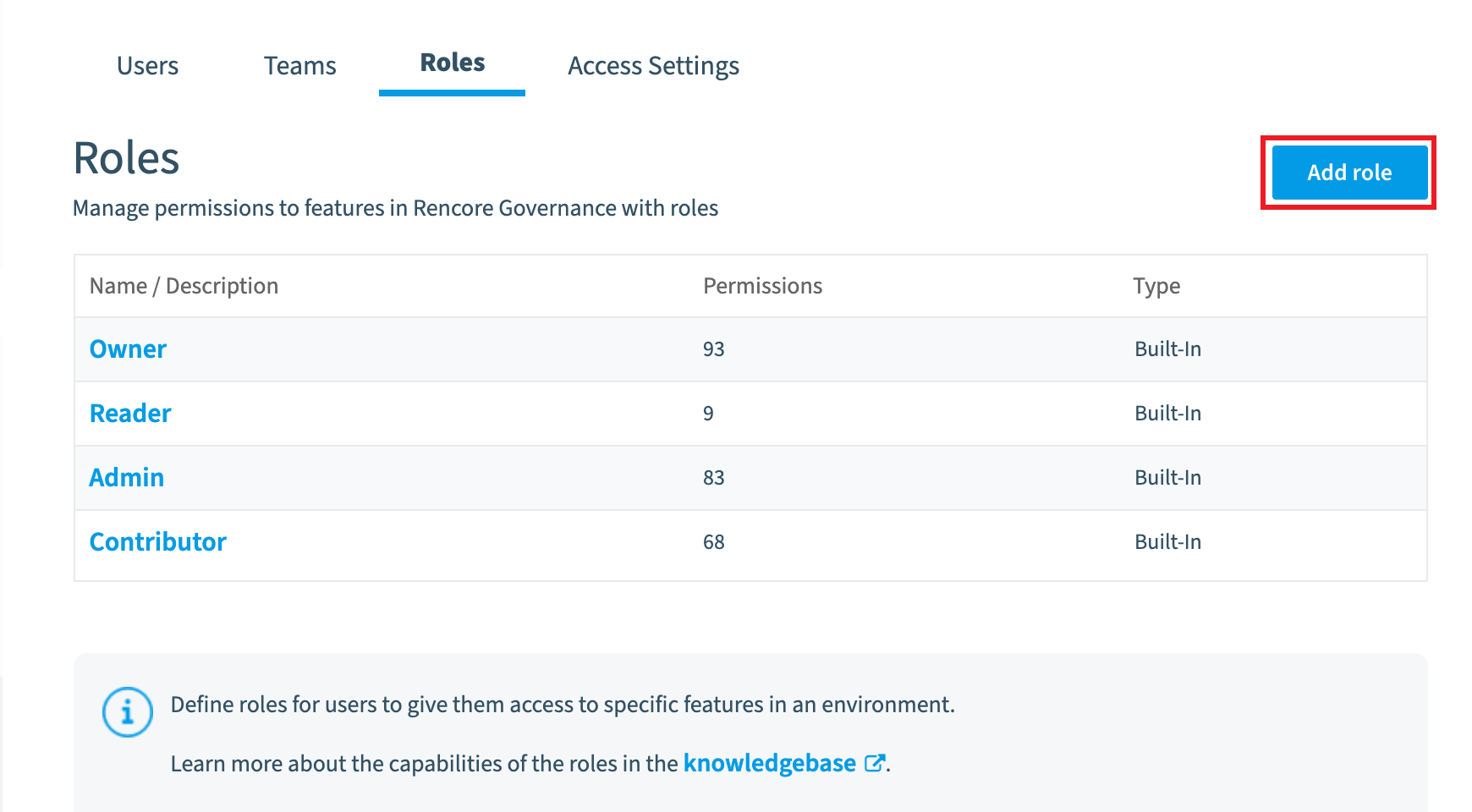
Click Roles, then click Add Role.
-
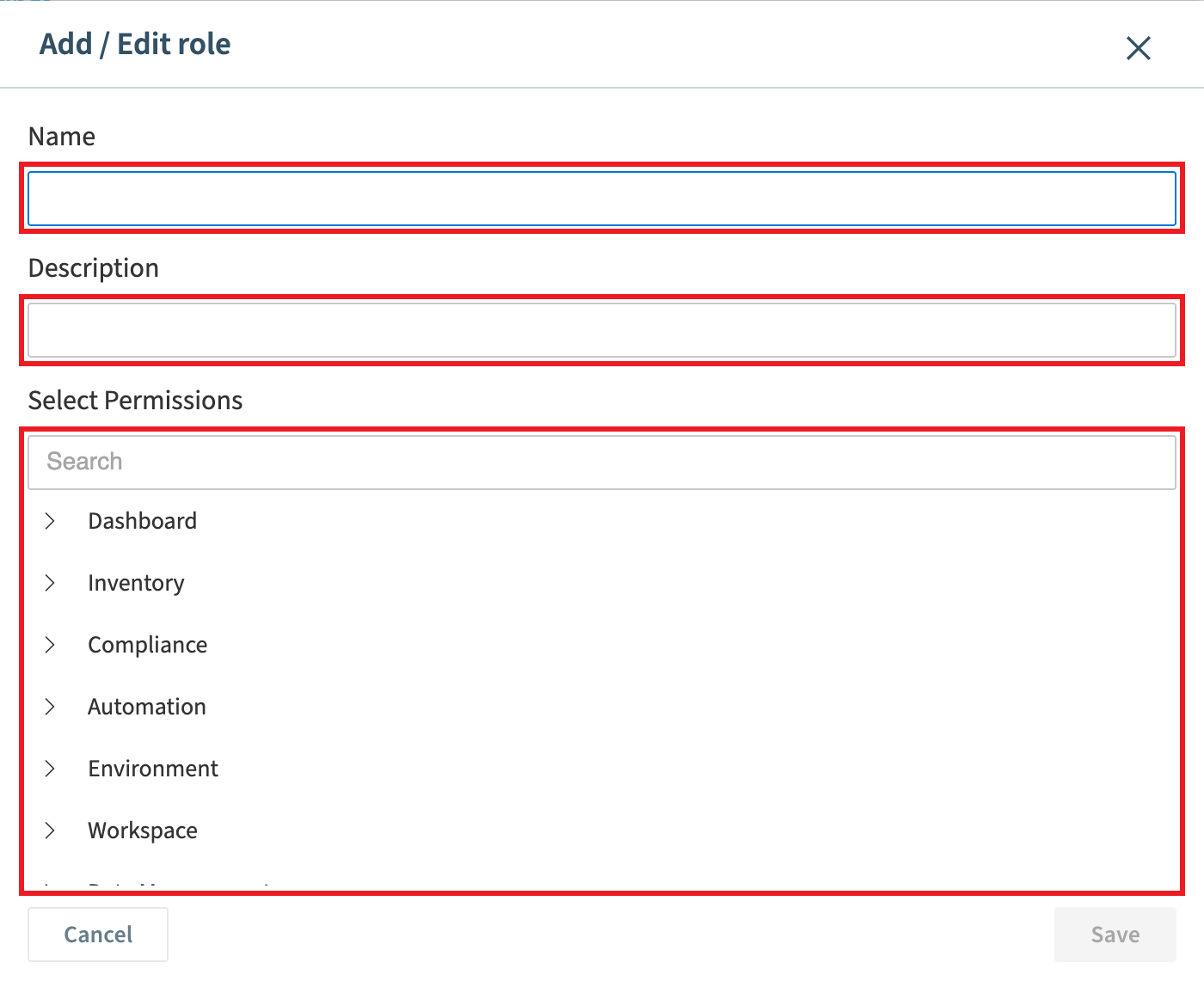
Enter a Name and a Description for the role.
-
Select the permissions the role gets.
-
Click Save.
What you see
The new role is listed under Roles, and you can pick it when you assign a user a role.
Frequently asked questions
When should I create a custom role instead of using a built-in role?
Create a custom role when the built-in roles give a user too much or too little access. A custom role has a name, a description and exactly the permissions you choose.
Which permission do I need to create a custom role?
You need the Manage roles permission. Only the Owner role has this permission.
How do I add a custom role in settings?
Go to Settings > Users & Roles, click Roles, then click Add Role. Enter a Name and a Description, select the permissions the role gets, and click Save. The new role then appears under Roles.
Was this page helpful?
Thanks for the feedback.
Thanks. What was wrong?