Approve access reviews in Rencore Nova
AI summary
As a reviewer in Rencore Nova, you examine each assigned object in an Access Review, modify the Review Action if needed, and approve the review once all objects are reviewed. Rencore Nova is deprecated and will shut down on December 31, 2026; migrate to Rencore Teams App beforehand.
Review the objects of an Access ReviewAccess reviewAn access review is a report in the deprecated Access feature that shows who has access to content, for owners to approve.Read more assigned to you in Rencore NovaRencore NovaRencore Nova is a deprecated end-user app, replaced by the Rencore Teams App, that shuts down on 31 December 2026.Read more, change their Review Action where needed and approve the review.
Before you begin
- You are assigned as a reviewer of the Access Review, and a Workspace Owner has connected Rencore Nova to your EnvironmentEnvironmentAn Environment is the connected Microsoft 365 tenant inside a Workspace.Read more. See Integrate Rencore Nova.
Steps
-
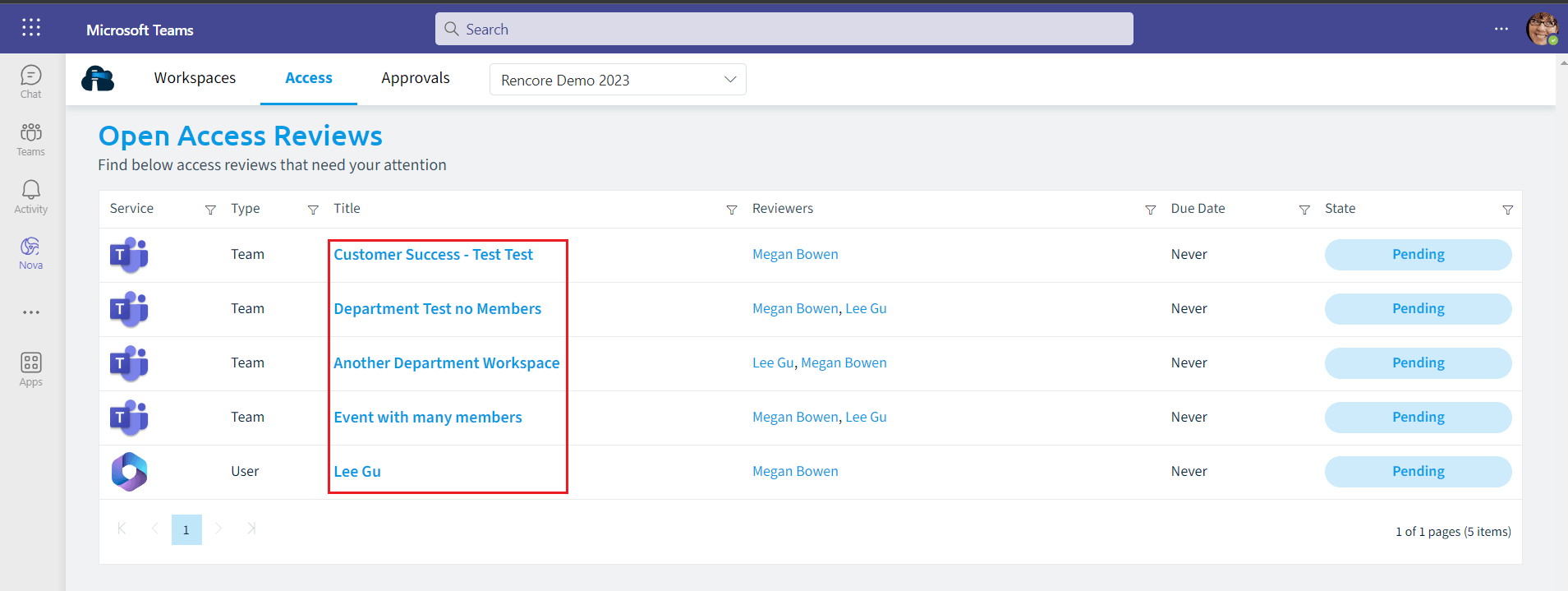
Click on Access on the Navbar. All objects that you are assigned to review are listed.
-
Click on the Title of one of the reviews.
-
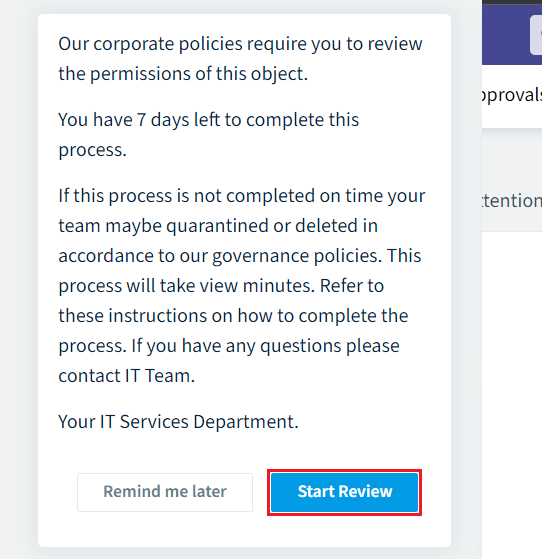
The review opens with a Summary of the Reviewers if there is more than one, the Statistics of the object and its recent Activity. Click Start Review.
-
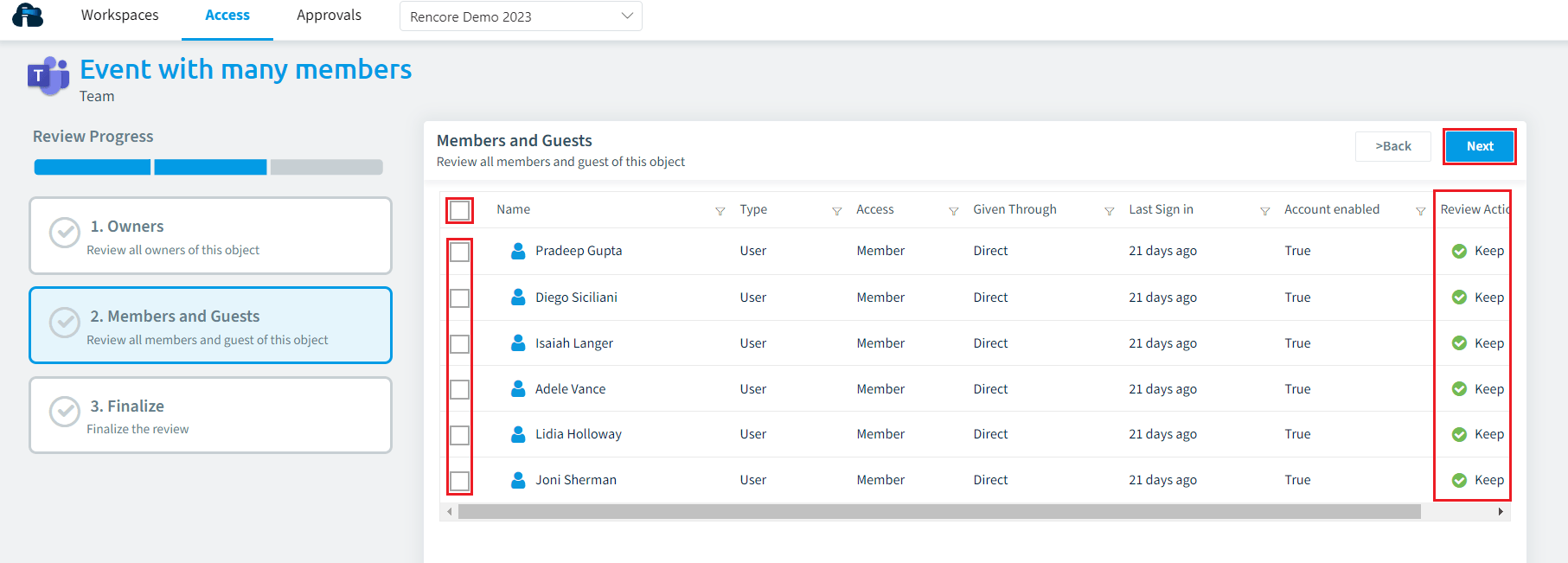
Review each object. The Access Review sets the number of objects to review, which changes the number of steps and the Review Progress. To move on, click Next in the top right or click the next object.
-
To change an object’s Review Action, tick the entity and change the Review Action.
-
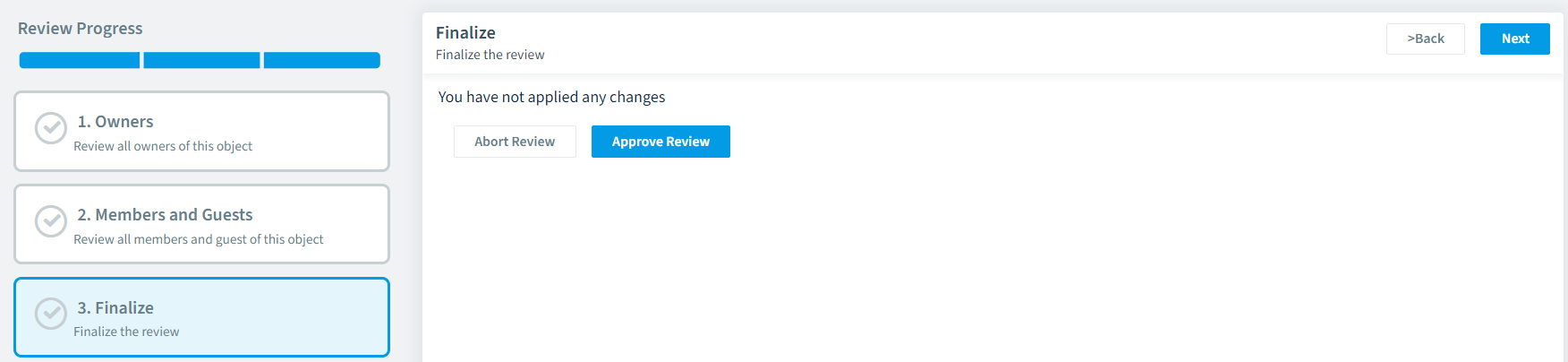
Once all objects have been reviewed and you are on the Finalize stage, click Approve Review.
What you see
The Access Review in Rencore Governance is complete and its status changes to Done.
Frequently asked questions
What do I need before I can approve an access review in Rencore Nova?
You must be assigned as a reviewer of the Access Review. A Workspace Owner must also have connected Rencore Nova to your Environment.
How do I change the review action of an object during an access review in Rencore Nova?
While reviewing the object, tick the entity and change the Review Action. Then click Next in the top right, or click the next object, to move on.
What happens in Rencore Governance after I click approve review in Rencore Nova?
The Access Review in Rencore Governance is complete and its status changes to Done. You can click Approve Review once all objects have been reviewed and you are on the Finalize stage.
Was this page helpful?
Thanks for the feedback.
Thanks. What was wrong?