
Copilot PAYG cost analysis - last month
AI summary
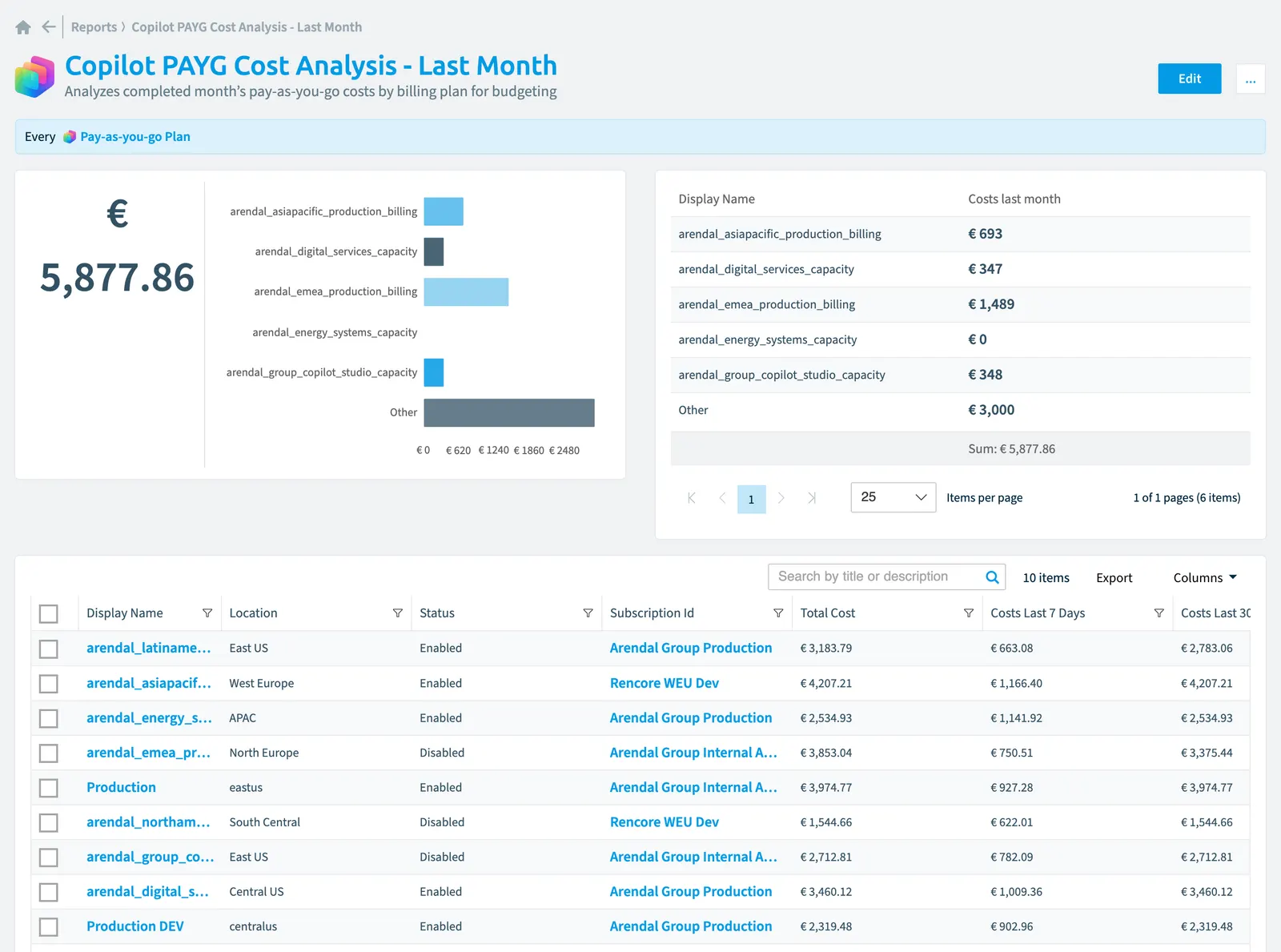
Review your Copilot Studio pay-as-you-go costs from last month broken down by billing plan in a bar chart for budgeting. The report displays your top five plans by cost.
Analyzes completed monthʼs pay-as-you-go costs by billing planPay-as-you-go planA pay-as-you-go plan links one or more Power Platform environments to an Azure subscription.Read more for budgeting.
What it shows
The report shows Pay-as-you-go Plan objects from the Copilot StudioCopilot StudioCopilot Studio is the Microsoft tool for building your own AI agents. Rencore Governance covers it with the Copilot Studio connector, part of the AI & Agents module.Read more inventory.
The rule
Every Pay-as-you-go Plan
Chart
| Chart type | Bar chart |
|---|---|
| Grouped by | Display Name |
| Measure | Sum of Costs last month |
| Sorted by | Display Name, ascending |
| Limit | Top 5 |
In Rencore Governance
Details
| Reports on | Pay-as-you-go Plan |
|---|---|
| Connector | Copilot Studio |
| Category | Costs |
| Chart type | Bar chart |
| Recommended | Yes |
| Status | Generally available |
Other reports for this object
Frequently asked questions
 What does the Copilot PAYG cost analysis - last month report show?
What does the Copilot PAYG cost analysis - last month report show?The Copilot PAYG cost analysis - last month report: analyzes completed monthʼs pay-as-you-go costs by billing plan for budgeting.
Which objects does the Copilot PAYG cost analysis - last month report use?
Which objects does the Copilot PAYG cost analysis - last month report use?The Copilot PAYG cost analysis - last month report works on Pay-as-you-go Plan objects from the Copilot Studio inventory and shows them as a bar chart.
Which module includes the Copilot PAYG cost analysis - last month report?
Which module includes the Copilot PAYG cost analysis - last month report?The Copilot PAYG cost analysis - last month report comes with the Copilot Studio connector in the AI & Agents module of Rencore Governance, an add-on module on the Premium and Enterprise Plans.
Was this page helpful?
Thanks for the feedback.
Thanks. What was wrong?