
Private teams
AI summary
View all Teams marked as private, with details like display name, description, and archive status. Audit which teams in your organization are set to private visibility.
"Private teams" is a report for TeamsMicrosoft TeamsMicrosoft Teams is the Microsoft 365 app for chat, meetings and team collaboration.Read more in Rencore Governance. All Teams that are marked as private.
What it shows
The report shows Team objects from the Teams inventory.
The rule
Every Team where Visibility equals 'Private'
Chart
| Chart type | List |
|---|---|
| Columns | Display Name, Icon, Description, Is Archived, Web Url, Visibility |
In Rencore Governance
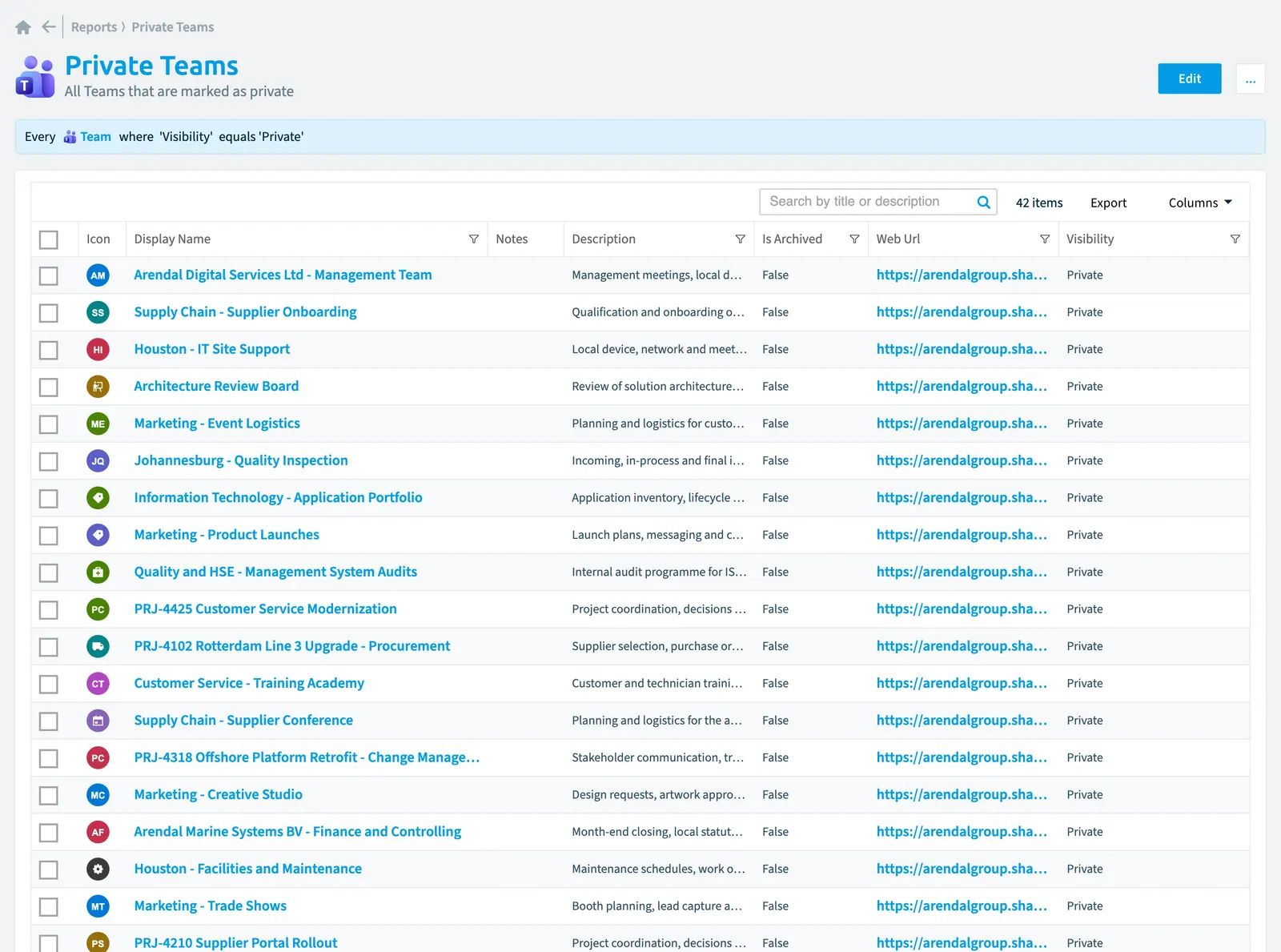
Details
| Reports on | Team |
|---|---|
| Connector | Teams |
| Category | None |
| Chart type | List |
| Recommended | No |
| Status | Generally available |
| Name in Rencore Governance | Private Teams |
Other reports for this object
Frequently asked questions
What does the private teams report show?
The Private teams report: all Teams that are marked as private.
What is the rule of the private teams report?
Every Team where Visibility equals 'Private'.
Which objects does the private teams report use?
The Private teams report works on Team objects from the Teams inventory and shows them as a list.
Which module includes the private teams report?
The Private teams report comes with the Teams connector in the Digital Workplace module of Rencore Governance, which every Plan includes.
Was this page helpful?
Thanks for the feedback.
Thanks. What was wrong?