
Teams pre-scan
AI summary
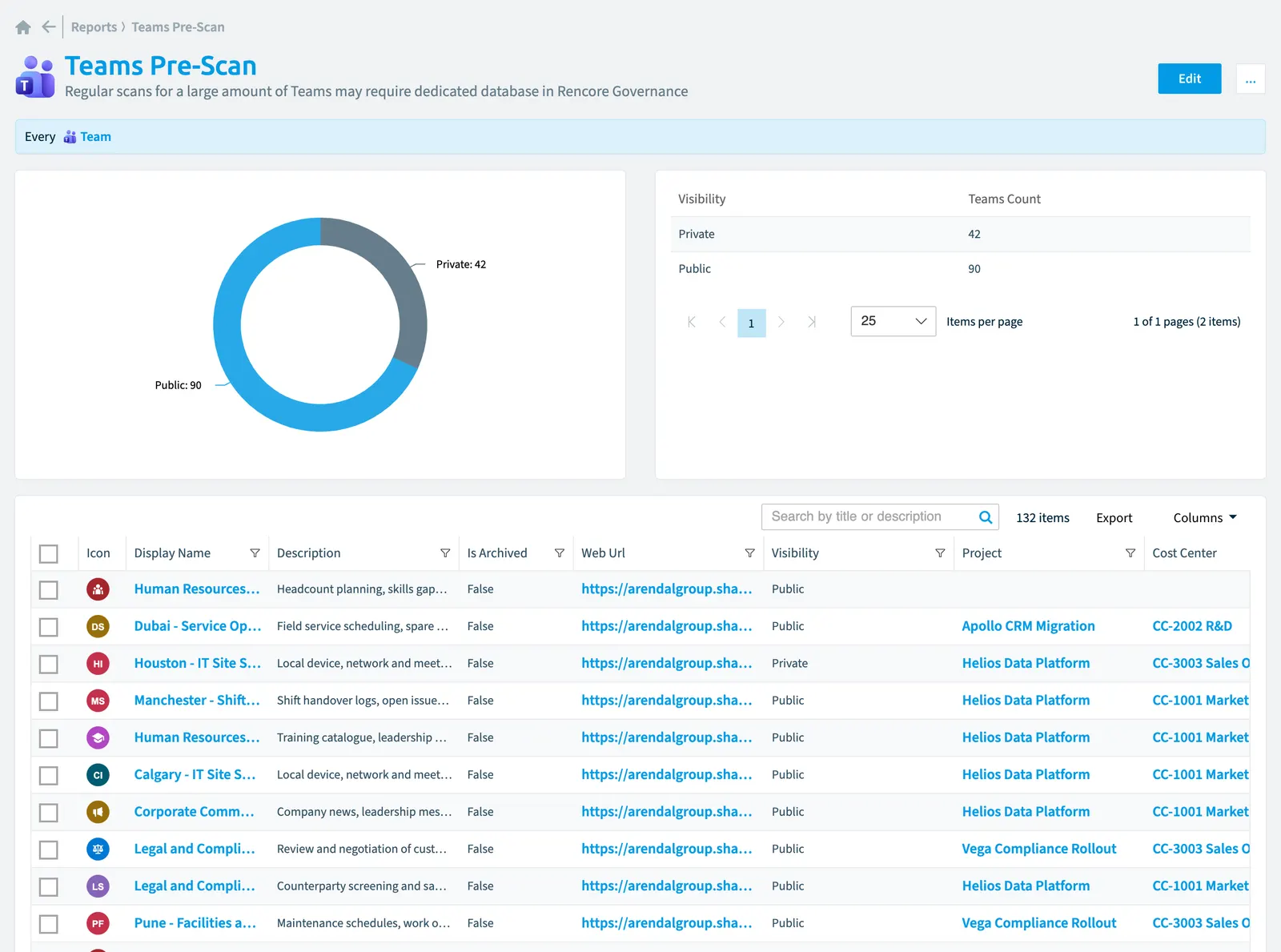
The Teams pre-scan report uses a donut chart to show your Team objects broken down by visibility. You may need a dedicated database in Rencore Governance if you have many Teams to scan regularly.
Regular scans for a large amount of TeamsMicrosoft TeamsMicrosoft Teams is the Microsoft 365 app for chat, meetings and team collaboration.Read more may require dedicated database in Rencore Governance.
What it shows
The report shows Team objects from the Teams inventory.
The rule
Every Team
Chart
| Chart type | Donut chart |
|---|---|
| Grouped by | Visibility |
| Measure | Number of Team objects |
| Sorted by | Visibility, ascending |
| Limit | Top 5 |
In Rencore Governance
Details
| Reports on | Team |
|---|---|
| Connector | Teams |
| Category | Operation |
| Chart type | Donut chart |
| Recommended | No |
| Status | Generally available |
Other reports for this object
Frequently asked questions
What does the Teams pre-scan report show?
What does the Teams pre-scan report show?The Teams pre-scan report: regular scans for a large amount of Teams may require dedicated database in Rencore Governance.
Which objects does the Teams pre-scan report use?
Which objects does the Teams pre-scan report use?The Teams pre-scan report works on Team objects from the Teams inventory and shows them as a donut chart.
Which module includes the Teams pre-scan report?
Which module includes the Teams pre-scan report?The Teams pre-scan report comes with the Teams connector in the Digital Workplace module of Rencore Governance, which every Plan includes.
Was this page helpful?
Thanks for the feedback.
Thanks. What was wrong?