
Power user identification report
AI summary
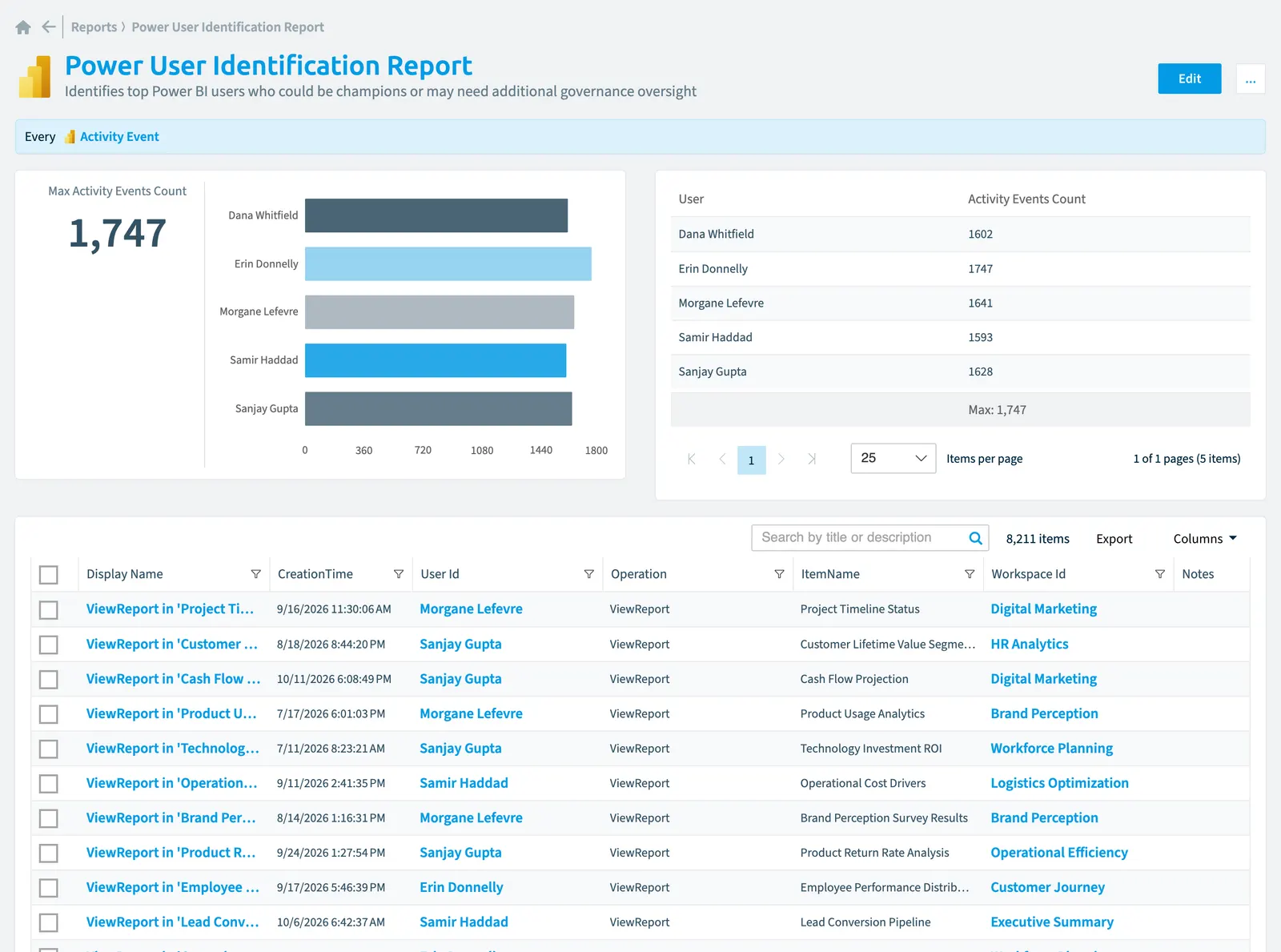
Identify your most active Power BI users who could be champions or require additional governance oversight. The bar chart displays activity event counts for your top five users.
Identifies top Power BIPower BIPower BI is the Microsoft service for reports and dashboards over business data.Read more users who could be champions or may need additional governance oversight.
What it shows
The report shows Activity event objects from the Power BI inventory.
The rule
Every Activity Event
Chart
| Chart type | Bar chart |
|---|---|
| Grouped by | User |
| Measure | Number of Activity event objects |
| Sorted by | User, ascending |
| Limit | Top 5 |
In Rencore Governance
Details
| Reports on | Activity event |
|---|---|
| Connector | Power BI |
| Category | Adoption |
| Chart type | Bar chart |
| Recommended | Yes |
| Status | Generally available |
Other reports for this object
Frequently asked questions
What does the power user identification report report show?
The Power user identification report report: identifies top Power BI users who could be champions or may need additional governance oversight.
What is the rule of the power user identification report report?
Every Activity Event.
Which objects does the power user identification report report use?
The Power user identification report report works on Activity event objects from the Power BI inventory and shows them as a bar chart.
Which module includes the power user identification report report?
The Power user identification report report comes with the Power BI connector in the Apps, Automation & BI module of Rencore Governance, an add-on module on the Premium and Enterprise Plans.
Was this page helpful?
Thanks for the feedback.
Thanks. What was wrong?