
Connector scopes with failed sync
AI summary
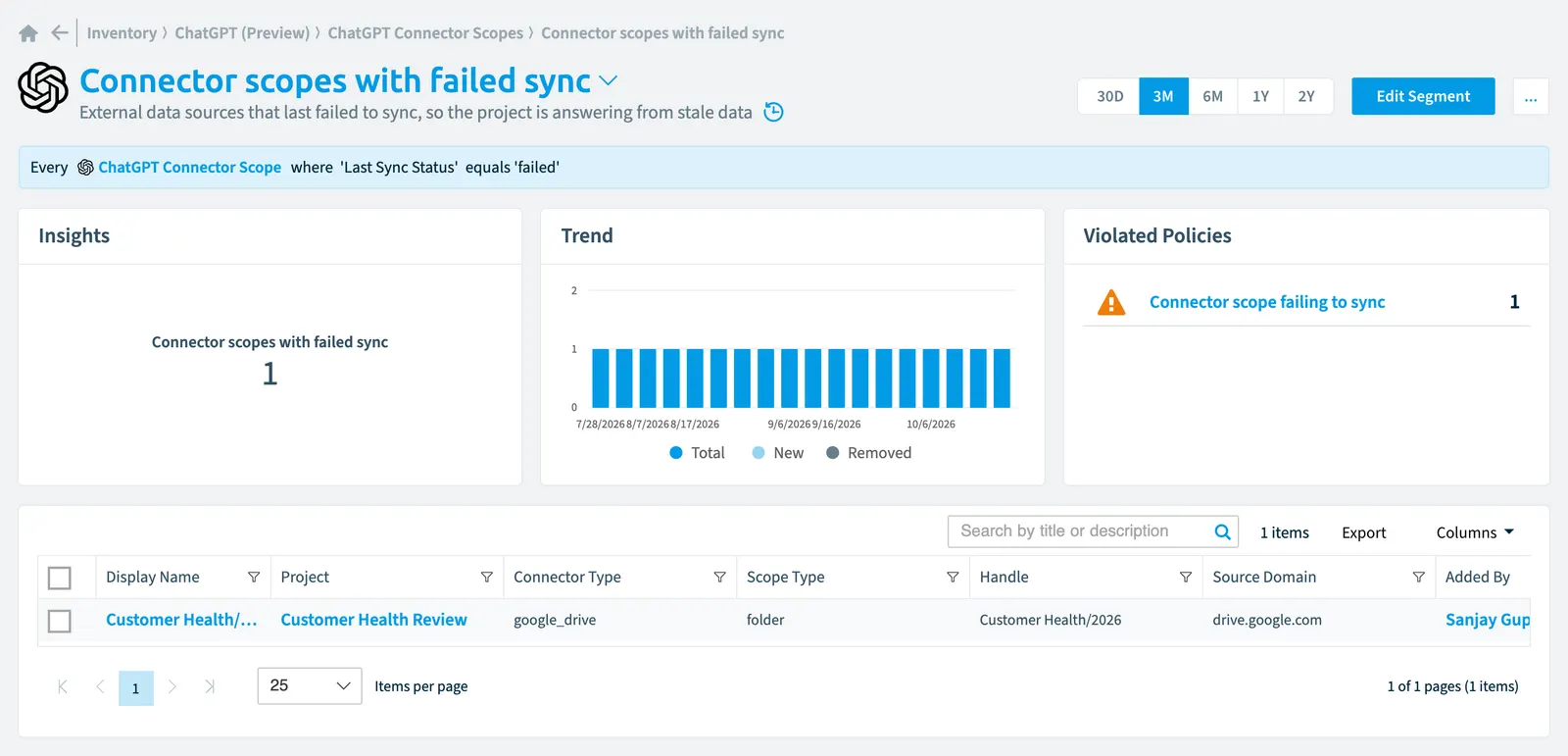
Identify ChatGPT connector scopes where the last sync failed, which means the project is using stale data. Use this segment to spot data sources that need attention.
External data sources that last failed to sync, so the project is answering from stale data.
What it selects
The segment selects ChatGPT connector scope objects from the ChatGPT EnterpriseChatGPT EnterpriseChatGPT Enterprise is the business plan of the ChatGPT AI assistant by OpenAI.Read more inventory.
The rule
Every ChatGPT Connector Scope where Last Sync Status equals 'failed'
In Rencore Governance
Details
| Selects | ChatGPT connector scope |
|---|---|
| Connector | ChatGPT Enterprise |
| Category | Operation |
| Primary segment | No |
| Recommended | No |
| Status | Preview |
Other segments for this object
Frequently asked questions
What does the connector scopes with failed sync segment select?
The Connector scopes with failed sync segment: external data sources that last failed to sync, so the project is answering from stale data.
What is the rule of the connector scopes with failed sync segment?
Every ChatGPT Connector Scope where Last Sync Status equals 'failed'.
Which objects does the connector scopes with failed sync segment use?
The Connector scopes with failed sync segment works on ChatGPT connector scope objects from the ChatGPT Enterprise inventory.
Which module includes the connector scopes with failed sync segment?
The Connector scopes with failed sync segment comes with the ChatGPT Enterprise connector (in preview) in the AI & Agents module of Rencore Governance, an add-on module on the Premium and Enterprise Plans.
Was this page helpful?
Thanks for the feedback.
Thanks. What was wrong?