
Credentials expiring within 30 days
AI summary
Identify ChatGPT service account credentials that expire within the next 30 days to prevent service outages. This segment selects active credentials from your ChatGPT Enterprise inventory that are approaching expiration.
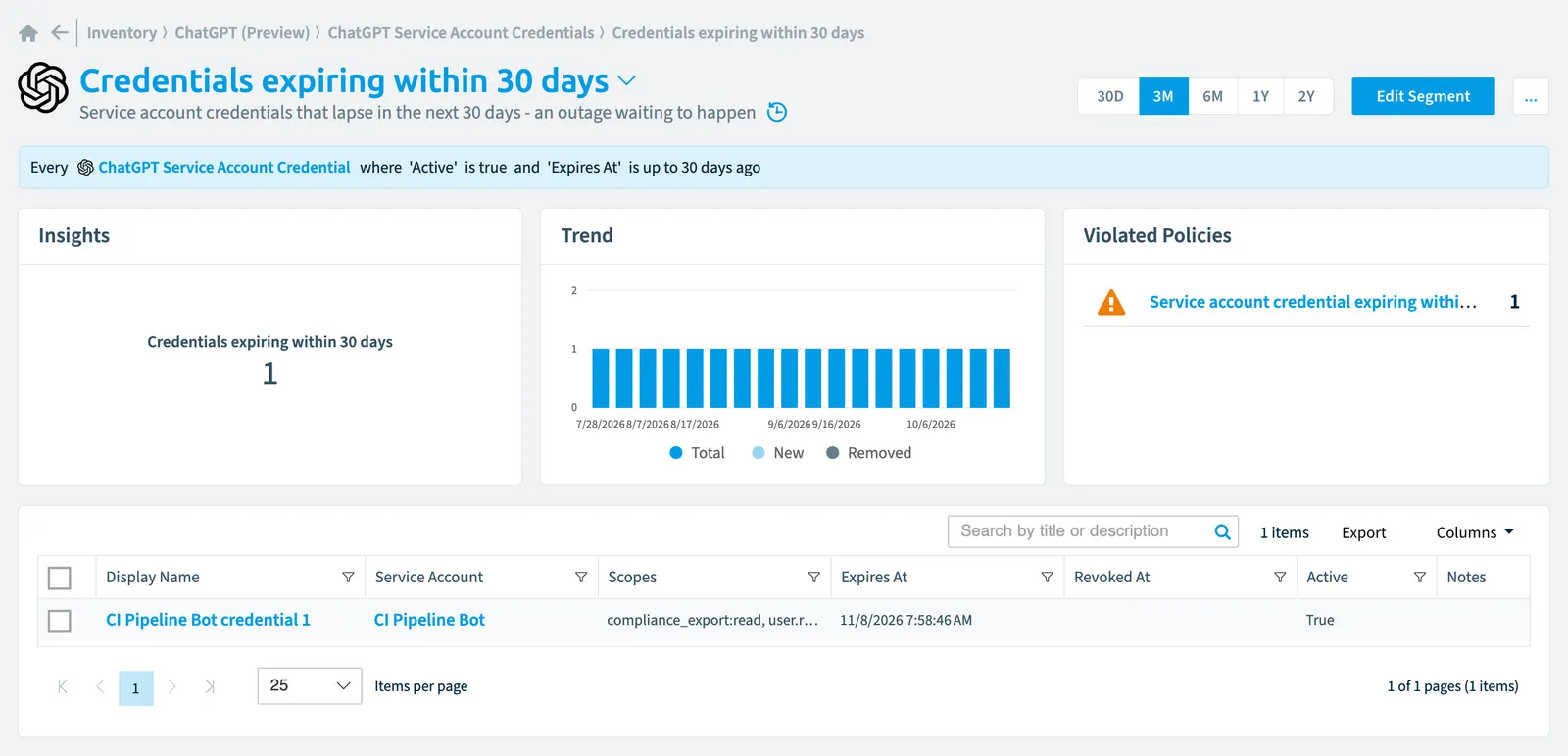
Service account credentials that lapse in the next 30 days - an outage waiting to happen.
What it selects
The segment selects ChatGPT service account credential objects from the ChatGPT EnterpriseChatGPT EnterpriseChatGPT Enterprise is the business plan of the ChatGPT AI assistant by OpenAI.Read more inventory.
The rule
Every ChatGPT Service Account Credential where Active is true and Expires At is up to 30 days ago
In Rencore Governance
Details
| Selects | ChatGPT service account credential |
|---|---|
| Connector | ChatGPT Enterprise |
| Category | Operation |
| Primary segment | No |
| Recommended | No |
| Status | Preview |
Frequently asked questions
What does the credentials expiring within 30 days segment select?
The Credentials expiring within 30 days segment: service account credentials that lapse in the next 30 days - an outage waiting to happen.
What is the rule of the credentials expiring within 30 days segment?
Every ChatGPT Service Account Credential where Active is true and Expires At is up to 30 days ago.
Which objects does the credentials expiring within 30 days segment use?
The Credentials expiring within 30 days segment works on ChatGPT service account credential objects from the ChatGPT Enterprise inventory.
Which module includes the credentials expiring within 30 days segment?
The Credentials expiring within 30 days segment comes with the ChatGPT Enterprise connector (in preview) in the AI & Agents module of Rencore Governance, an add-on module on the Premium and Enterprise Plans.
Was this page helpful?
Thanks for the feedback.
Thanks. What was wrong?