
Sharepoint and OneDrive knowledge
AI summary
The segment selects Knowledge objects from Copilot Studio where the type equals SharePoint and OneDrive, letting you identify and work with this knowledge category in Rencore Governance.
"Sharepoint and OneDriveOneDriveOneDrive is the personal file storage of each Microsoft 365 user. The OneDrive connector of Rencore Governance, part of the Digital Workplace module, inventories every OneDrive with its files, folders and file sharing.Read more knowledge" is a segment for Copilot StudioCopilot StudioCopilot Studio is the Microsoft tool for building your own AI agents. Rencore Governance covers it with the Copilot Studio connector, part of the AI & Agents module.Read more in Rencore Governance. Knowledge using SharePoint or OneDrive as data source.
What it selects
The segment selects Knowledge objects from the Copilot Studio inventory.
The rule
Every Knowledge where Type equals 'SharePoint and OneDrive'
In Rencore Governance
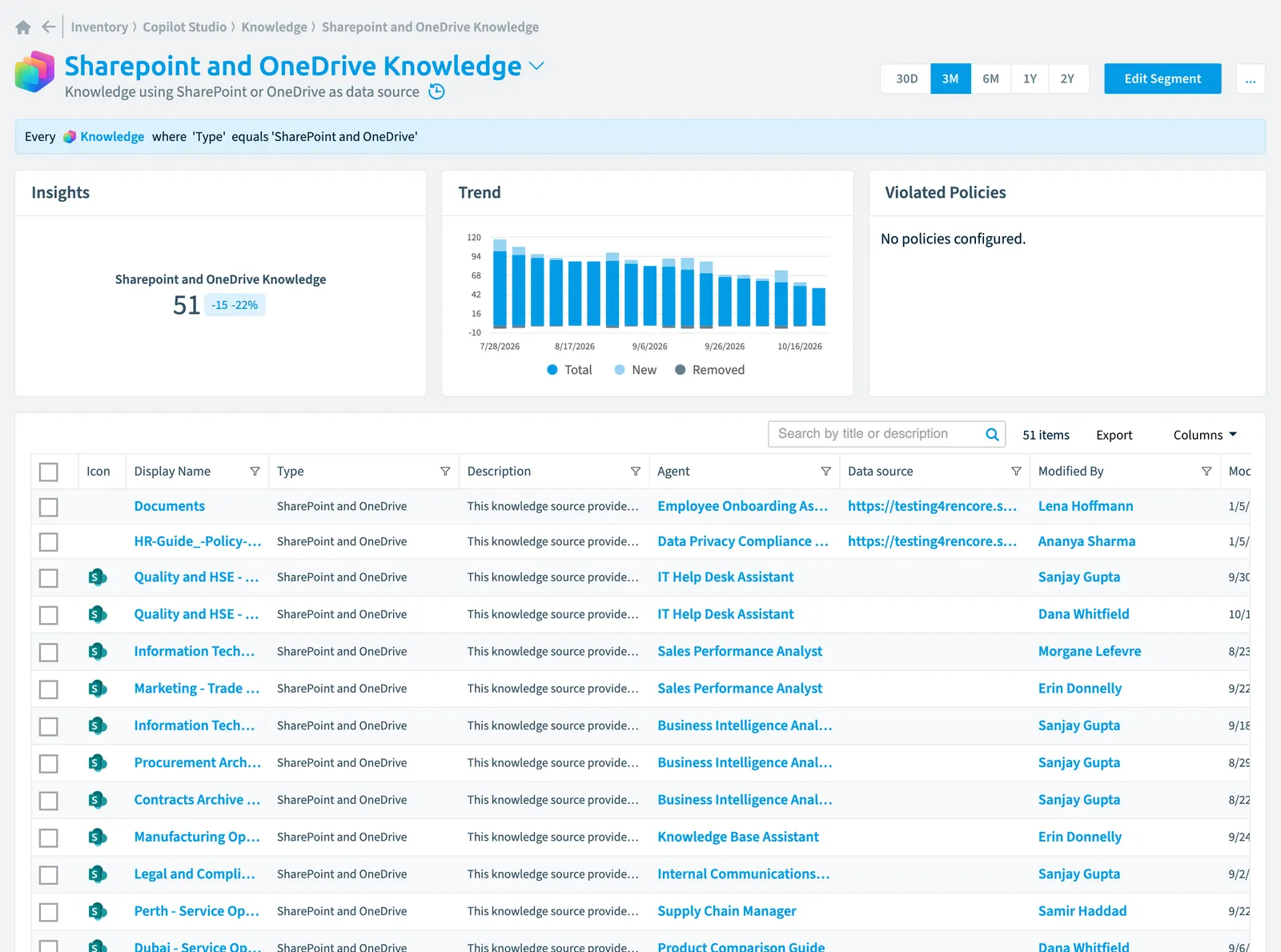
Details
| Selects | Knowledge |
|---|---|
| Connector | Copilot Studio |
| Category | Adoption |
| Primary segment | No |
| Recommended | Yes |
| Status | Generally available |
| Name in Rencore Governance | Sharepoint and OneDrive Knowledge |
Other segments for this object
Frequently asked questions
 What does the sharepoint and OneDrive knowledge segment select?
What does the sharepoint and OneDrive knowledge segment select?The Sharepoint and OneDrive knowledge segment: knowledge using SharePoint or OneDrive as data source.
What is the rule of the sharepoint and OneDrive knowledge segment?
What is the rule of the sharepoint and OneDrive knowledge segment?Every Knowledge where Type equals 'SharePoint and OneDrive'.
Which objects does the sharepoint and OneDrive knowledge segment use?
Which objects does the sharepoint and OneDrive knowledge segment use?The Sharepoint and OneDrive knowledge segment works on Knowledge objects from the Copilot Studio inventory.
Which module includes the sharepoint and OneDrive knowledge segment?
Which module includes the sharepoint and OneDrive knowledge segment?The Sharepoint and OneDrive knowledge segment comes with the Copilot Studio connector in the AI & Agents module of Rencore Governance, an add-on module on the Premium and Enterprise Plans.
Was this page helpful?
Thanks for the feedback.
Thanks. What was wrong?