
Environment
AI summary
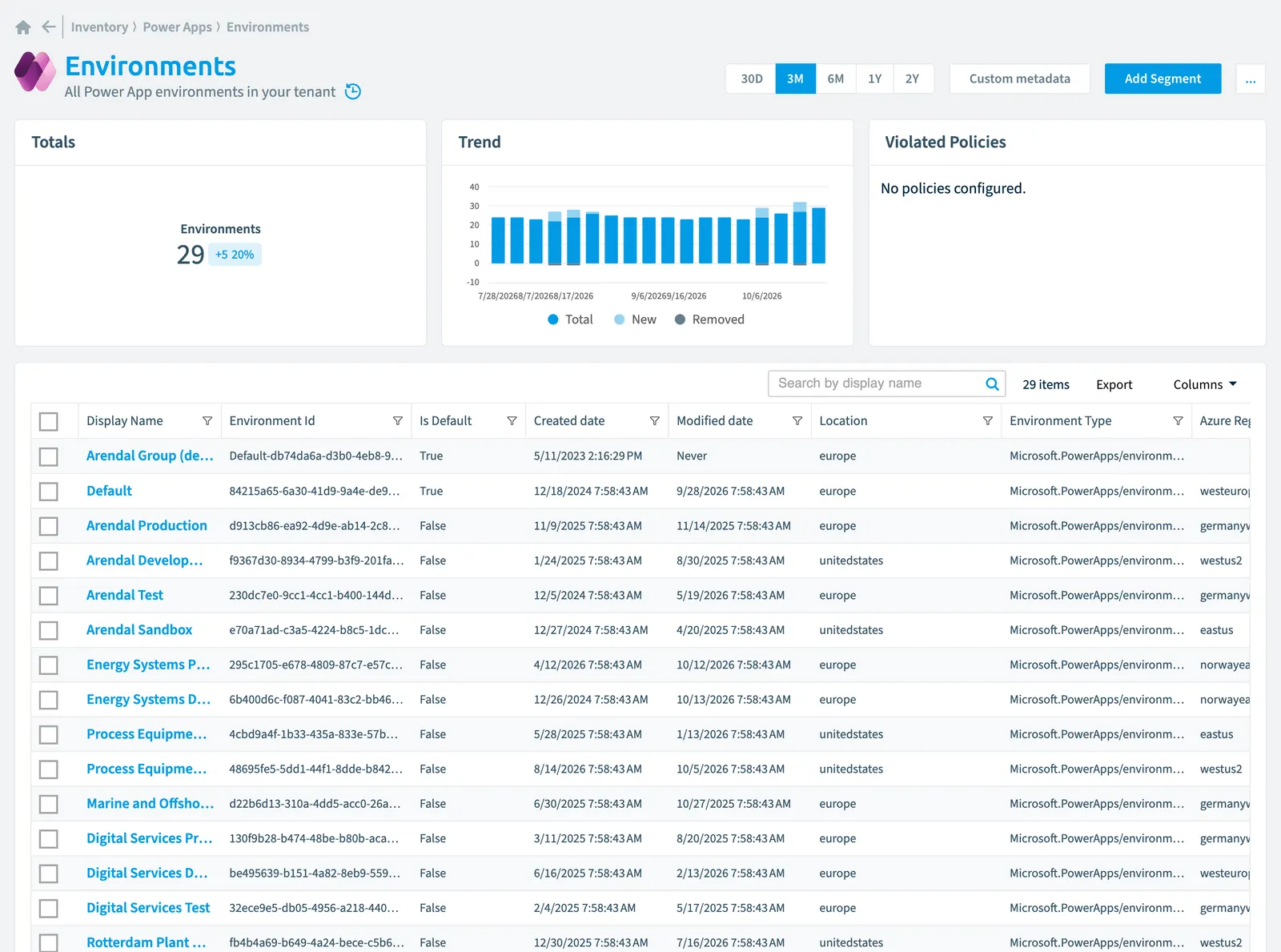
Rencore Governance inventories all Power App environments in your tenant and tracks numerous properties including when they were created and modified, location, SKU type, and risk scores. You can configure scanning to run daily, weekly, bi-weekly, or monthly. Environments relate to their creator and modifier users, plus the Power Apps connections and canvas apps they contain.
All Power App environments in your tenant
Part of the Power Apps inventory.
In Rencore Governance
Scan settings
| Default scanning interval | Allowed scanning intervals | Data removal during incremental scan |
|---|---|---|
| Daily | Daily, Weekly, Bi-Weekly, Monthly, Never, Initial | Yes |
Properties
| Property | Type | Description | Automation placeholder |
|---|---|---|---|
| Azure Region Hint | String | {{Environment. | |
| Created by | String | {{Environment. | |
| Created by Display Name | String | {{Environment. | |
| Initially Scanned | DateTime | Shows when this object was initially found in a scan. | {{Environment. |
| Creation Type | String | {{Environment. | |
| Display Name | String | {{Environment. | |
| Created date | DateTime | {{Environment. | |
| Modified date | DateTime | {{Environment. | |
| Is Default | Boolean | {{Environment. | |
| Last modified by | String | {{Environment. | |
| Last modified by Name | String | {{Environment. | |
| Last scan update | DateTime | Shows when this object was last updated in a scan. If an object is found during a scan but no property has been changed this date will not change. | {{Environment. |
| Location | String | {{Environment. | |
| Environment Url | String | Shows the environment url | {{Environment. |
| Environment Id | String | {{Environment. | |
| Sku | String | {{Environment. | |
| Environment Type | String | {{Environment. | |
| Provisioning State | String | {{Environment. | |
| Risk Score | Int32 | Stores risk score | {{Environment. |
| Risk Score Update | DateTime | Stores risk score update | {{Environment. |
| Risk Score Value | String | Stores risk score value like Low_Low | {{Environment. |
Relations
| Relation | Connector | Description |
|---|---|---|
| User | Microsoft 365Microsoft 365Microsoft 365 is the Microsoft cloud suite of Teams, SharePoint, OneDrive, Exchange and the Office apps.Read more | User who created the Power Platform environmentPower Platform environmentA Power Platform environment is a container in Microsoft Power Platform that holds apps, flows, agents and their data, often with its own Dataverse database.Read more |
| User | Microsoft 365 | User who last modified the Power Platform environment |
| Connection | Power AppsPower AppsPower Apps is the Microsoft low-code tool for building business apps. Rencore Governance covers it with the Power Apps connector, part of the Apps, Automation & BI module.Read more | All Power App connectionsConnectionA connection is the stored, signed-in link that a Power App or a flow uses to reach a data source through a connector.Read more used by your Power Apps |
| Power app (canvas app) | Power Apps | All Power Apps (Canvas AppsCanvas appA canvas app is a Power App whose screens you design freely, by dragging controls onto a canvas and connecting them to data.Read more) in your tenant |
Segments
This object does currently not have any segments.
Actions
This object does currently not have any actions.
Frequently asked questions
What is the Environment object in Rencore Governance?
All Power App environments in your tenant. Environment is an object type in the Power Apps inventory of Rencore Governance.
Which properties does Rencore Governance collect for Environment?
Rencore Governance collects 21 properties for Environment, such as Azure Region Hint, Created by, Created by Display Name and 18 more.
How often is Environment scanned?
By default daily. You can change the scan interval of Environment objects under Configure objects (daily, weekly, bi-weekly, monthly, never or initial (collected once)). The interval is a target, not a guarantee: a scan can run later than planned.
Which module includes the Power Apps connector?
Which module includes the Power Apps connector?The Power Apps connector is part of the Apps, Automation & BI module of Rencore Governance, an add-on module on the Premium and Enterprise Plans. The connector is generally available.
Was this page helpful?
Thanks for the feedback.
Thanks. What was wrong?