
Large SharePoint lists
AI summary
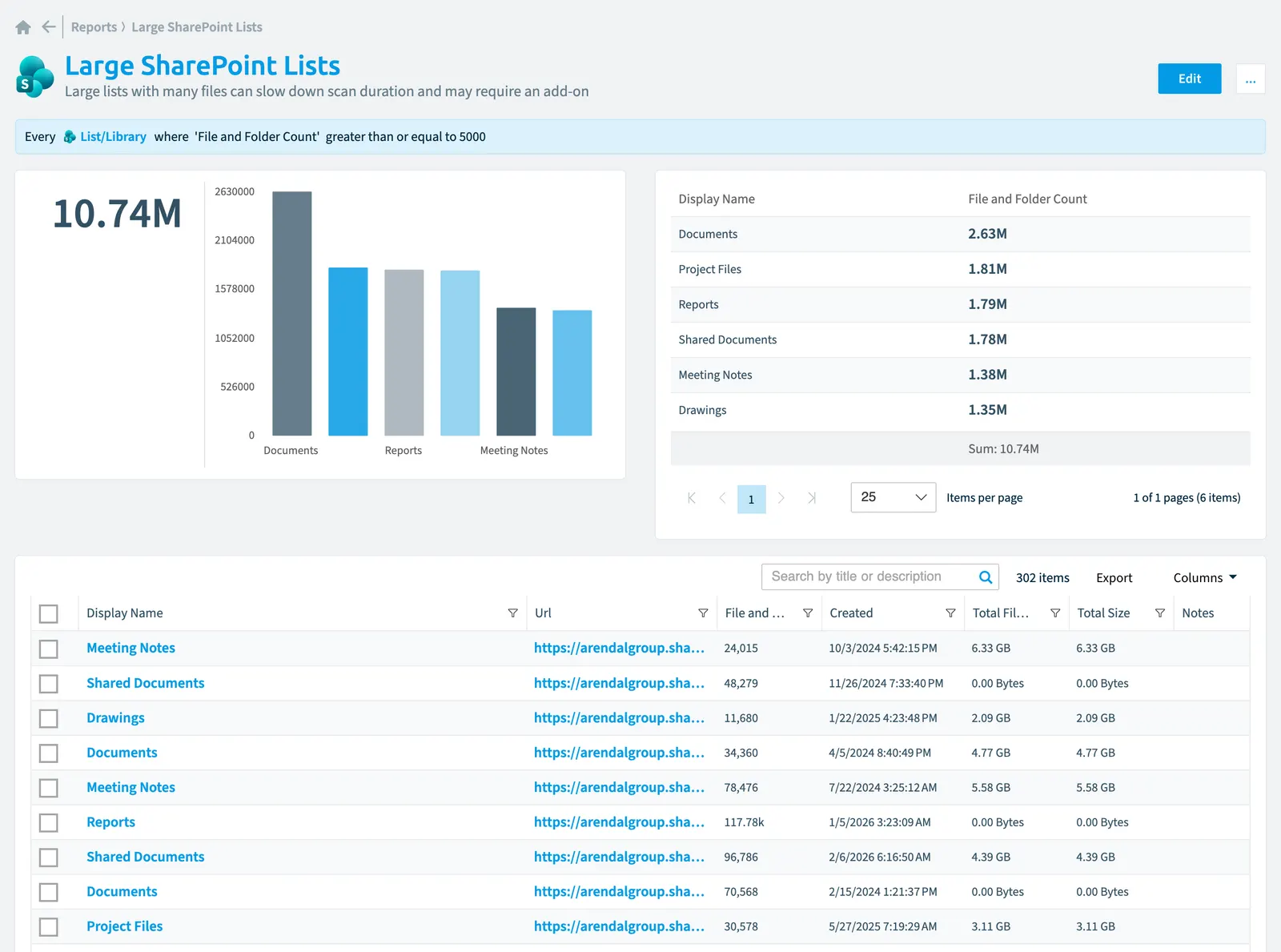
View the largest SharePoint lists and libraries to identify which ones can slow down scan duration. The report displays the top 10 lists ranked by file and folder count in your SharePoint environment, helping you spot performance risks.
Large lists with many files can slow down scan duration and may require an add-on.
What it shows
The report shows List/library objects from the SharePoint inventory.
The rule
Every List/Library
Chart
| Chart type | Column chart |
|---|---|
| Grouped by | Display Name |
| Measure | Sum of File and Folder Count |
| Sorted by | File and Folder Count, descending |
| Limit | Top 10 |
In Rencore Governance
Details
| Reports on | List/library |
|---|---|
| Connector | SharePoint |
| Category | None |
| Chart type | Column chart |
| Recommended | No |
| Status | Generally available |
Other reports for this object
Frequently asked questions
What does the large SharePoint lists report show?
What does the large SharePoint lists report show?The Large SharePoint lists report: large lists with many files can slow down scan duration and may require an add-on.
What is the rule of the large SharePoint lists report?
What is the rule of the large SharePoint lists report?Every List/Library.
Which objects does the large SharePoint lists report use?
Which objects does the large SharePoint lists report use?The Large SharePoint lists report works on List/library objects from the SharePoint inventory and shows them as a column chart.
Which module includes the large SharePoint lists report?
Which module includes the large SharePoint lists report?The Large SharePoint lists report comes with the SharePoint connector in the Digital Workplace module of Rencore Governance, which every Plan includes.
Was this page helpful?
Thanks for the feedback.
Thanks. What was wrong?