
ChatGPT agent spend this month
AI summary
View which workspace agents are spending the most on ChatGPT this month, displayed in a bar chart of the top 10. Because agent spending accrues without user action, you should track it separately.
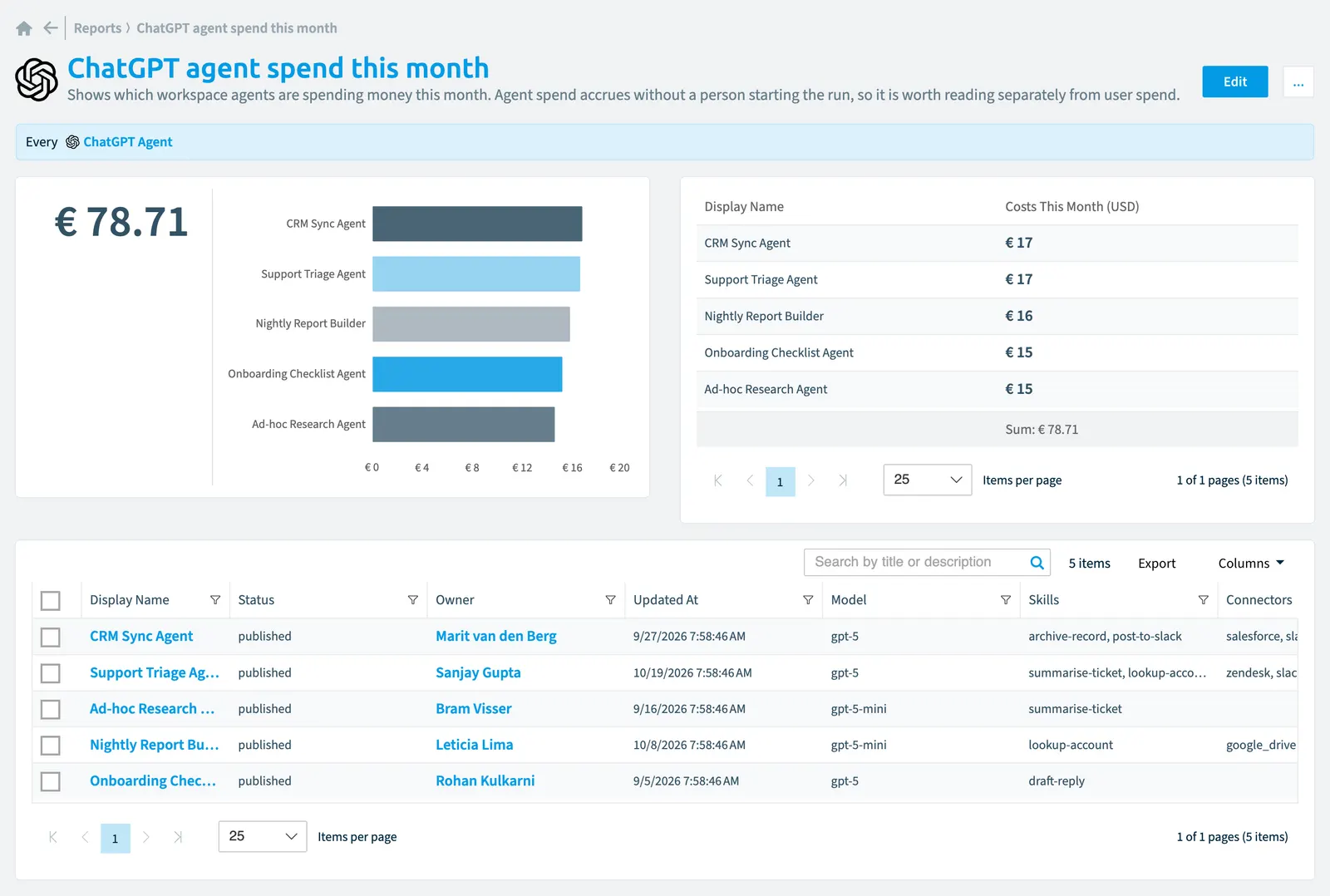
Shows which workspace agents are spending money this month. Agent spend accrues without a person starting the run, so it is worth reading separately from user spend.
What it shows
The report shows ChatGPT agent objects from the ChatGPT EnterpriseChatGPT EnterpriseChatGPT Enterprise is the business plan of the ChatGPT AI assistant by OpenAI.Read more inventory.
The rule
Every ChatGPT Agent
Chart
| Chart type | Bar chart |
|---|---|
| Grouped by | Display Name |
| Measure | Sum of Costs This Month (USD) |
| Sorted by | Costs This Month (USD), descending |
| Limit | Top 10 |
In Rencore Governance
Details
| Reports on | ChatGPT agent |
|---|---|
| Connector | ChatGPT Enterprise |
| Category | Costs Chargeback |
| Chart type | Bar chart |
| Recommended | Yes |
| Status | Preview |
Frequently asked questions
What does the ChatGPT agent spend this month report show?
What does the ChatGPT agent spend this month report show?The ChatGPT agent spend this month report: shows which workspace agents are spending money this month. Agent spend accrues without a person starting the run, so it is worth reading separately from user spend.
What is the rule of the ChatGPT agent spend this month report?
What is the rule of the ChatGPT agent spend this month report?Every ChatGPT Agent.
Which objects does the ChatGPT agent spend this month report use?
Which objects does the ChatGPT agent spend this month report use?The ChatGPT agent spend this month report works on ChatGPT agent objects from the ChatGPT Enterprise inventory and shows them as a bar chart.
Which module includes the ChatGPT agent spend this month report?
Which module includes the ChatGPT agent spend this month report?The ChatGPT agent spend this month report comes with the ChatGPT Enterprise connector (in preview) in the AI & Agents module of Rencore Governance, an add-on module on the Premium and Enterprise Plans.
Was this page helpful?
Thanks for the feedback.
Thanks. What was wrong?