
Project data sources by connector type
AI summary
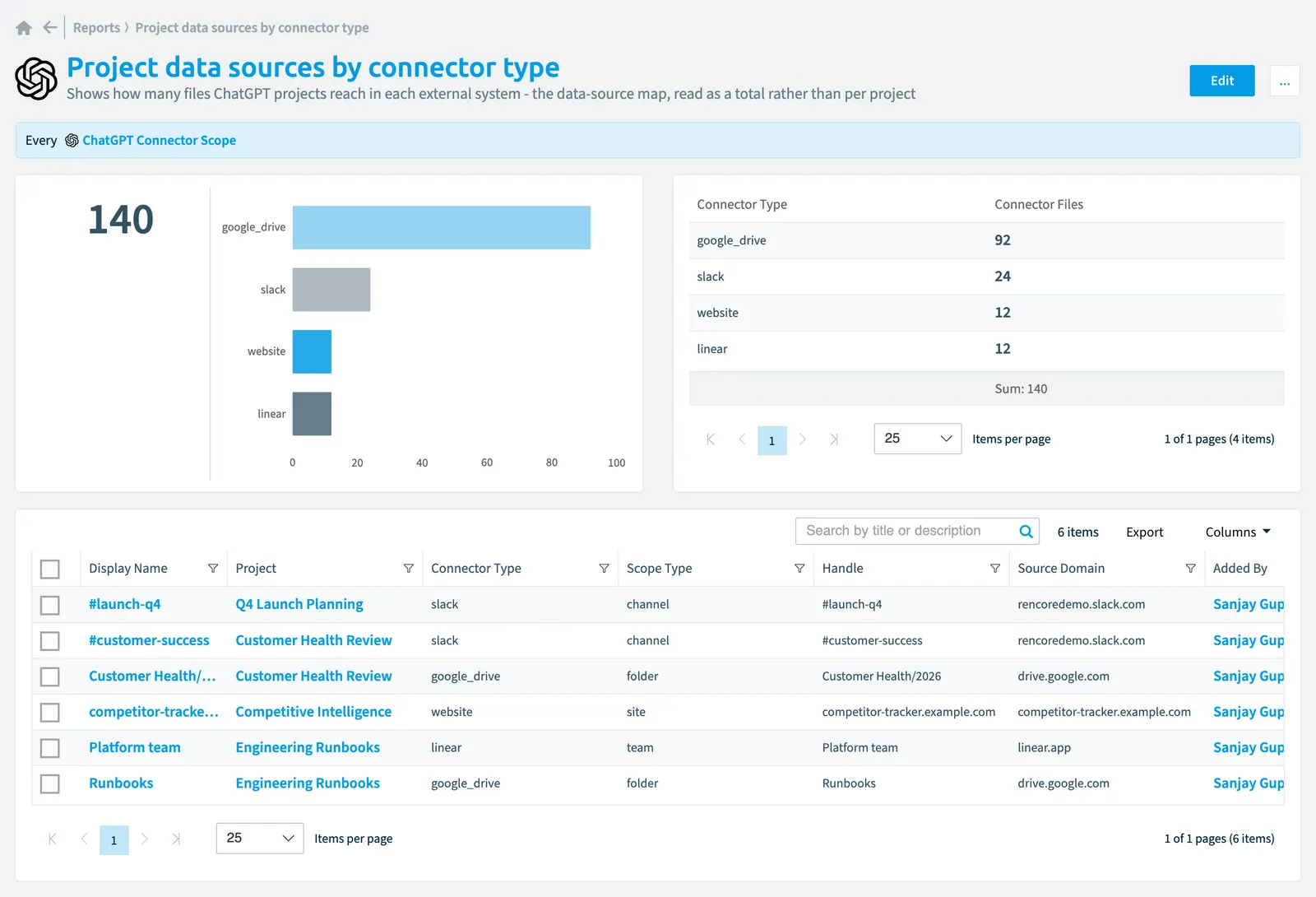
A bar chart showing how many files your ChatGPT projects reach through each connector type helps you understand your data-source scope. See which external systems your ChatGPT Enterprise integration accesses most.
Shows how many files ChatGPTChatGPT EnterpriseChatGPT Enterprise is the business plan of the ChatGPT AI assistant by OpenAI.Read more projects reach in each external system - the data-source map, read as a total rather than per project.
What it shows
The report shows ChatGPT connector scope objects from the ChatGPT Enterprise inventory.
The rule
Every ChatGPT Connector Scope
Chart
| Chart type | Bar chart |
|---|---|
| Grouped by | Connector Type |
| Measure | Sum of Connector Files |
| Sorted by | Connector Files, descending |
| Limit | Top 5 |
In Rencore Governance
Details
| Reports on | ChatGPT connector scope |
|---|---|
| Connector | ChatGPT Enterprise |
| Category | External Access |
| Chart type | Bar chart |
| Recommended | Yes |
| Status | Preview |
Frequently asked questions
What does the project data sources by connector type report show?
The Project data sources by connector type report: shows how many files ChatGPT projects reach in each external system - the data-source map, read as a total rather than per project.
What is the rule of the project data sources by connector type report?
Every ChatGPT Connector Scope.
Which objects does the project data sources by connector type report use?
The Project data sources by connector type report works on ChatGPT connector scope objects from the ChatGPT Enterprise inventory and shows them as a bar chart.
Which module includes the project data sources by connector type report?
The Project data sources by connector type report comes with the ChatGPT Enterprise connector (in preview) in the AI & Agents module of Rencore Governance, an add-on module on the Premium and Enterprise Plans.
Was this page helpful?
Thanks for the feedback.
Thanks. What was wrong?