Disable a service
AI summary
Disable services in your Environment when you change which services your organization uses. Any dashboards, tiles, policies, and automations configured for the disabled service will stop working.
Turn off services you no longer want Rencore Governance to scan in an EnvironmentEnvironmentAn Environment is the connected Microsoft 365 tenant inside a Workspace.Read more. You might do this when you change the services you use.
Before you begin
- Your role needs the Manage services permission. The Admin and Owner roles have it. See Rencore roles.
- All previously configured dashboards, tiles, policies and automations that use the service stop working.
Steps
-
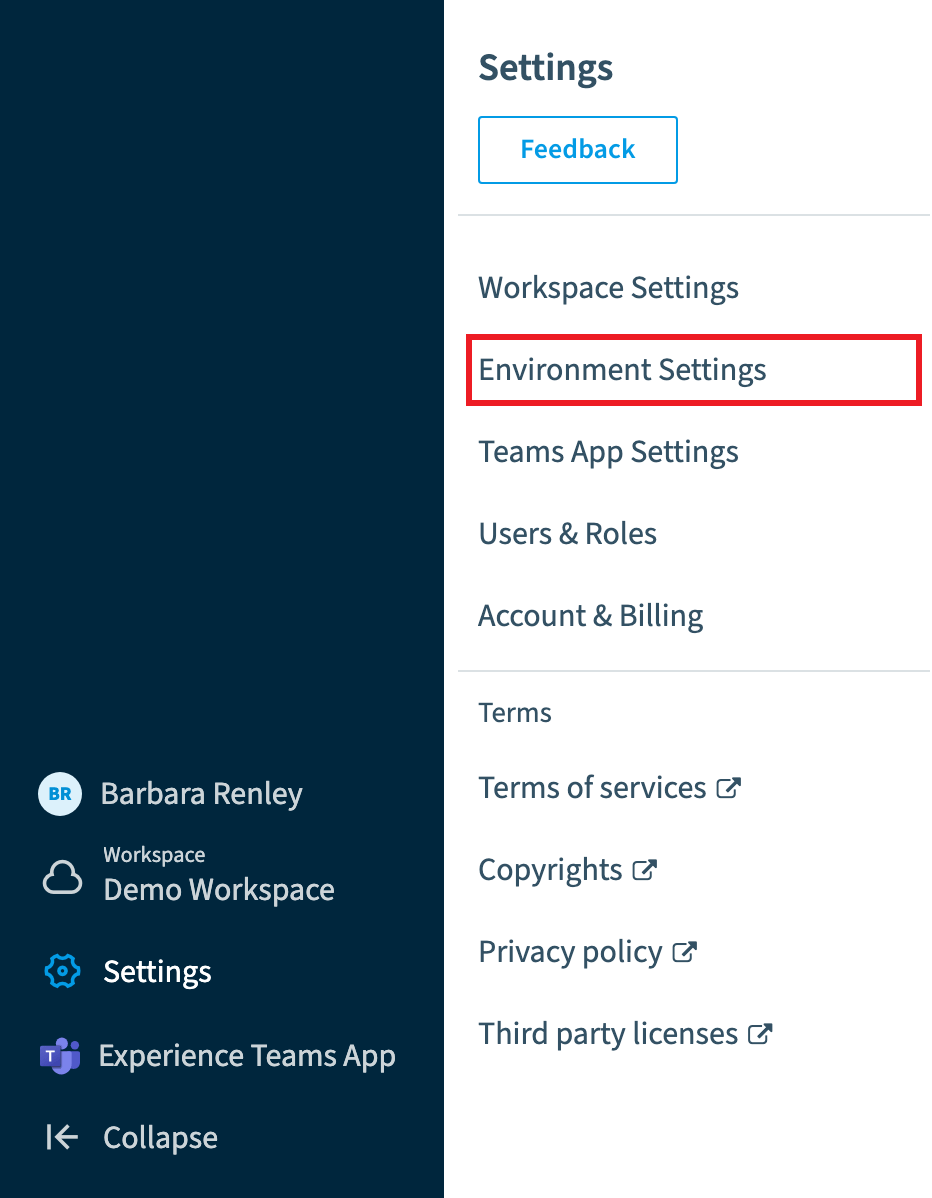
Go to Settings > Environment Settings > Manage Service.
-
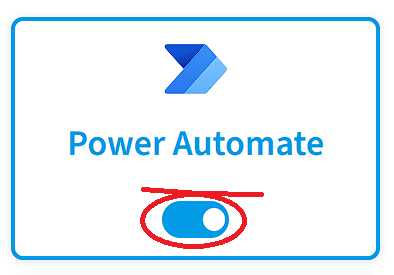
Click the toggle next to each service you want to disable.
-
Click Save at the top of the page.
-
A dialog lists the services to be disabled. Click Continue.
Frequently asked questions
Which permission do I need to disable a service in an Environment?
You need the Manage services permission. The Admin and Owner roles have it.
How do I turn off a service so Rencore Governance stops scanning it?
Go to Settings > Environment Settings > Manage Service and click the toggle next to each service you want to disable. Then click Save at the top of the page. A dialog lists the services to be disabled; click Continue.
What happens to my dashboards, policies and automations when I disable a service?
All previously configured dashboards, tiles, policies and automations that use the disabled service stop working.
Was this page helpful?
Thanks for the feedback.
Thanks. What was wrong?