Re-consent permissions
AI summary
Reapply permissions that Rencore Governance needs for a service when consent is lost or new permissions need approval. You need the Manage consent permission, and a service admin account must provide the consent.
Give consent again to the permissions Rencore Governance needs for a service in an EnvironmentEnvironmentAn Environment is the connected Microsoft 365 tenant inside a Workspace.Read more. Do this when consent was lost or when new permissions need your approval.
Before you begin
- Your role needs the Manage consent permission. The Admin and Owner roles have it. See Rencore roles.
- An admin account of the service has to give the consent.
Steps
-
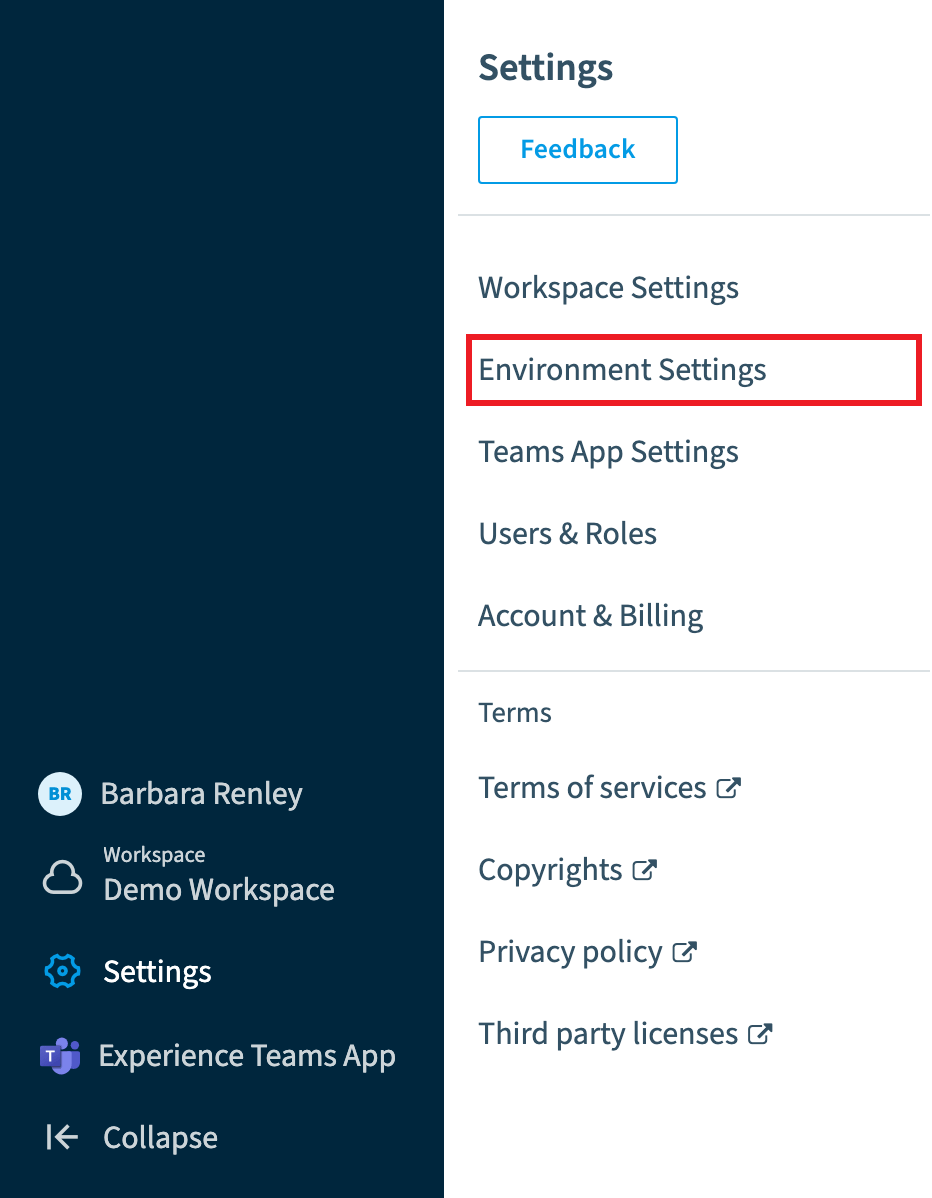
Go to Settings > Environment Settings.
-
Click the Environment Action Menu ([…]) and click Manage Consent.
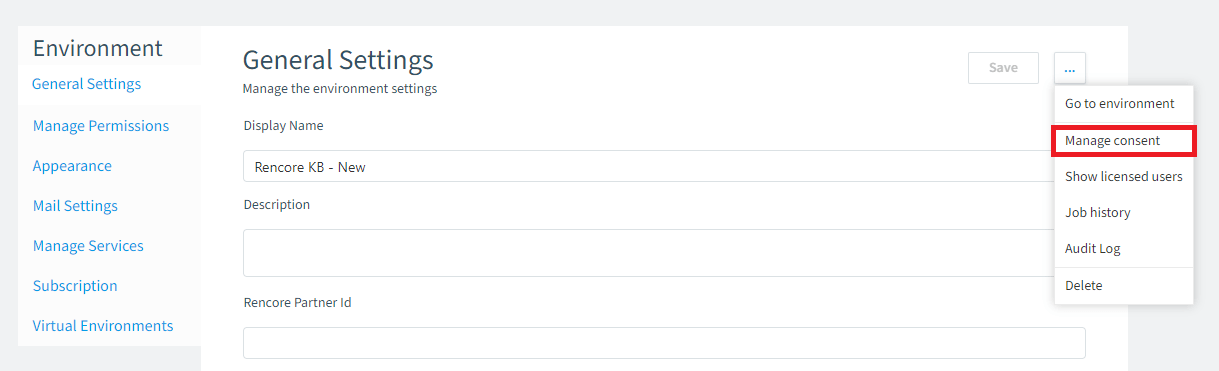
Alternatively, go to https://<datacenter>.app.rencore.com/workspaces/<WorkspaceID>/environments/<EnvironmentID>/checkconsent#Area=Inventory, where <datacenter> is the data centerData centerThe data center is the Microsoft Azure region where Rencore Governance stores all data of a Workspace.Read more your WorkspaceWorkspaceA Workspace is the top-level container in Rencore Governance. It holds the settings, users, roles and connected apps for exactly one Environment, the connected Microsoft 365 tenant.Read more is located in, <WorkspaceID> is the ID of the Workspace, and <EnvironmentID> is the ID of the Environment.
-
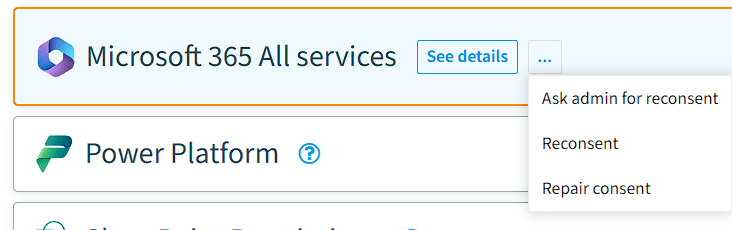
Next to the service, click the Action Menu and click either Reconsent or Ask admin for reconsent. Alternatively, click Repair Consent, which tries to use the existing consent and apply it again.
What you see
Once an admin account has given consent, the permissions for Rencore Governance are complete and the services are restored.
Frequently asked questions
Who can re-consent permissions for a service in an Environment?
Your role needs the Manage consent permission, which the Admin and Owner roles have. In addition, an admin account of the service has to give the consent.
How do I open the consent settings for an Environment?
Go to Settings > Environment Settings, click the Environment Action Menu ([…]), and click Manage Consent. You can also open the checkconsent URL directly, using your data center, Workspace ID, and Environment ID.
What does repair consent do compared with reconsent?
Repair Consent tries to use the existing consent and apply it again. Reconsent or Ask admin for reconsent asks for consent again. Once an admin account has given consent, the permissions are complete and the services are restored.
Was this page helpful?
Thanks for the feedback.
Thanks. What was wrong?