Configure system notifications
AI summary
Configure which system notifications Rencore Governance sends, such as consent lost or automation errors, and specify who receives them. You need the Notifications permission to change these settings.
Choose which system notificationsEnvironment notificationsEnvironment notifications are the emails Rencore Governance sends when something in an Environment needs attention.Read more Rencore Governance sends, such as consent lost or errors in automations, and who receives them.
Before you begin
- Your role needs the Notifications permission. The Admin and Owner roles have it. See Rencore roles.
Steps
-
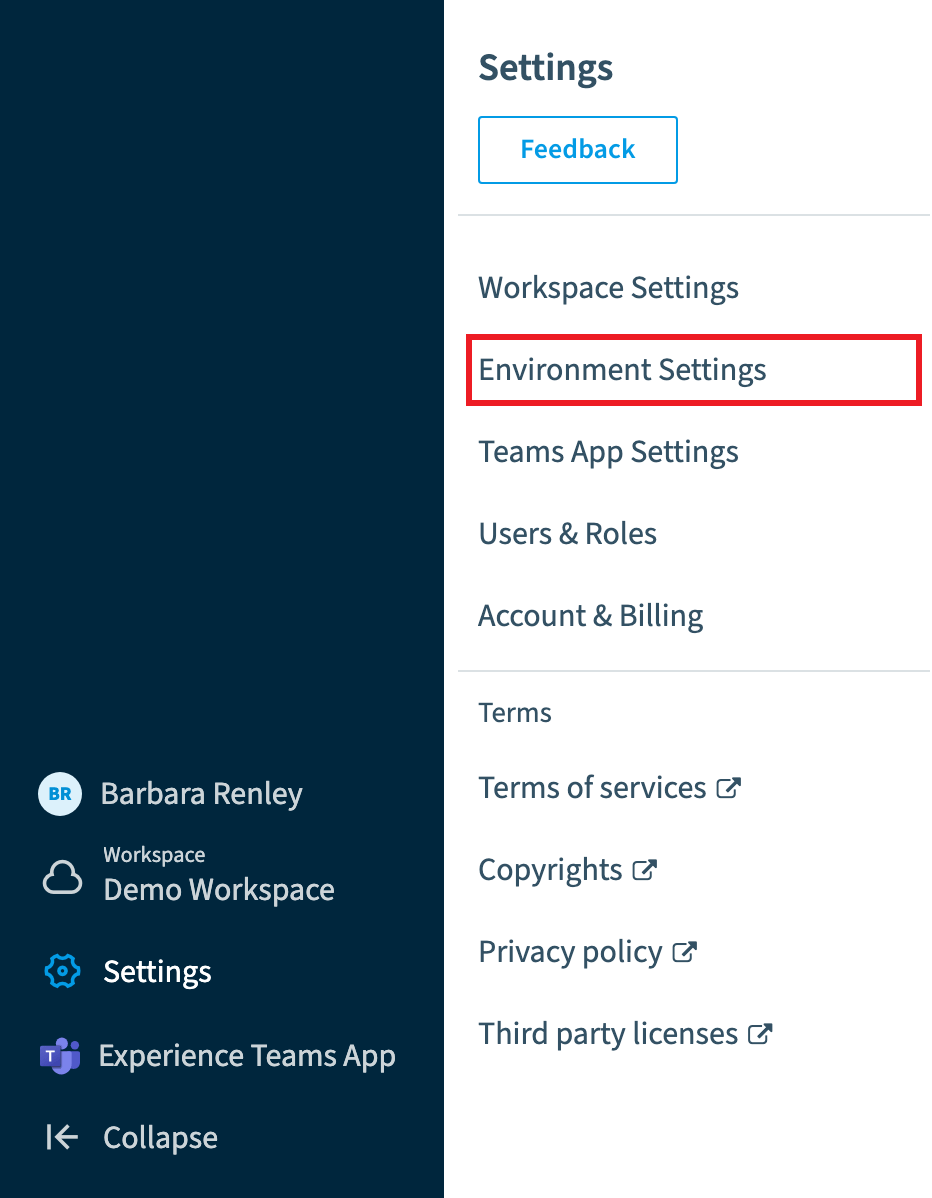
Go to Settings > Environment Settings > Notifications.
-
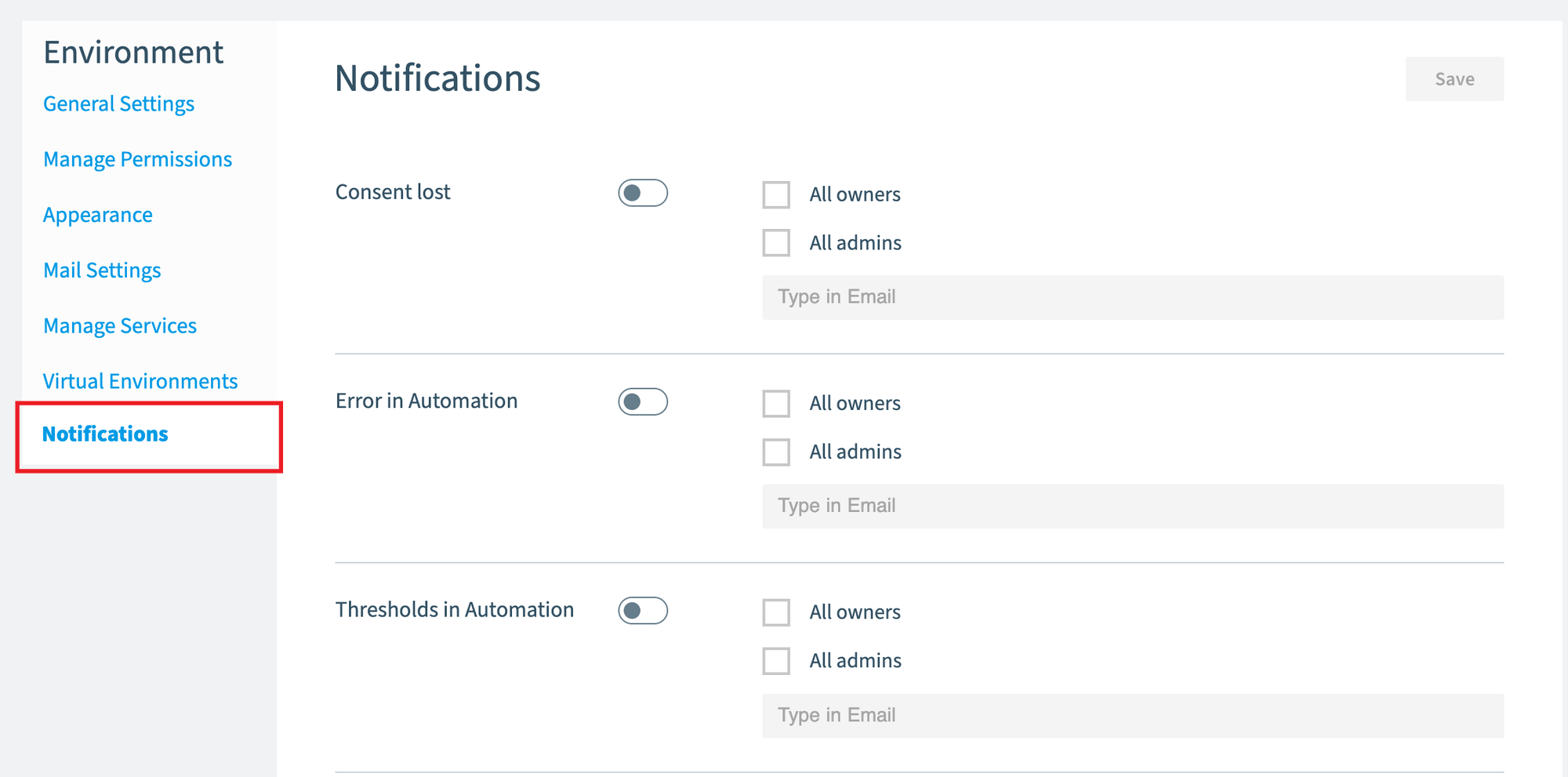
For each section you need, change the setting from Off (default setting) to on.
-
Choose whether the notification is sent to all Rencore Governance Owners, all Rencore Governance Admins, a specified email address, or a combination of the three.
-
Click Save at the top of the screen.
What you see
The Notification Settings are divided into these areas:
- Consent lost: sends notifications when consent is lost in the system.
- Error in AutomationAutomationAn automation is a workflow Rencore Governance runs on inventory objects when a trigger fires.Read more: sends a notification when an error occurs in an automation, including when a threshold limitAutomation thresholdAn automation threshold, or threshold limit, caps how many objects an automation processes in one day.Read more is exceeded.
- Error in Provisioning: sends a notification when an error occurs in a Provisioning.
Frequently asked questions
Where do I turn on system notifications in Rencore Governance?
Go to Settings > Environment Settings > Notifications. For each section you need, change the setting from Off (default setting) to on, then click Save at the top of the screen.
Who can receive system notifications from Rencore Governance?
You can send a notification to all Rencore Governance Owners, all Rencore Governance Admins, a specified email, or a combination of the three.
Which system notifications can I configure?
You can configure Consent lost, Error in Automation, and Error in Provisioning notifications. Error in Automation also covers the case where a threshold limit is exceeded in an automation.
Was this page helpful?
Thanks for the feedback.
Thanks. What was wrong?