
Claude chat
AI summary
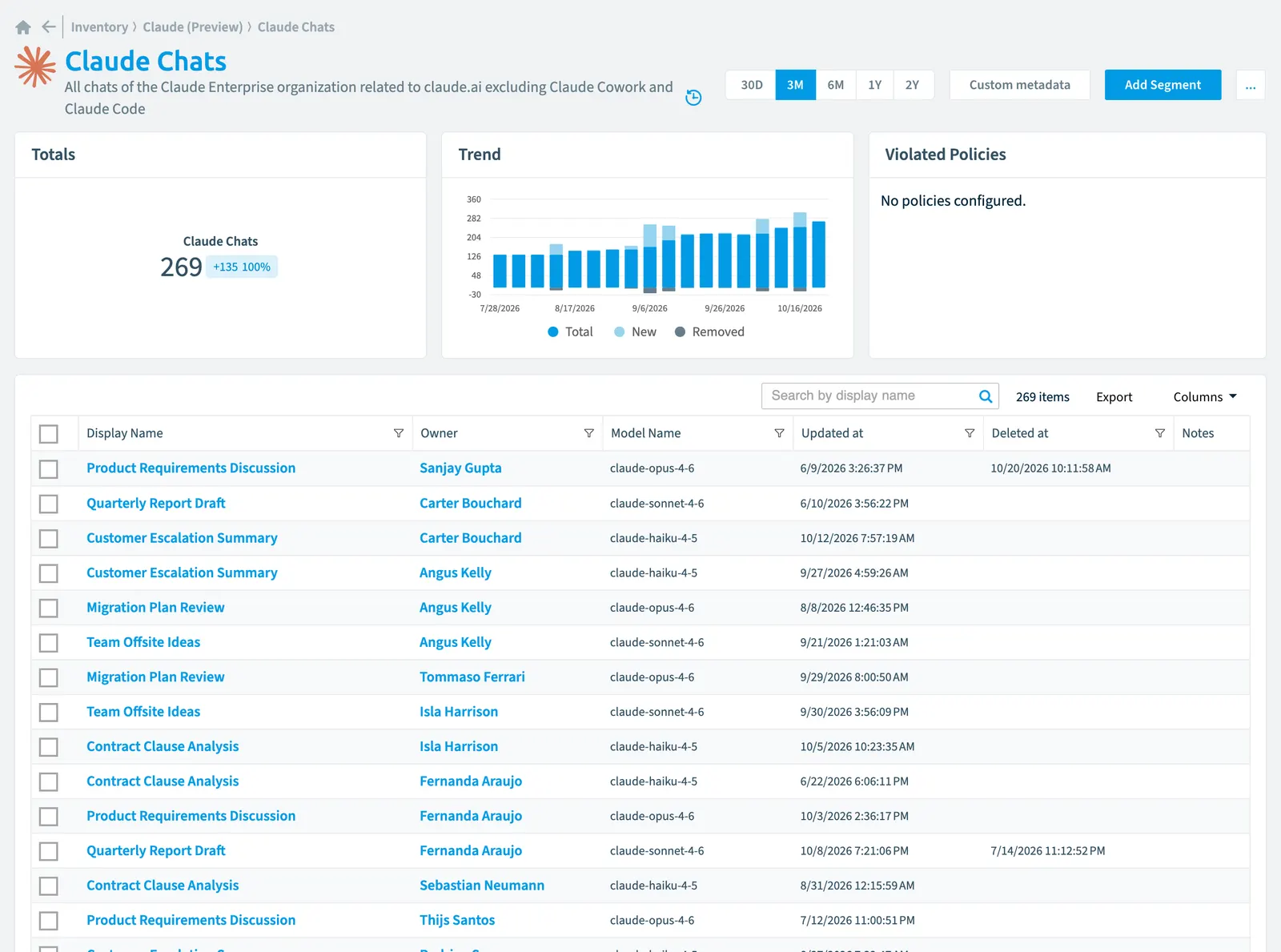
Claude chats from your Claude Enterprise organization are automatically tracked in Rencore Governance. Scanning is configured daily by default but can be set to weekly, bi-weekly, monthly intervals, or disabled entirely. The inventory captures properties including chat ownership, model name, project assignment, and timestamps that you can reference in governance policies.
All chats of the Claude EnterpriseClaude EnterpriseClaude Enterprise is the business plan of the Claude AI assistant by Anthropic.Read more organization related to claude.ai excluding Claude Cowork and Claude Code
Part of the Claude Enterprise inventory.
In Rencore Governance
Scan settings
| Default scanning interval | Allowed scanning intervals | Data removal during incremental scan |
|---|---|---|
| Daily | Daily, Weekly, Bi-Weekly, Monthly, Never, Initial | Yes |
Properties
| Property | Type | Description | Automation placeholder |
|---|---|---|---|
| Key | String | Internal. | {{ClaudeChat. |
| Created at | DateTime | {{ClaudeChat. | |
| Initially Scanned | DateTime | Shows when this object was initially found in a scan. | {{ClaudeChat. |
| Deleted at | DateTime | Set when the user soft-deleted the chat in claude.ai; hard-deleted chats disappear from the inventory. | {{ClaudeChat. |
| Display Name | String | {{ClaudeChat. | |
| Link | String | Deep link to the chat in claude.ai. | {{ClaudeChat. |
| Id | String | The chat identifier (claude_chat_...). | {{ClaudeChat. |
| Last scan update | DateTime | Shows when this object was last updated in a scan. If an object is found during a scan but no property has been changed this date will not change. | {{ClaudeChat. |
| M365 User | User | The related M365Microsoft 365Microsoft 365 is the Microsoft cloud suite of Teams, SharePoint, OneDrive, Exchange and the Office apps.Read more user in Entra IDMicrosoft Entra IDMicrosoft Entra ID, formerly Azure Active Directory, is the Microsoft identity service behind every Microsoft 365 tenant.Read more, for policies on M365 users. | {{ClaudeChat. |
| M365 User Name | String | Display name of the related M365 user. | {{ClaudeChat. |
| Model Name | String | The Claude model the chat uses. | {{ClaudeChat. |
| Organization | Claude linked organization | The linked organization the chat belongs to. | {{ClaudeChat. |
| Organization Name | String | Display name of the linked organization the chat belongs to. | {{ClaudeChat. |
| Project | Claude project | The project the chat is attached to, when any. | {{ClaudeChat. |
| Project Name | String | Display name of the project the chat is attached to. | {{ClaudeChat. |
| Risk Score | Int32 | Stores risk score | {{ClaudeChat. |
| Risk Score Update | DateTime | Stores risk score update | {{ClaudeChat. |
| Risk Score Value | String | Stores risk score value like Low_Low | {{ClaudeChat. |
| Updated at | DateTime | {{ClaudeChat. | |
| Owner | Claude user | The user the chat belongs to. | {{ClaudeChat. |
| Owner Email | String | {{ClaudeChat. | |
| Owner Name | String | Display name of the user the chat belongs to. | {{ClaudeChat. |
Relations
| Relation | Connector | Description |
|---|---|---|
| Claude activity | Claude Enterprise | Anthropic activity feed: who did what and when across the Claude Enterprise organizations |
| Claude linked organization | Claude Enterprise | The organizations linked under the Claude Enterprise parent organization |
| Claude project | Claude Enterprise | All projects of the Claude Enterprise organization related to claude.ai excluding Claude Cowork and Claude Code |
| Claude user | Claude Enterprise | Every member across organizations |
| User | Microsoft 365 | All users registered in your tenant (internal, external) |
Segments
This object does currently not have any segments.
Actions
This object does currently not have any actions.
Frequently asked questions
What is the Claude chat object in Rencore Governance?
What is the Claude chat object in Rencore Governance?All chats of the Claude Enterprise organization related to claude.ai excluding Claude Cowork and Claude Code. Claude chat is an object type in the Claude Enterprise inventory of Rencore Governance.
Which properties does Rencore Governance collect for Claude chat?
Which properties does Rencore Governance collect for Claude chat?Rencore Governance collects 22 properties for Claude chat, such as Key, Created at, Initially Scanned and 19 more.
How often is Claude chat scanned?
How often is Claude chat scanned?By default daily. You can change the scan interval of Claude chat objects under Configure objects (daily, weekly, bi-weekly, monthly, never or initial (collected once)). The interval is a target, not a guarantee: a scan can run later than planned.
Which module includes the Claude Enterprise connector?
Which module includes the Claude Enterprise connector?The Claude Enterprise connector is part of the AI & Agents module of Rencore Governance, an add-on module on the Premium and Enterprise Plans. The connector is in preview.
Was this page helpful?
Thanks for the feedback.
Thanks. What was wrong?