
Enterprise applications (SharePoint add-ins) with expired certificates or client secrets
AI summary
This rule identifies enterprise applications with expired certificates or client secrets, typically SharePoint Add-Ins that Microsoft retired in April 2026. Expired credentials likely indicate the application is no longer in use; confirm with the owner and delete or rebuild as needed.
What it detects
Shows Enterprise applicationsEnterprise applicationAn enterprise application is the local instance of an app in a Microsoft Entra tenant, its service principal, where admins control who can sign in and which permissions it holds.Read more with expired certificates or client secretsClient secretA client secret is a password-like string that an app registration uses to prove its identity when it requests a token from Microsoft Entra ID.Read more. In most cases these applications are SharePoint Add-Ins.
Why it matters
These are mostly SharePoint Add-ins whose certificate or client secret has expired, so they can no longer sign in. Microsoft retired SharePoint Add-ins in SharePoint Online on April 2, 2026, so an add-in with an expired credential is very likely unused. Confirm with the owner and delete the app, or rebuild what is still needed on the SharePoint Framework or as a Microsoft Entra IDMicrosoft Entra IDMicrosoft Entra ID, formerly Azure Active Directory, is the Microsoft identity service behind every Microsoft 365 tenant.Read more app.
The rule
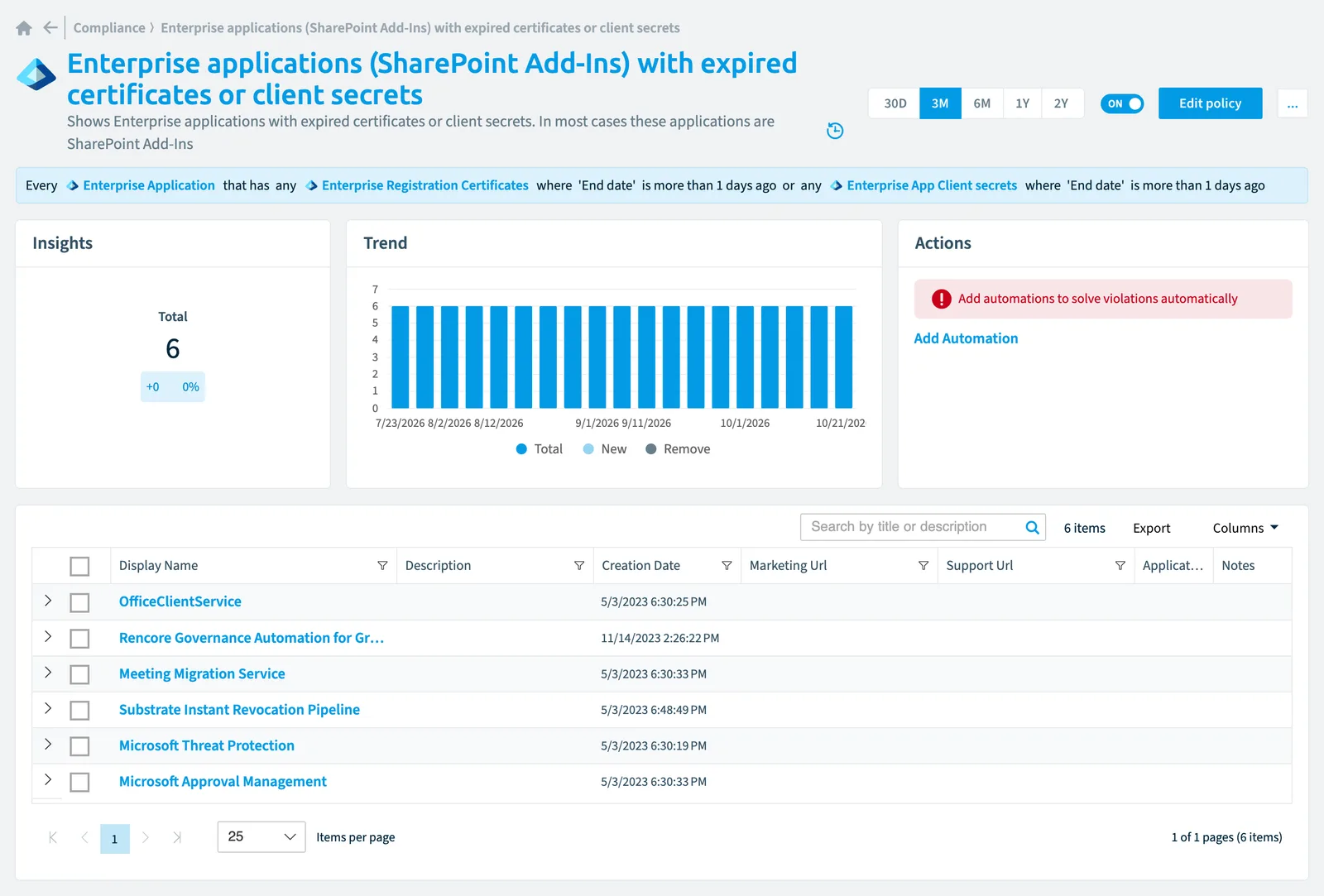
Every Enterprise Application that has any Enterprise Registration Certificates where End date is more than 1 days ago or any Enterprise App Client secrets where End date is more than 1 days ago
In Rencore Governance
Details
| Applies to | Enterprise application |
|---|---|
| Connector | Entra ID |
| Severity | Medium |
| Category | Operation |
| Recommended | No |
| Recommended automation | None |
| License type | Standard |
Related policies
Other policies that check Enterprise application objects:
- Enterprise applications using Exchange Web Services (EWS) (High)
- Enterprise applications that use SharePoint Online permissions (Information)
- Enterprise applications with full control or write permissions (Medium)
- Enterprise applications without owners (Medium)
- Enterprise applications (SharePoint add-ins) with certificates or client secrets (Medium)
- Enterprise applications that use Microsoft Graph permissions (Information)
Frequently asked questions
 What does the enterprise applications (SharePoint add-ins) with expired certificates or client secrets policy detect?
What does the enterprise applications (SharePoint add-ins) with expired certificates or client secrets policy detect?The Enterprise applications (SharePoint add-ins) with expired certificates or client secrets policy shows Enterprise applications with expired certificates or client secrets. In most cases these applications are SharePoint Add-Ins.
Which objects does the enterprise applications (SharePoint add-ins) with expired certificates or client secrets policy check?
Which objects does the enterprise applications (SharePoint add-ins) with expired certificates or client secrets policy check?The Enterprise applications (SharePoint add-ins) with expired certificates or client secrets policy checks Enterprise application objects from the Entra ID inventory and reports each one that matches its rule as a violation.
How severe is a violation of the enterprise applications (SharePoint add-ins) with expired certificates or client secrets policy?
How severe is a violation of the enterprise applications (SharePoint add-ins) with expired certificates or client secrets policy?Violations of the Enterprise applications (SharePoint add-ins) with expired certificates or client secrets policy have Medium severity. The policy is in the Operation category.
Which module includes the enterprise applications (SharePoint add-ins) with expired certificates or client secrets policy?
Which module includes the enterprise applications (SharePoint add-ins) with expired certificates or client secrets policy?The Enterprise applications (SharePoint add-ins) with expired certificates or client secrets policy comes with the Entra ID connector in the Digital Workplace module of Rencore Governance, which every Plan includes.
Was this page helpful?
Thanks for the feedback.
Thanks. What was wrong?