
Enterprise app client secret
AI summary
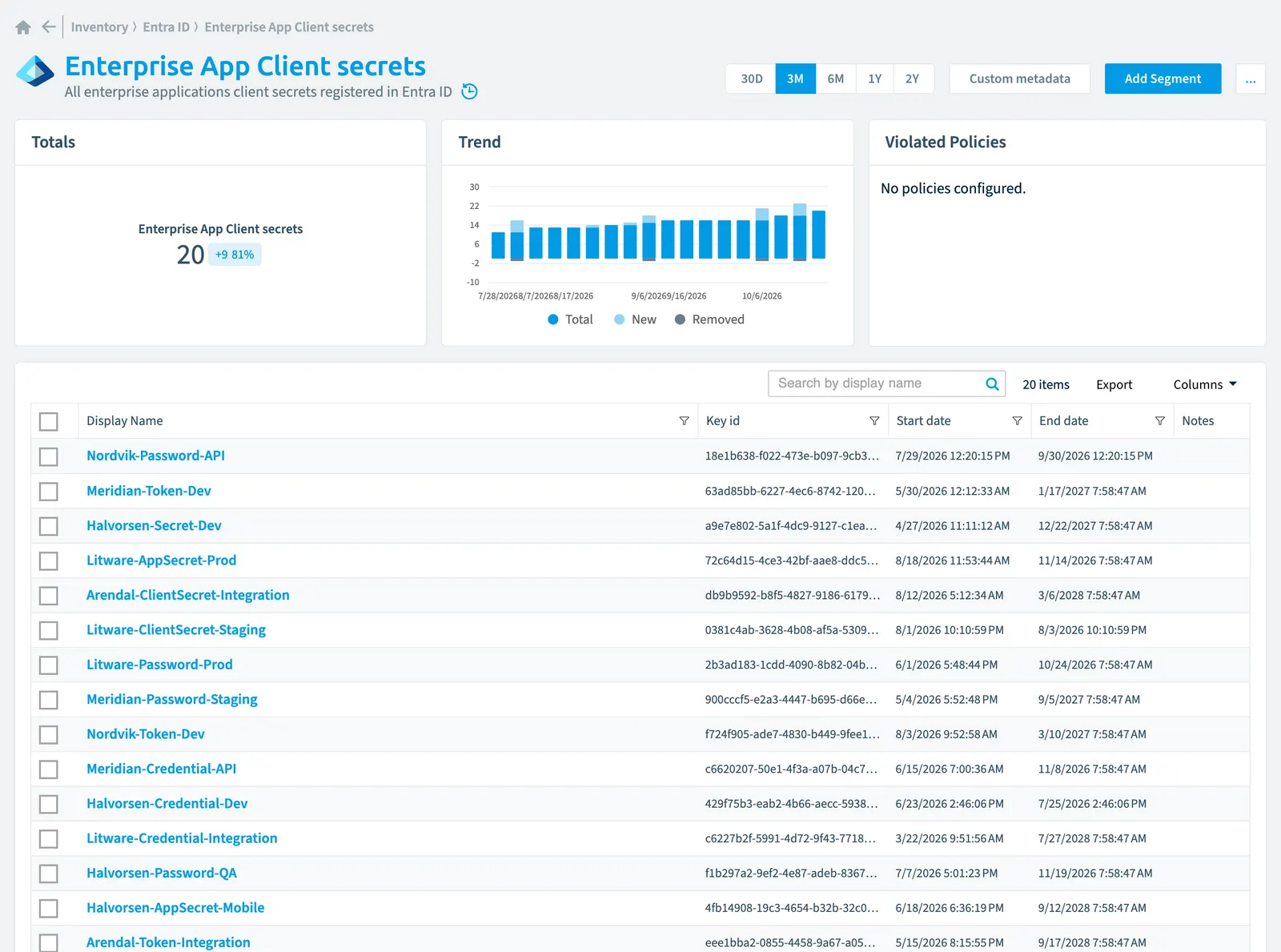
Rencore Governance maintains an inventory of enterprise application client secrets registered in Entra ID, tracking properties like display name, validity dates, key identifiers, and risk scores. This helps you monitor authentication credentials across your enterprise applications. Scanning runs on a configurable schedule from daily to monthly intervals, with data automatically removed during incremental scans.
All enterprise applicationsEnterprise applicationAn enterprise application is the local instance of an app in a Microsoft Entra tenant, its service principal, where admins control who can sign in and which permissions it holds.Read more client secretsClient secretA client secret is a password-like string that an app registration uses to prove its identity when it requests a token from Microsoft Entra ID.Read more registered in Entra IDMicrosoft Entra IDMicrosoft Entra ID, formerly Azure Active Directory, is the Microsoft identity service behind every Microsoft 365 tenant.Read more
Part of the Entra ID inventory.
In Rencore Governance
Scan settings
| Default scanning interval | Allowed scanning intervals | Data removal during incremental scan |
|---|---|---|
| Default | Daily, Weekly, Bi-Weekly, Monthly, Never, Initial | Yes |
Properties
| Property | Type | Description | Automation placeholder |
|---|---|---|---|
| Initially Scanned | DateTime | Shows when this object was initially found in a scan. | {{EnterpriseAppClientsecret. |
| Display Name | String | {{EnterpriseAppClientsecret. | |
| End date | DateTime | The date and time at which the password expires represented using ISO 8601 format and is always in UTC time. For example, midnight UTC on Jan 1, 2014 is 2014-01-01T00:00:00Z. | {{EnterpriseAppClientsecret. |
| Enterprise Application | Enterprise application | Client secret for this application | {{EnterpriseAppClientsecret. |
| Enterprise Application name | String | The display name for the application. | {{EnterpriseAppClientsecret. |
| Key id | String | The unique identifier for the password. | {{EnterpriseAppClientsecret. |
| Last scan update | DateTime | Shows when this object was last updated in a scan. If an object is found during a scan but no property has been changed this date will not change. | {{EnterpriseAppClientsecret. |
| Risk Score | Int32 | Stores risk score | {{EnterpriseAppClientsecret. |
| Risk Score Update | DateTime | Stores risk score update | {{EnterpriseAppClientsecret. |
| Risk Score Value | String | Stores risk score value like Low_Low | {{EnterpriseAppClientsecret. |
| Start date | DateTime | The date and time at which the password becomes valid. The Timestamp type represents date and time information using ISO 8601 format and is always in UTC time. For example, midnight UTC on Jan 1, 2014 is 2014-01-01T00:00:00Z. | {{EnterpriseAppClientsecret. |
Relations
| Relation | Connector | Description |
|---|---|---|
| Enterprise application | Entra ID | All registered Enterprise Applications in Entra ID |
Segments
This object does currently not have any segments.
Actions
This object does currently not have any actions.
Frequently asked questions
What is the enterprise app client secret object in Rencore Governance?
All enterprise applications client secrets registered in Entra ID. Enterprise app client secret is an object type in the Entra ID inventory of Rencore Governance.
Which properties does Rencore Governance collect for enterprise app client secret?
Rencore Governance collects 11 properties for Enterprise app client secret, such as Initially Scanned, Display Name, End date and 8 more.
How often is enterprise app client secret scanned?
You can change the scan interval of Enterprise app client secret objects under Configure objects (daily, weekly, bi-weekly, monthly, never or initial (collected once)). The interval is a target, not a guarantee: a scan can run later than planned.
Which module includes the Entra ID connector?
Which module includes the Entra ID connector?The Entra ID connector is part of the Digital Workplace module of Rencore Governance, which every Plan includes. The connector is generally available.
Was this page helpful?
Thanks for the feedback.
Thanks. What was wrong?