
User registration credential
AI summary
User registration credentials in Rencore contain Entra ID authentication data for each user, including enabled MFA methods, self-service password reset configuration, admin status, and risk scores. The object provides 29 properties you can use in automations to identify users by authentication status, create compliance segments, or build governance rules based on MFA capability and password reset configuration.
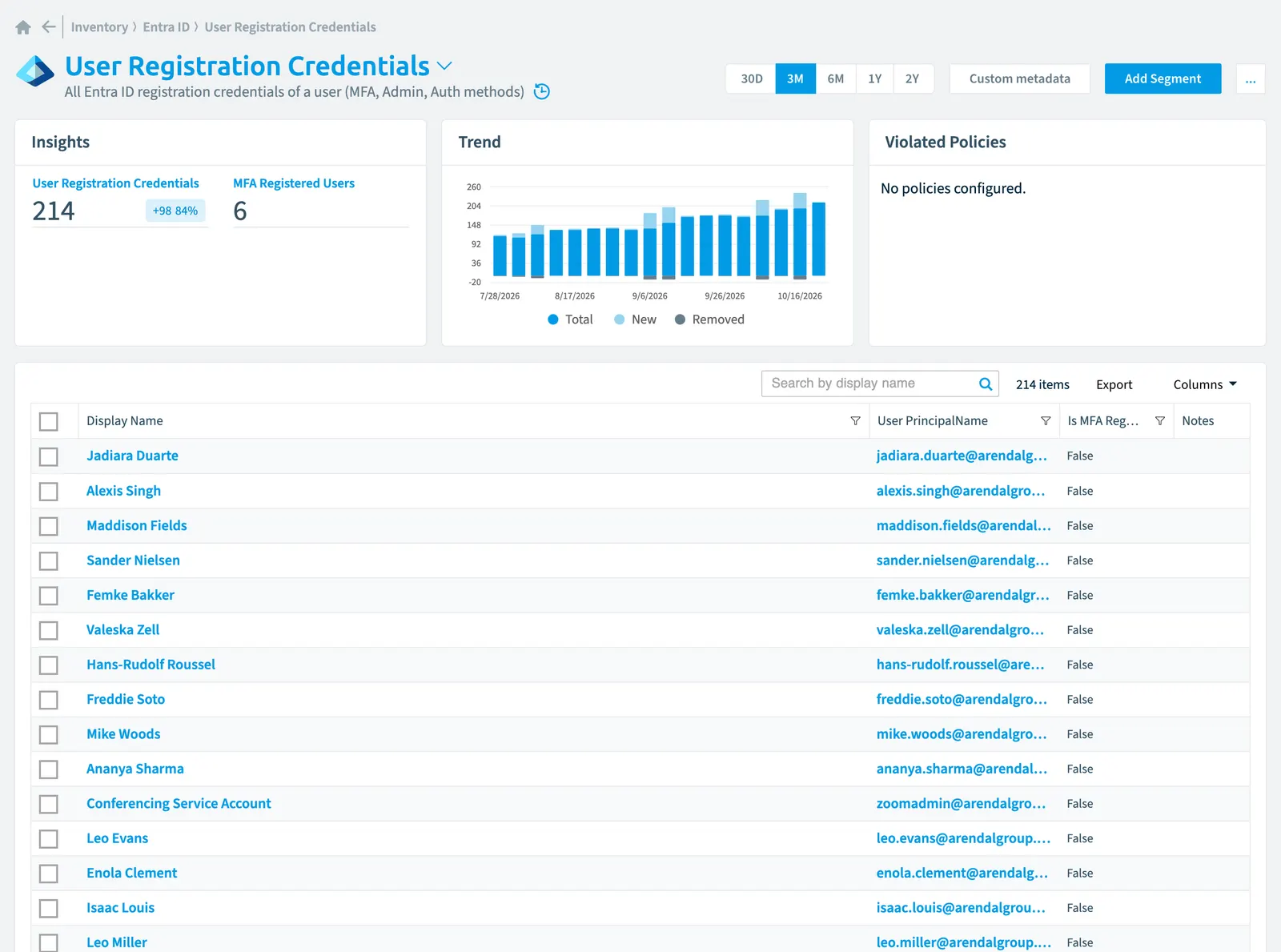
All Entra IDMicrosoft Entra IDMicrosoft Entra ID, formerly Azure Active Directory, is the Microsoft identity service behind every Microsoft 365 tenant.Read more registration credentials of a user (MFAMultifactor authenticationMultifactor authentication asks a user for a second form of verification, such as a code on their phone or a fingerprint, in addition to the password.Read more, Admin, Auth methods)
Part of the Entra ID inventory.
In Rencore Governance
Scan settings
| Default scanning interval | Allowed scanning intervals | Data removal during incremental scan |
|---|---|---|
| Monthly | Daily, Weekly, Bi-Weekly, Monthly, Never, Initial | Yes |
Properties
29 properties in 7 groups. Open a group to see its properties.
Name and identity 3
| Property | Type | Description | Automation placeholder |
|---|---|---|---|
| Display Name | String | {{UserRegistrationCredential. | |
| User Display Name | String | Provides the user name of the corresponding user. | {{UserRegistrationCredential. |
| User PrincipalName | String | Provides the user principal name of the corresponding user. | {{UserRegistrationCredential. |
Organization and location 3
| Property | Type | Description | Automation placeholder |
|---|---|---|---|
| Auth Method Alternate Mobile Phone | Boolean | Mobile phone authentication has been set for the user for multi factor authentication. | {{UserRegistrationCredential. |
| Auth Method Mobile Phone | Boolean | Text messages to mobile phone have been set for the user for multi factor authentication. | {{UserRegistrationCredential. |
| Auth Method Office Phone | Boolean | Text messages to office phone have been set for the user for multi factor authentication. | {{UserRegistrationCredential. |
Activity and usage 1
| Property | Type | Description | Automation placeholder |
|---|---|---|---|
| Last scan update | DateTime | Shows when this object was last updated in a scan. If an object is found during a scan but no property has been changed this date will not change. | {{UserRegistrationCredential. |
Dates and scanning 1
| Property | Type | Description | Automation placeholder |
|---|---|---|---|
| Initially Scanned | DateTime | Shows when this object was initially found in a scan. | {{UserRegistrationCredential. |
Security and compliance 18
| Property | Type | Description | Automation placeholder |
|---|---|---|---|
| Auth Method App Code | Boolean | App code authentication using authenticator app has been set for the user for multi factor authentication. | {{UserRegistrationCredential. |
| Auth Method App Notification | Boolean | App code authentication using authenticator app has been set for the user for multi factor authentication. | {{UserRegistrationCredential. |
| Auth Method App Password | Boolean | App passwords have been enabled for user for authentication in client applications. | {{UserRegistrationCredential. |
| Auth Method Email | Boolean | Reset using email have been set for password reset of the user. | {{UserRegistrationCredential. |
| Auth Method Fido | Boolean | Fido token authentication has been set for the user for Multi Factor authentication. | {{UserRegistrationCredential. |
| Auth Method Microsoft Authenticator Push | Boolean | Microsoft Authenticator Push have been enabled for user for authentication in client applications. | {{UserRegistrationCredential. |
| Auth Method None | Boolean | None auth method have been enabled for user for authentication in client applications. | {{UserRegistrationCredential. |
| Auth Method Security Question | Boolean | Security questions have been set for password reset of the user. | {{UserRegistrationCredential. |
| Auth Method Software One Time Passcode | Boolean | Software One Time Passcode have been enabled for user for authentication in client applications. | {{UserRegistrationCredential. |
| Id | String | The unique identifier for the activity | {{UserRegistrationCredential. |
| Default MFA Method | String | The method the user or admin selected as default for performing multi-factor authentication for the user. Allowed values: alternateMobilePhone, microsoftAuthenticatorPush, mobilePhone, none, officePhone, softwareOneTimePasscode. | {{UserRegistrationCredential. |
| Is Admin | Boolean | Whether the user has an admin role in the tenant. This value can be used to check the authentication methods that privileged accounts are registered for and capable of. | {{UserRegistrationCredential. |
| Is Sspr Enabled | Boolean | Indicates whether the user enabled to perform self-service password reset. | {{UserRegistrationCredential. |
| Is MFA Capable | Boolean | Indicates whether the user has registered a strong authentication method for MFA. | {{UserRegistrationCredential. |
| Is MFA Registered | Boolean | Indicates whether the user is registered for MFA. | {{UserRegistrationCredential. |
| Risk Score | Int32 | Stores risk score | {{UserRegistrationCredential. |
| Risk Score Update | DateTime | Stores risk score update | {{UserRegistrationCredential. |
| Risk Score Value | String | Stores risk score value like Low_Low | {{UserRegistrationCredential. |
Settings 2
| Property | Type | Description | Automation placeholder |
|---|---|---|---|
| Is Sspr Capable | Boolean | Indicates whether the user is ready to perform self-service password reset. | {{UserRegistrationCredential. |
| Is Sspr Registered | Boolean | Indicates whether the user has registered the required number of authentication methods for self-service password reset | {{UserRegistrationCredential. |
Other properties 1
| Property | Type | Description | Automation placeholder |
|---|---|---|---|
| User | User | Registration Credentials of the user | {{UserRegistrationCredential. |
Relations
| Relation | Connector | Description |
|---|---|---|
| User | Microsoft 365Microsoft 365Microsoft 365 is the Microsoft cloud suite of Teams, SharePoint, OneDrive, Exchange and the Office apps.Read more | All users registered in your tenant (internal, external) |
Segments
| Segment | Description |
|---|---|
| MFA registered users | Shows all users with enabled multi factor authentication |
Actions
This object does currently not have any actions.
Frequently asked questions
What is the user registration credential object in Rencore Governance?
All Entra ID registration credentials of a user (MFA, Admin, Auth methods). User registration credential is an object type in the Entra ID inventory of Rencore Governance.
Which properties does Rencore Governance collect for user registration credential?
Rencore Governance collects 29 properties for User registration credential, such as Auth Method Alternate Mobile Phone, Auth Method App Code, Auth Method App Notification and 26 more.
How often is user registration credential scanned?
By default monthly. You can change the scan interval of User registration credential objects under Configure objects (daily, weekly, bi-weekly, monthly, never or initial (collected once)). The interval is a target, not a guarantee: a scan can run later than planned.
Which module includes the Entra ID connector?
Which module includes the Entra ID connector?The Entra ID connector is part of the Digital Workplace module of Rencore Governance, which every Plan includes. The connector is generally available.
Was this page helpful?
Thanks for the feedback.
Thanks. What was wrong?