
Domain
AI summary
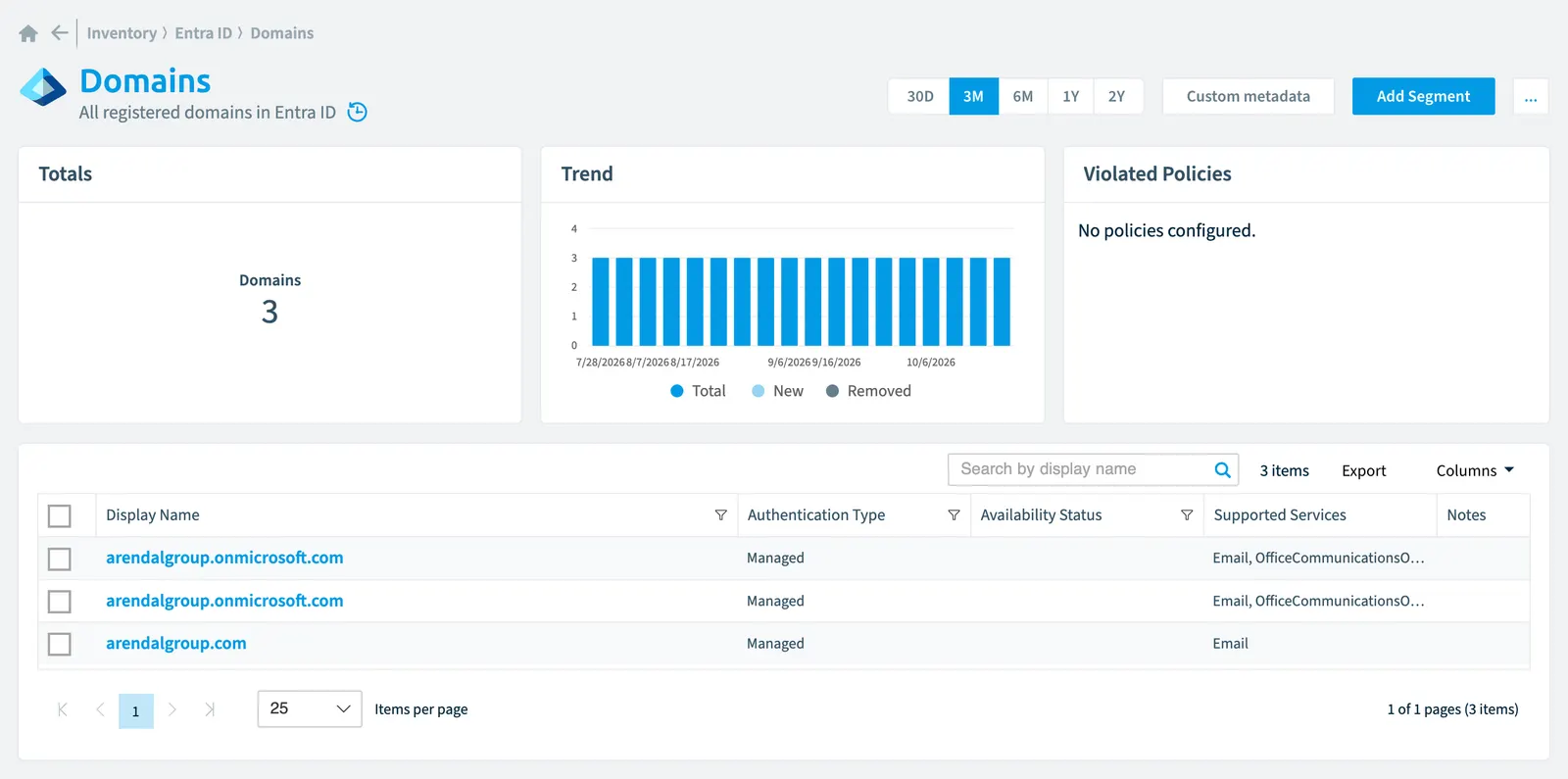
Rencore Governance records all registered domains from your Entra ID environment. The Domain object contains properties such as authentication type, verification status, supported services, and password policies, with a default monthly scan interval to maintain your inventory.
All registered domains in Entra IDMicrosoft Entra IDMicrosoft Entra ID, formerly Azure Active Directory, is the Microsoft identity service behind every Microsoft 365 tenant.Read more
Part of the Entra ID inventory.
In Rencore Governance
Scan settings
| Default scanning interval | Allowed scanning intervals | Data removal during incremental scan |
|---|---|---|
| Monthly | Daily, Weekly, Bi-Weekly, Monthly, Never, Initial | No |
Properties
| Property | Type | Description | Automation placeholder |
|---|---|---|---|
| Authentication Type | String | Indicates the configured authentication type for the domain. The value is either Managed or Federated. Managed indicates a cloud managed domain where Entra ID performs user authentication. Federated indicates authentication is federated with an identity provider such as the tenant's on-premises Active Directory via Active Directory Federation Services. Allowed values: Federated, Managed. | {{Domain. |
| Availability Status | String | This property is always null except when the verify action is used. When the verify action is used, a domain entity is returned in the response. The availabilityStatus property of the domain entity in the response is either AvailableImmediately or EmailVerifiedDomainTakeoverScheduled. | {{Domain. |
| Initially Scanned | DateTime | Shows when this object was initially found in a scan. | {{Domain. |
| Display Name | String | {{Domain. | |
| Id | String | The fully qualified name of the domain. | {{Domain. |
| Is Admin Managed | Boolean | The value of the property is false if the DNS record management of the domain has been delegated to Microsoft 365Microsoft 365Microsoft 365 is the Microsoft cloud suite of Teams, SharePoint, OneDrive, Exchange and the Office apps.Read more. Otherwise, the value is true. | {{Domain. |
| Is a default domain | Boolean | true if this is the default domain that is used for user creation. There is only one default domain per company. | {{Domain. |
| Is Initial | Boolean | true if this is the initial domain created by Microsoft Online Services (companyname.onmicrosoft.com). There is only one initial domain per company. | {{Domain. |
| Is a root domain | Boolean | true if the domain is a verified root domain. Otherwise, false if the domain is a subdomain or unverified. | {{Domain. |
| Is a verified domain | Boolean | true if the domain has completed domain ownership verification. | {{Domain. |
| Last Action | DateTime | Timestamp for when the last activity occurred. The value is updated when an operation is scheduled, the asynchronous task starts, and when the operation completes. | {{Domain. |
| Last Action Operation | String | Type of asynchronous operation. The values can be ForceDelete or Verification. | {{Domain. |
| Last Action Status | String | Current status of the operation. Scheduled - Operation has been scheduled but has not started. InProgress - Task has started and is in progress. Failed - Operation has failed. | {{Domain. |
| Last scan update | DateTime | Shows when this object was last updated in a scan. If an object is found during a scan but no property has been changed this date will not change. | {{Domain. |
| Password Notification Window In Days | Int32 | Specifies the number of days before a user receives notification that their password will expire. If the property is not set, a default value of 14 days will be used. | {{Domain. |
| Password Validity Period In Days | Int32 | Specifies the length of time that a password is valid before it must be changed. If the property is not set, a default value of 90 days will be used. | {{Domain. |
| Risk Score | Int32 | Stores risk score | {{Domain. |
| Risk Score Update | DateTime | Stores risk score update | {{Domain. |
| Risk Score Value | String | Stores risk score value like Low_Low | {{Domain. |
| Supported Services | String[] | The capabilities assigned to the domain. Can include 0, 1 or more of following values: Email, Sharepoint, EmailInternalRelayOnly, OfficeCommunicationsOnline, SharePointDefaultDomain, FullRedelegation, SharePointPublic, OrgIdAuthentication, YammerViva EngageViva Engage, formerly Yammer, is the Microsoft 365 app for company-wide communities.Read more, Intune. | {{Domain. |
Relations
This object does currently not have any relations.
Segments
This object does currently not have any segments.
Actions
This object does currently not have any actions.
Frequently asked questions
What is the domain object in Rencore Governance?
All registered domains in Entra ID. Domain is an object type in the Entra ID inventory of Rencore Governance.
Which properties does Rencore Governance collect for domain?
Rencore Governance collects 20 properties for Domain, such as Authentication Type, Availability Status, Initially Scanned and 17 more.
How often is domain scanned?
By default monthly. You can change the scan interval of Domain objects under Configure objects (daily, weekly, bi-weekly, monthly, never or initial (collected once)). The interval is a target, not a guarantee: a scan can run later than planned.
Which module includes the Entra ID connector?
Which module includes the Entra ID connector?The Entra ID connector is part of the Digital Workplace module of Rencore Governance, which every Plan includes. The connector is generally available.
Was this page helpful?
Thanks for the feedback.
Thanks. What was wrong?