
Complex flows
AI summary
A governance policy that detects Power Automate flows with 20 or more actions, which can be difficult to understand and maintain. Ask flow owners to document what their flows do and which systems they touch, and split complex flows into child flows.
What it detects
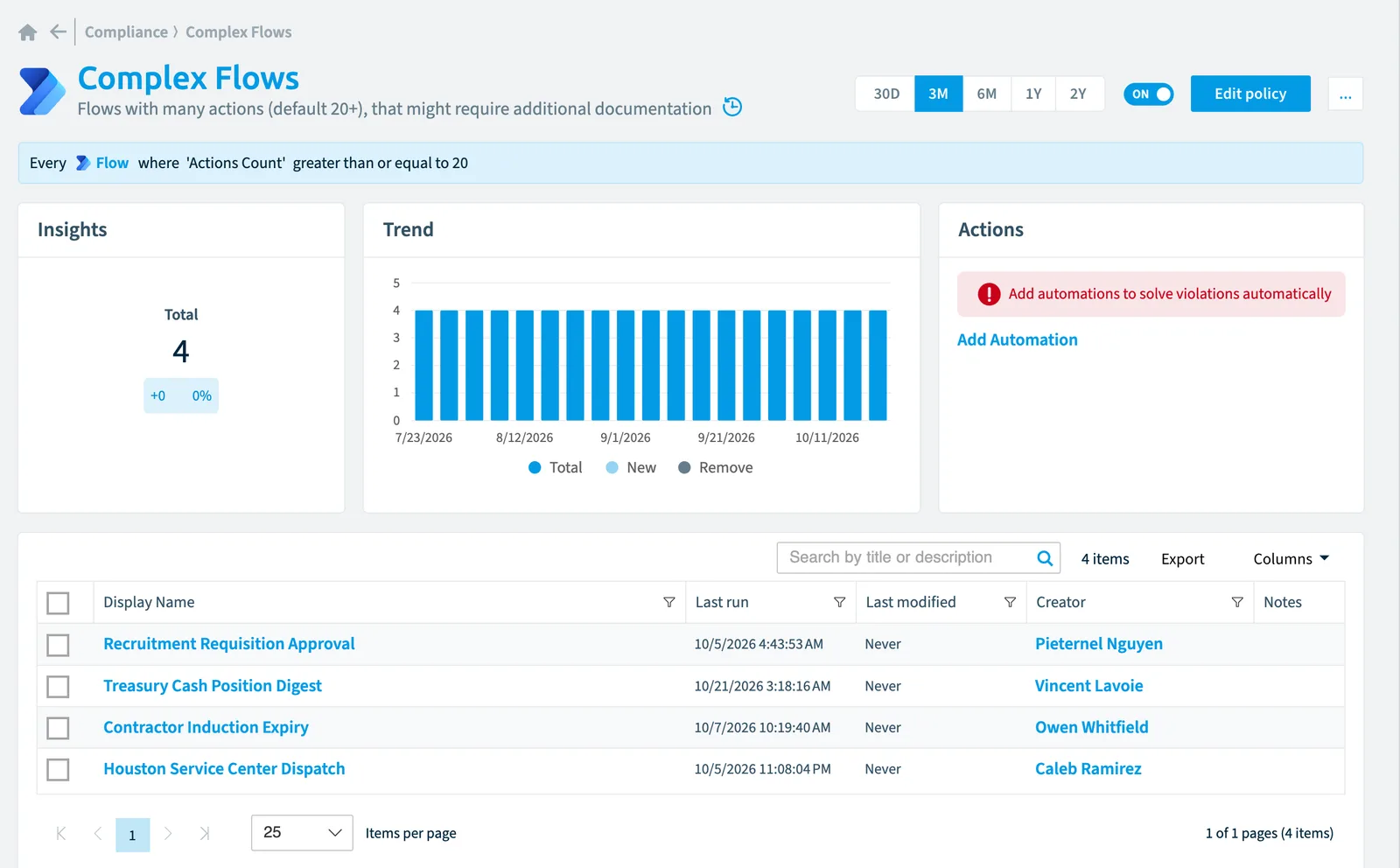
FlowsFlowA flow is a Power Automate workflow, made of a trigger and actions, that runs a task automatically across apps and services.Read more with many actions (default 20+), that might require additional documentation.
Why it matters
A flow with many actions is harder to understand, test and hand over. When it breaks, or its maker leaves, someone has to work out what it does before they can fix it. Ask the owners to document what the flow does and which systems it touches, and to split very long flows into child flows.
The rule
Every Flow where Actions Count greater than or equal to 20
In Rencore Governance
Details
| Applies to | Flow |
|---|---|
| Connector | Power Automate |
| Severity | Information |
| Category | Operation |
| Recommended | No |
| Recommended automation | None |
| License type | Standard |
Related policies
Other policies that check Flow objects:
- Flows with many runs in last 30 days (Information)
- Flows requiring a premium license (High)
- Long running flows (High)
- Flows with errors (Low)
- Flows not shared with specific service account (Low)
- Stopped flows (High)
- Flows without runs (Medium)
- New flows (Information)
- Flows that use a specific connector (Low)
- Unused flows (Information)
- Flows without owners (Information)
- Stopped flows last week with errors (High)
Frequently asked questions
What does the complex flows policy detect?
Flows with many actions (default 20+), that might require additional documentation.
Which objects does the complex flows policy check?
The Complex flows policy checks Flow objects from the Power Automate inventory and reports each one that matches its rule as a violation.
How severe is a violation of the complex flows policy?
Violations of the Complex flows policy have Information severity. The policy is in the Operation category.
Which module includes the complex flows policy?
The Complex flows policy comes with the Power Automate connector in the Apps, Automation & BI module of Rencore Governance, an add-on module on the Premium and Enterprise Plans.
Was this page helpful?
Thanks for the feedback.
Thanks. What was wrong?