
Flows with many runs in last 30 days
AI summary
A policy identifies Power Automate flows with more than 100 runs in 30 days. These busy flows consume licensing and are at risk of throttling, so they need multiple owners and documentation.
What it detects
Shows flows with run count exceeds defined value (default 100 runs).
Why it matters
A flow that runs hundreds of times a month is part of how work gets done, so people notice quickly when it fails. Busy flows also use up the Power PlatformPower PlatformPower Platform is the Microsoft low-code platform where users build their own apps, flows, reports, agents and websites.Read more request allowance of their owner's license, and Power AutomatePower AutomatePower Automate, formerly Microsoft Flow, is the Microsoft low-code tool for automated workflows called flows.Read more turns off a flow that stays throttled for 14 days. Make sure busy flows have a second owner and are documented, and check whether they need a process license.
The rule
Every Flow that has more than 100 Runs where Run Start Date days ago is less than 30 days ago
In Rencore Governance
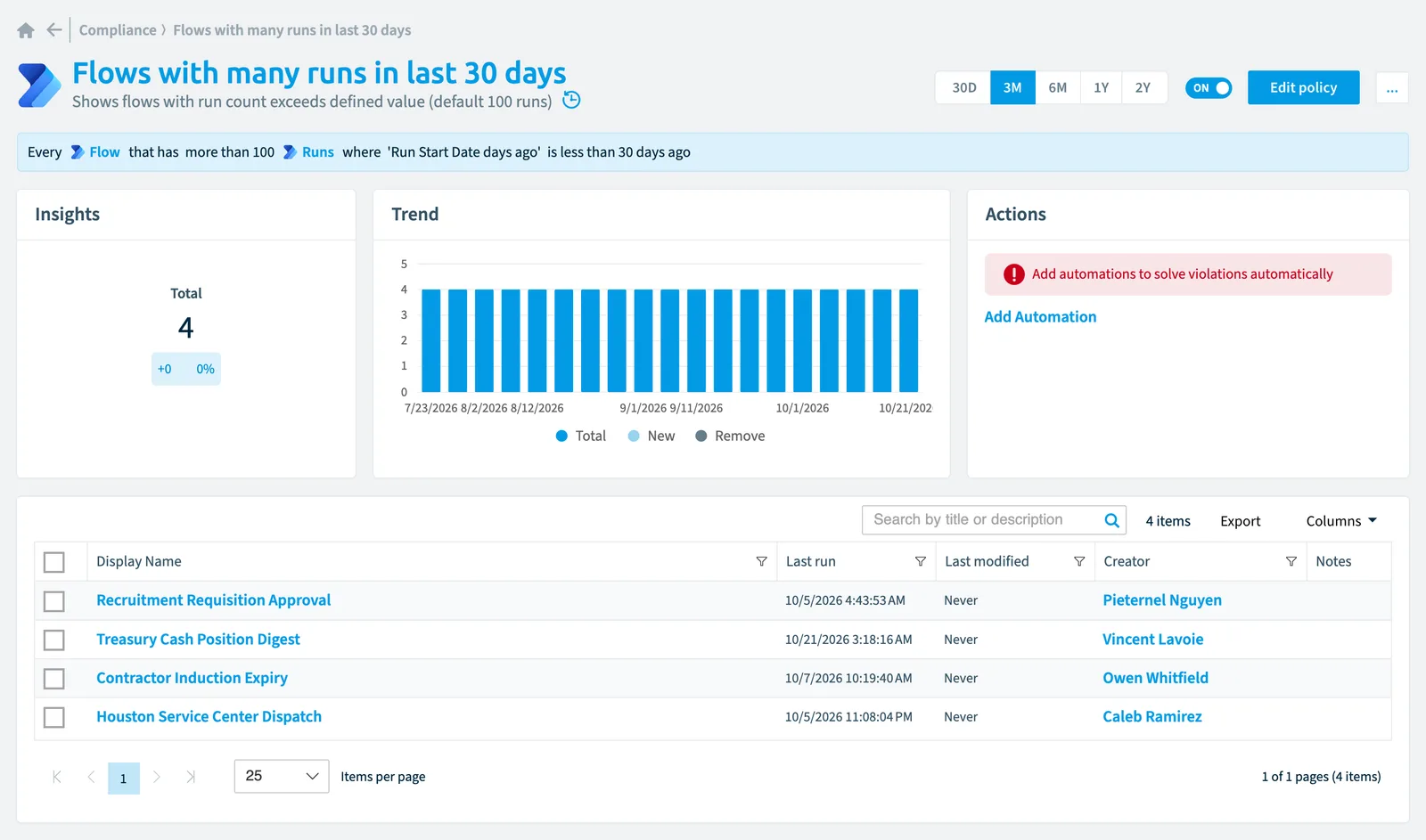
Details
| Applies to | Flow |
|---|---|
| Connector | Power Automate |
| Severity | Information |
| Category | Operation |
| Recommended | Yes |
| Recommended automation | None |
| License type | Standard |
Related policies
Other policies that check Flow objects:
- Flows requiring a premium license (High)
- Complex flows (Information)
- Long running flows (High)
- Flows with errors (Low)
- Flows not shared with specific service account (Low)
- Stopped flows (High)
- Flows without runs (Medium)
- New flows (Information)
- Flows that use a specific connector (Low)
- Unused flows (Information)
- Flows without owners (Information)
- Stopped flows last week with errors (High)
Frequently asked questions
What does the flows with many runs in last 30 days policy detect?
The Flows with many runs in last 30 days policy shows flows with run count exceeds defined value (default 100 runs).
Which objects does the flows with many runs in last 30 days policy check?
The Flows with many runs in last 30 days policy checks Flow objects from the Power Automate inventory and reports each one that matches its rule as a violation.
How severe is a violation of the flows with many runs in last 30 days policy?
Violations of the Flows with many runs in last 30 days policy have Information severity. The policy is in the Operation category.
Which module includes the flows with many runs in last 30 days policy?
The Flows with many runs in last 30 days policy comes with the Power Automate connector in the Apps, Automation & BI module of Rencore Governance, an add-on module on the Premium and Enterprise Plans.
Was this page helpful?
Thanks for the feedback.
Thanks. What was wrong?