
Stopped flows
AI summary
Rencore Governance identifies Power Automate flows that have stopped, either because Power Automate disabled them automatically after errors or inactivity, or because owners turned them off and forgot. Check with owners whether each stopped flow is still needed, then turn it back on or delete it.
What it detects
Shows FlowsFlowA flow is a Power Automate workflow, made of a trigger and actions, that runs a task automatically across apps and services.Read more that have stopped.
Why it matters
A stopped flow does not run at all. Power AutomatePower AutomatePower Automate, formerly Microsoft Flow, is the Microsoft low-code tool for automated workflows called flows.Read more turns flows off by itself after 14 days of continuous errors and, for some licenses, after 90 days without a trigger, and owners sometimes turn a flow off and forget it. Check with the owners whether each flow is still needed, then turn it back on or delete it.
The rule
Every Flow where State equals 'Stopped'
In Rencore Governance
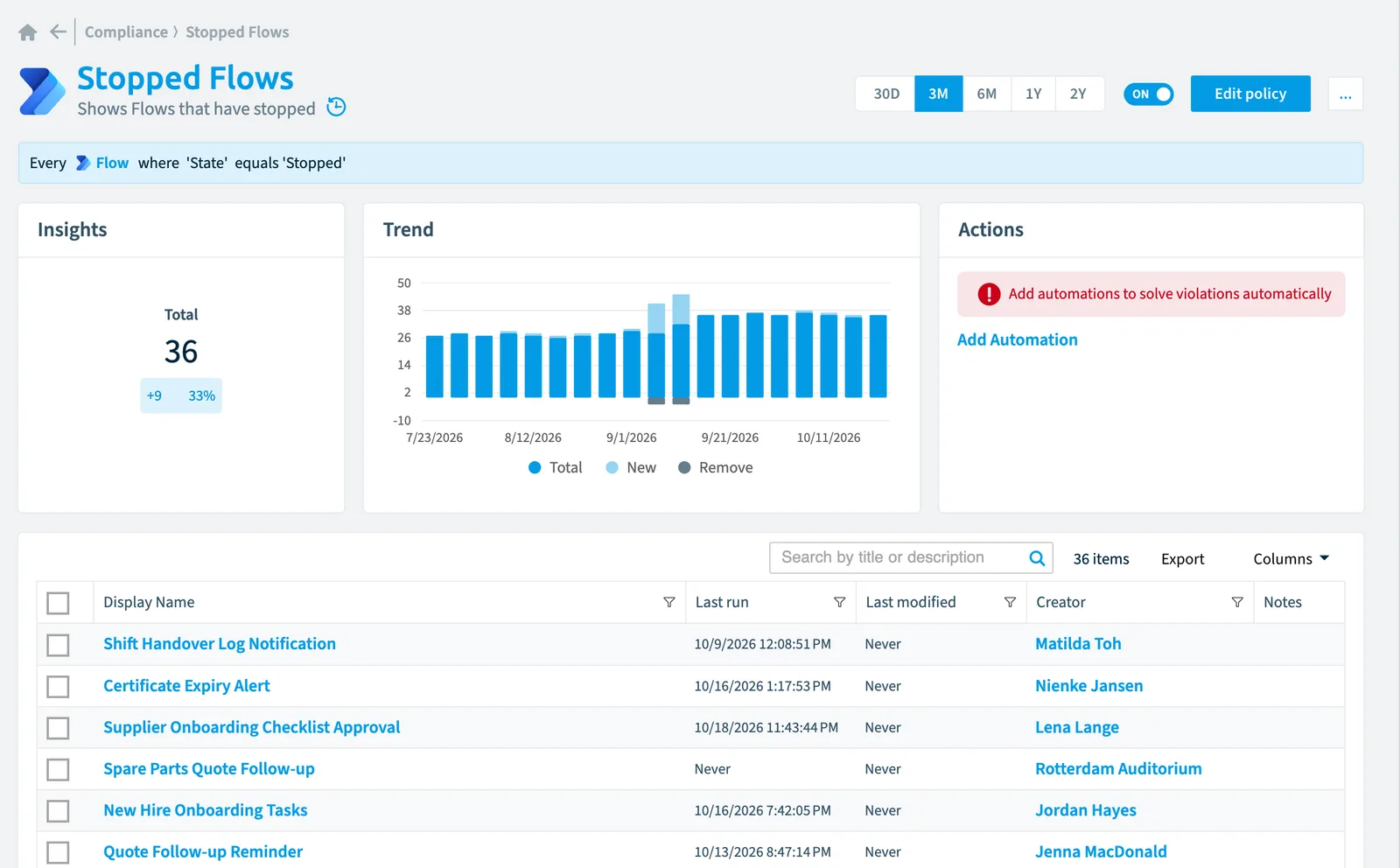
Details
| Applies to | Flow |
|---|---|
| Connector | Power Automate |
| Severity | High |
| Category | Sprawl |
| Recommended | Yes |
| Recommended automation | None |
| License type | Standard |
Related policies
Other policies that check Flow objects:
- Flows with many runs in last 30 days (Information)
- Flows requiring a premium license (High)
- Complex flows (Information)
- Long running flows (High)
- Flows with errors (Low)
- Flows not shared with specific service account (Low)
- Flows without runs (Medium)
- New flows (Information)
- Flows that use a specific connector (Low)
- Unused flows (Information)
- Flows without owners (Information)
- Stopped flows last week with errors (High)
Frequently asked questions
What does the stopped flows policy detect?
The Stopped flows policy shows Flows that have stopped.
Which objects does the stopped flows policy check?
The Stopped flows policy checks Flow objects from the Power Automate inventory and reports each one that matches its rule as a violation.
How severe is a violation of the stopped flows policy?
Violations of the Stopped flows policy have High severity. The policy is in the Sprawl category.
Which module includes the stopped flows policy?
The Stopped flows policy comes with the Power Automate connector in the Apps, Automation & BI module of Rencore Governance, an add-on module on the Premium and Enterprise Plans.
Was this page helpful?
Thanks for the feedback.
Thanks. What was wrong?