Turn on a beta feature
AI summary
Beta features give early access to functionality that might be released in the future for all users. Owners can turn them on in Workspace Settings to test new capabilities before release.
Beta featuresBeta featuresBeta features are early versions of Rencore Governance functionality that might later be released to all users.Read more give early access to functionality that might be released in the future for all users. Switch one on when you want to try it before release.
Before you begin
- Owners can choose to turn on beta features. See Rencore roles.
- The WorkspaceWorkspaceA Workspace is the top-level container in Rencore Governance. It holds the settings, users, roles and connected apps for exactly one Environment, the connected Microsoft 365 tenant.Read more is configured for Beta Preview. The conditions for using beta features are listed there.
Steps
-
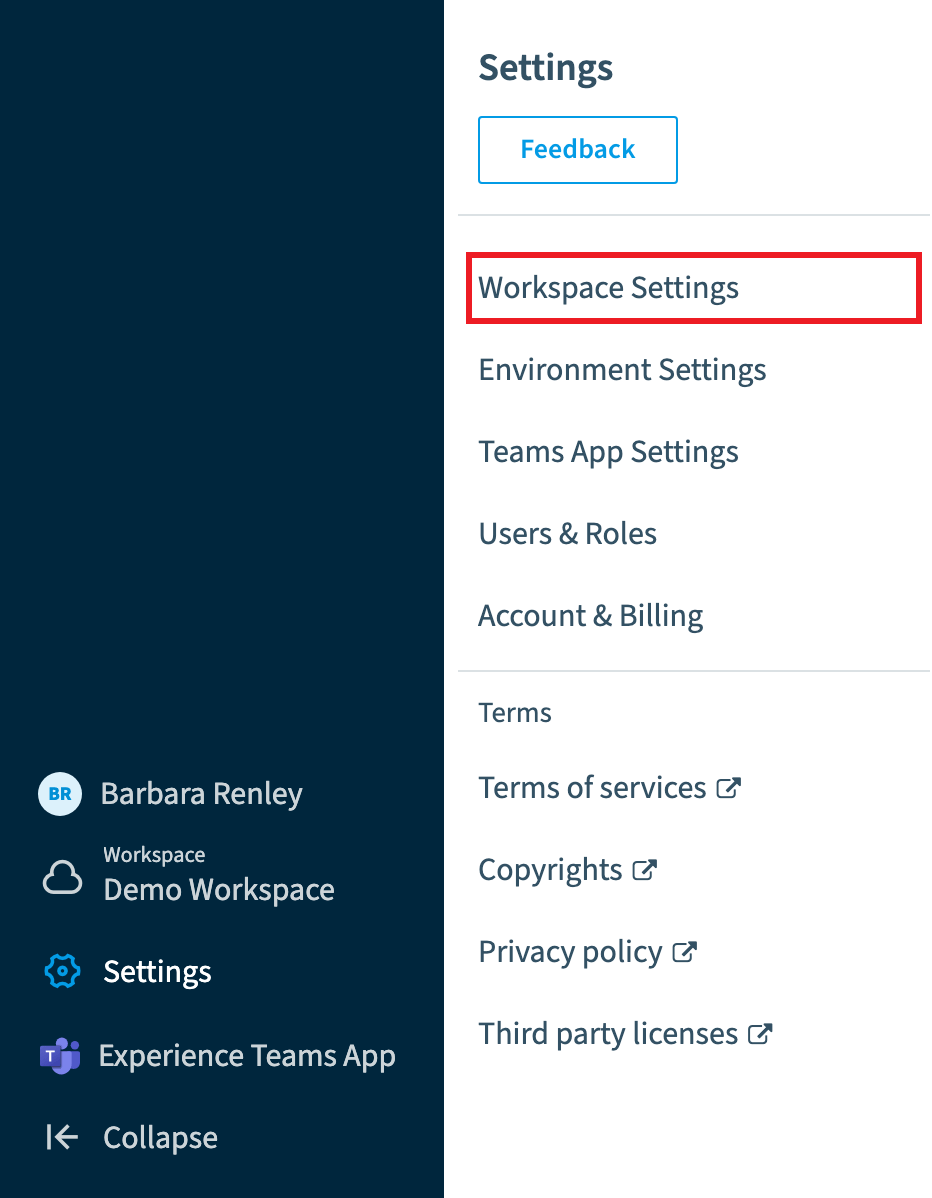
Go to Settings > Workspace Settings.
-
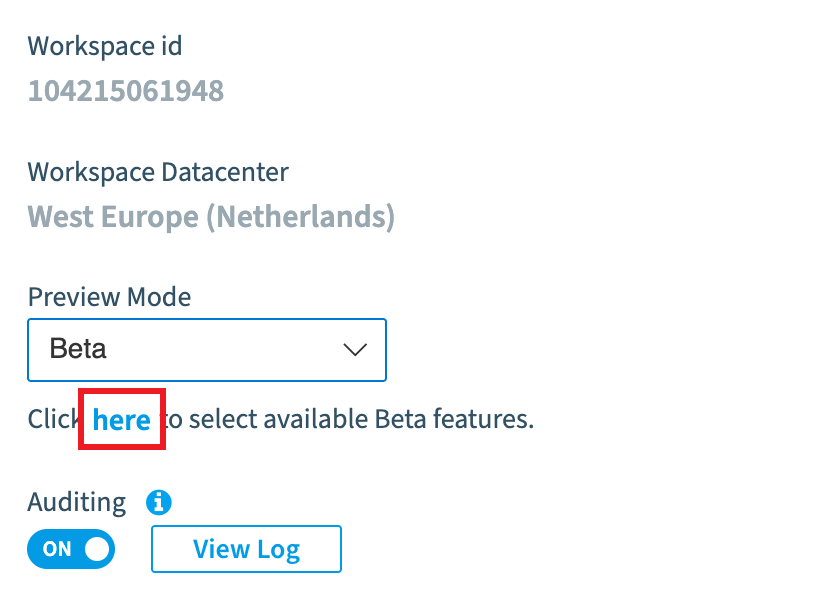
Below Preview Mode, click here in “Click here to select available Beta features.”
-
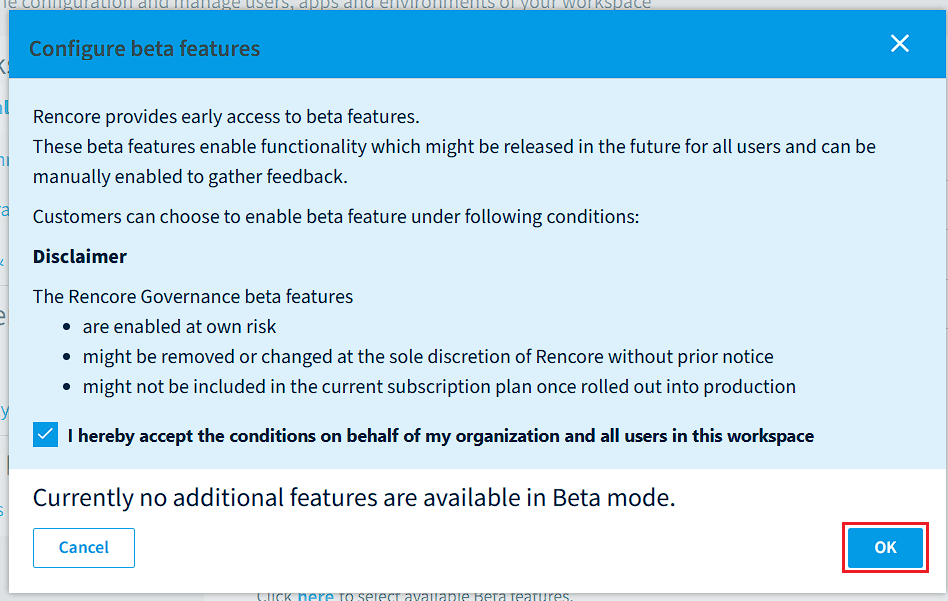
If there are Beta features available, toggle the features you want to turn on.
-
Click OK.
Frequently asked questions
Who can turn on a beta feature in Rencore Governance?
Owners can turn on beta features. The Workspace must also be configured for Beta Preview, and the conditions for using beta features are listed there.
Where do I switch on a beta feature in the Workspace settings?
Go to Settings > Workspace Settings. Below Preview Mode, click here in "Click here to select available Beta features." Then toggle the features you want and click OK.
What are beta features in Rencore Governance?
Beta features give early access to functionality that might be released in the future for all users. You can switch one on when you want to try it before release.
Was this page helpful?
Thanks for the feedback.
Thanks. What was wrong?