Delete a Workspace
AI summary
To permanently remove a Workspace and all its data from Rencore Governance, which also cancels your subscription immediately. You must have Owner role permission; deleted data can be restored by support within 30 days.
Delete a WorkspaceWorkspaceA Workspace is the top-level container in Rencore Governance. It holds the settings, users, roles and connected apps for exactly one Environment, the connected Microsoft 365 tenant.Read more from Rencore Governance when you want all its data to be removed from the service. Deleting a Workspace also cancels your Subscription immediately.
Before you begin
- Your role needs the Delete Workspace permission, which only the Owner role has. See Rencore roles.
- Deleting a Workspace deletes all data of its EnvironmentEnvironmentAn Environment is the connected Microsoft 365 tenant inside a Workspace.Read more. This data can only be restored by our support team and must be done within 30 days of deletion. It cannot be restored past this period.
Steps
-
Go to Settings > Workspace Settings.
-
Click the context menu ([…]) on the right and select Delete Workspace.

-
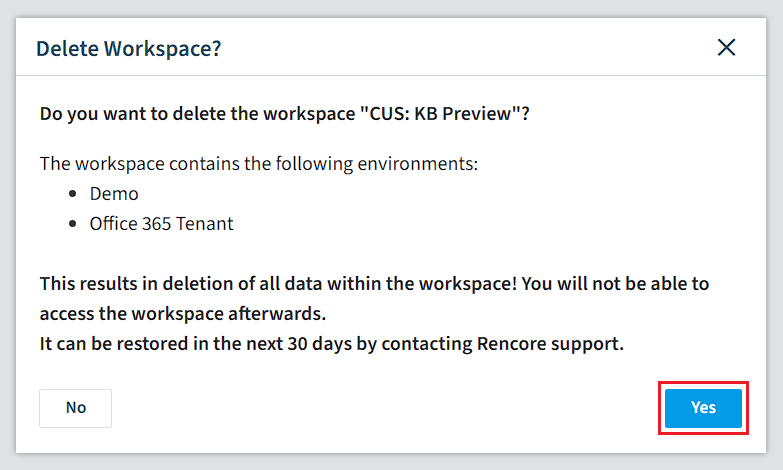
A confirmation screen shows the Workspace you are going to delete and the Environment attached to it. Click Yes.
-
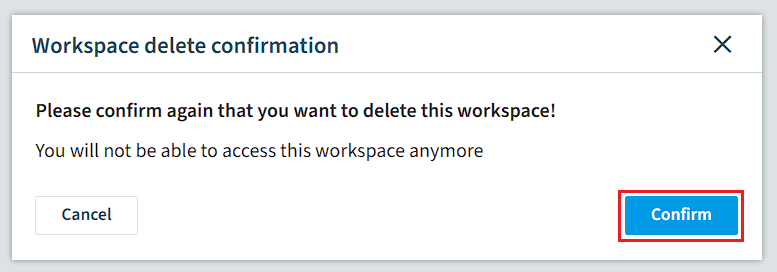
In the final confirmation, click Confirm. The Workspace is deleted.
Limits
- Deleting a Workspace in Rencore Governance does not revoke permissions in your tenant. This needs to be done manually. See Revoking permissions.
Frequently asked questions
Which role can delete a Workspace in Rencore Governance?
Only the Owner role can delete a Workspace. Your role needs the Delete Workspace permission, and the Owner role is the only one that has it.
Can I restore the data after I delete a Workspace?
Yes, but only by our support team and only within 30 days of deletion. Deleting a Workspace deletes all data of its Environment, and it cannot be restored after this period.
Does deleting a Workspace also remove the permissions granted in my tenant?
No. Deleting a Workspace does not revoke permissions in your tenant, so you need to revoke them manually. Deleting the Workspace also cancels your Subscription immediately.
Was this page helpful?
Thanks for the feedback.
Thanks. What was wrong?