Restrict Workspace access by domain
AI summary
Lock down your workspace so that only invited users with specific email domains and account types can sign in. Note that users must already be invited to the workspace, and workspace Owners bypass this restriction.
Lock down access to a WorkspaceWorkspaceA Workspace is the top-level container in Rencore Governance. It holds the settings, users, roles and connected apps for exactly one Environment, the connected Microsoft 365 tenant.Read more so that invited users can only sign in with the domains and account types you allow.
Before you begin
- Domain access rules are ignored for users with the built-in roleBuilt-in roleA built-in role is one of the four roles every Rencore Governance Workspace comes with: Owner, Admin, Contributor and Reader.Read more of Owner.
- Adding a domain only lets in users who have already been invited to the Workspace. It does not give access to all users of that domain if they have not been invited.
Steps
-
Go to Settings > Users & Roles > Access Settings.

-
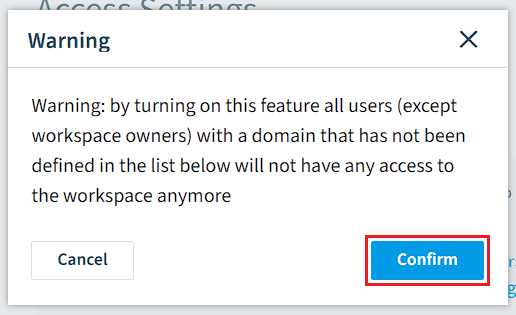
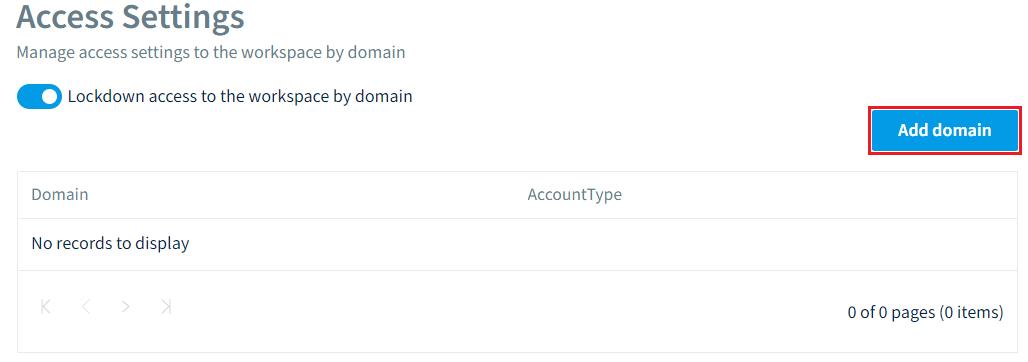
Under Access Settings, turn on Lockdown access to the workspace by domain.
-
Click Confirm on the warning prompt that appears.
-
Click Add domain.
-
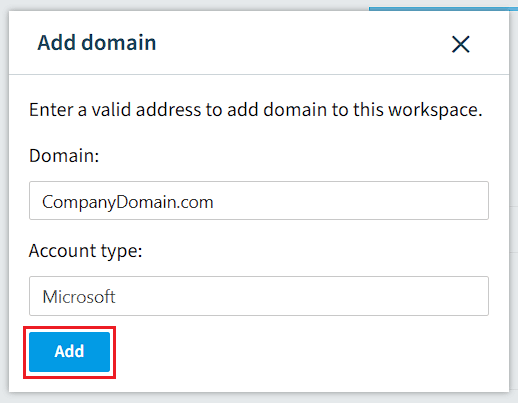
In the dialog, enter the Domain URL and select the Account type (Microsoft work account, Rencore account, or both).
-
Click Add.
-
To add more domains, repeat steps 4 to 6.
Frequently asked questions
Where do I turn on domain restrictions for a Workspace?
Go to Settings > Users & Roles > Access Settings. Under Access Settings, turn on Lockdown access to the workspace by domain, then click Confirm on the warning prompt that appears.
Does adding a domain give every user of that domain access to the Workspace?
No. Adding a domain only lets in users who have already been invited to the Workspace. Users from that domain who have not been invited do not get access.
Do domain access rules apply to users with the owner role?
No. Domain access rules are ignored for users with the built-in role of Owner.
Was this page helpful?
Thanks for the feedback.
Thanks. What was wrong?