
Internal users

AI summary
The Internal Users segment identifies all non-external users with enabled accounts in your Microsoft 365 environment. Use this segment in Rencore Governance to focus governance policies on your internal staff.
"Internal users" is a segment for Microsoft 365Microsoft 365Microsoft 365 is the Microsoft cloud suite of Teams, SharePoint, OneDrive, Exchange and the Office apps.Read more in Rencore Governance. Shows all internal users.
What it selects
The segment selects User objects from the Microsoft 365 inventory.
The rule
Every User where Is External is false and Account enabled is true
In Rencore Governance
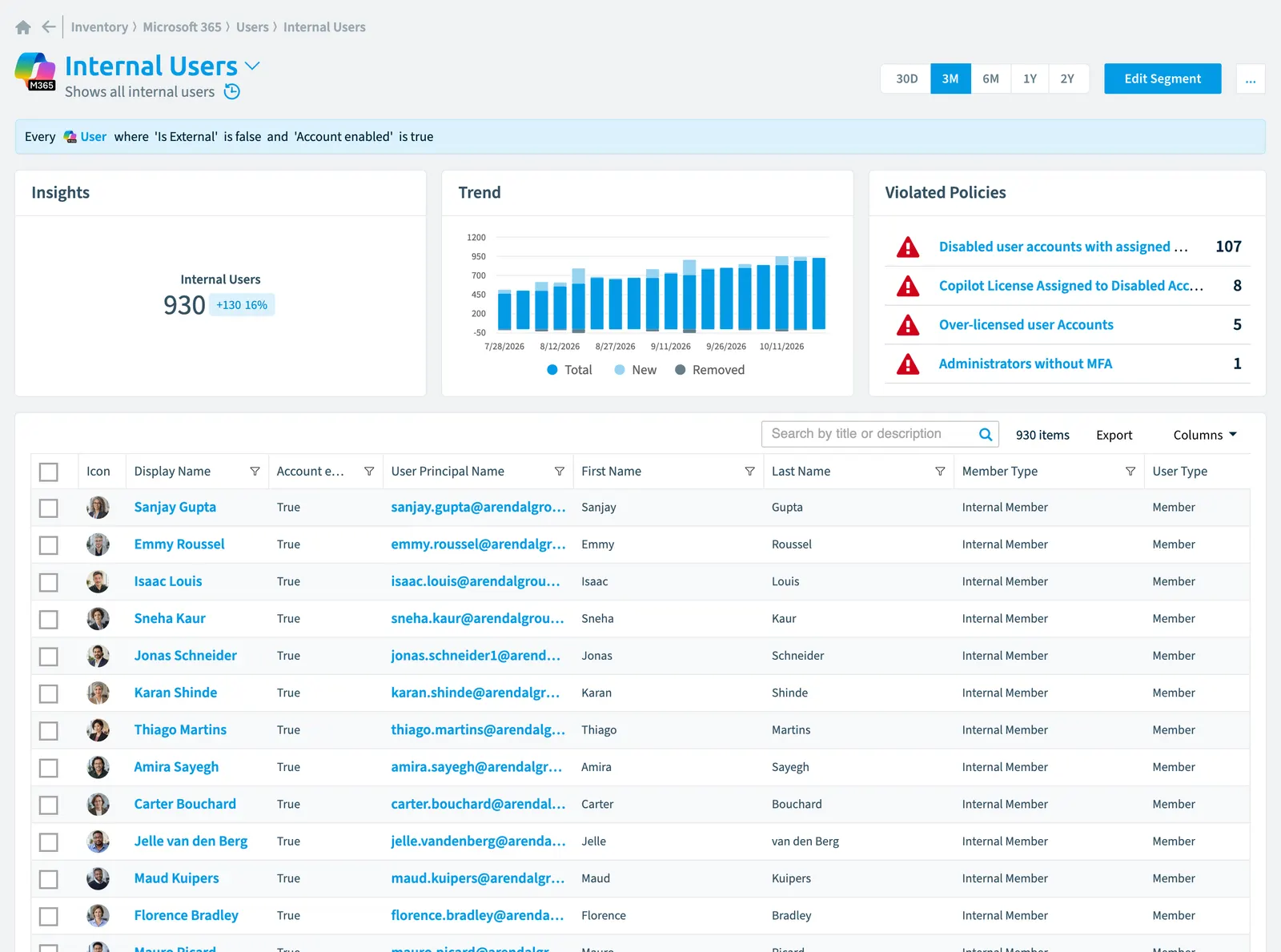
Details
| Selects | User |
|---|---|
| Connector | Microsoft 365 |
| Category | None |
| Primary segment | No |
| Recommended | Yes |
| Status | Generally available |
| Name in Rencore Governance | Internal Users |
Other segments for this object
- Users creating custom agents (Copilot StudioCopilot StudioCopilot Studio is the Microsoft tool for building your own AI agents. Rencore Governance covers it with the Copilot Studio connector, part of the AI & Agents module.Read more)
- Microsoft 365 default
- External users
- My ownership
- My membership
- Disabled accounts
- Sharepoint default (SharePoint)
- My ownership (SharePoint)
- My membership (SharePoint)
- External access (SharePoint)
- Teams default (TeamsMicrosoft TeamsMicrosoft Teams is the Microsoft 365 app for chat, meetings and team collaboration.Read more)
- My ownership (Teams)
- My membership (Teams)
- Viva Engage default (Viva EngageViva EngageViva Engage, formerly Yammer, is the Microsoft 365 app for company-wide communities.Read more)
- My ownership (Viva Engage)
- My membership (Viva Engage)
Frequently asked questions
What does the internal users segment select?
The Internal users segment: shows all internal users.
What is the rule of the internal users segment?
Every User where Is External is false and Account enabled is true.
Which objects does the internal users segment use?
The Internal users segment works on User objects from the Microsoft 365 inventory.
Which module includes the internal users segment?
The Internal users segment comes with the Microsoft 365 connector in the Digital Workplace module of Rencore Governance, which every Plan includes.
Was this page helpful?
Thanks for the feedback.
Thanks. What was wrong?