
Inactive Copilot users - 30 days
AI summary
Users with Copilot licenses assigned but no activity for 30 or more days represent either adoption challenges or misallocated licenses. You can use this report to contact these users, understand barriers to their usage, provide additional training if needed, or reallocate their licenses to other users who will actively benefit from Copilot's capabilities.
What it detects
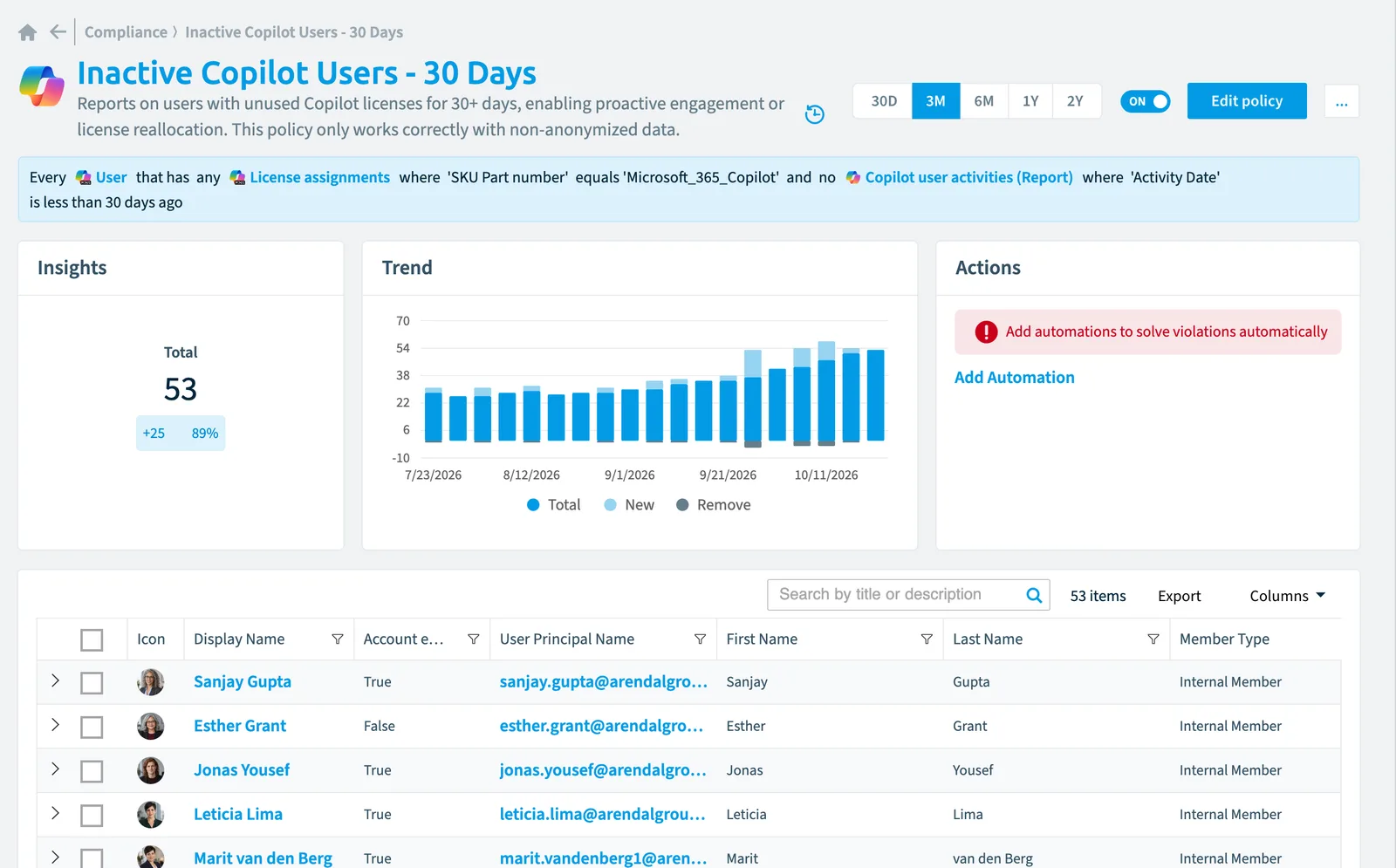
Reports on users with unused CopilotMicrosoft 365 CopilotMicrosoft 365 Copilot is the AI assistant in the Microsoft 365 apps. Rencore Governance covers it with the Copilot connector, part of the AI & Agents module.Read more licenses for 30+ days, enabling proactive engagement or license reallocation. This policy only works correctly with non-anonymized data.
Why it matters
Users who haven't accessed Copilot for 30 days indicate either adoption challenges or misallocated licenses that drain your licensing budget, so reach out to these users to understand barriers to usage, provide additional training if needed, or reallocate licenses to users who will actively benefit from Copilot's capabilities, while establishing regular usage monitoring to optimize license distribution.
The rule
Every User that has any License assignments where SKU Part number equals 'Microsoft_365_Copilot' and no Copilot user activities (Report) where Activity Date is less than 30 days ago
 User
UserIn Rencore Governance
Details
| Applies to | User |
|---|---|
| Connector | Copilot |
| Severity | Medium |
| Category | Costs |
| Recommended | Yes |
| Recommended automation | None |
| License type | Standard |
Related policies
Other policies that check User objects:
- Copilot adoption opportunity - E3/E5 users (Medium)
- Copilot license assigned to disabled account (High)
- Excessive draft agent creation pattern (Medium)
- External users (Information)
- External users with pending acceptance (Low)
- Users with Power Platform Premium license (Information)
- Users with E3 license not using Outlook in last 12 month (Low)
- Users with passwords not changed in last 6 months (Medium)
- Disabled user accounts (Medium)
- Admin accounts with an Office 365 E3 license assigned (Medium)
- Administrators without MFA (High)
- External users invited 3 month ago with pending acceptance (Low)
- Disabled user accounts with assigned licenses (High)
- Global administrators without MFA (High)
- Guest users with a Dynamics license assigned (Medium)
- Inactive external users (Medium)
- Inactive internal users (Medium)
- Over-licensed user accounts (High)
- Users who are creating Microsoft Loop Teams components (Medium)
Frequently asked questions
What does the inactive Copilot users - 30 days policy detect?
What does the inactive Copilot users - 30 days policy detect?The Inactive Copilot users - 30 days policy reports on users with unused Copilot licenses for 30+ days, enabling proactive engagement or license reallocation. This policy only works correctly with non-anonymized data.
Which objects does the inactive Copilot users - 30 days policy check?
Which objects does the inactive Copilot users - 30 days policy check?The Inactive Copilot users - 30 days policy checks User objects from the Copilot inventory and reports each one that matches its rule as a violation.
How severe is a violation of the inactive Copilot users - 30 days policy?
How severe is a violation of the inactive Copilot users - 30 days policy?Violations of the Inactive Copilot users - 30 days policy have Medium severity. The policy is in the Costs category.
Which module includes the inactive Copilot users - 30 days policy?
Which module includes the inactive Copilot users - 30 days policy?The Inactive Copilot users - 30 days policy comes with the Copilot connector in the AI & Agents module of Rencore Governance, an add-on module on the Premium and Enterprise Plans.
Was this page helpful?
Thanks for the feedback.
Thanks. What was wrong?