
Licenses assigned to inactive users

AI summary
Licenses assigned to inactive users (those without sign-in for 90 days or more) waste organizational resources. A monitoring policy identifies these assignments so you can review each inactive user to determine whether they are on leave or should have their license revoked.
What it detects
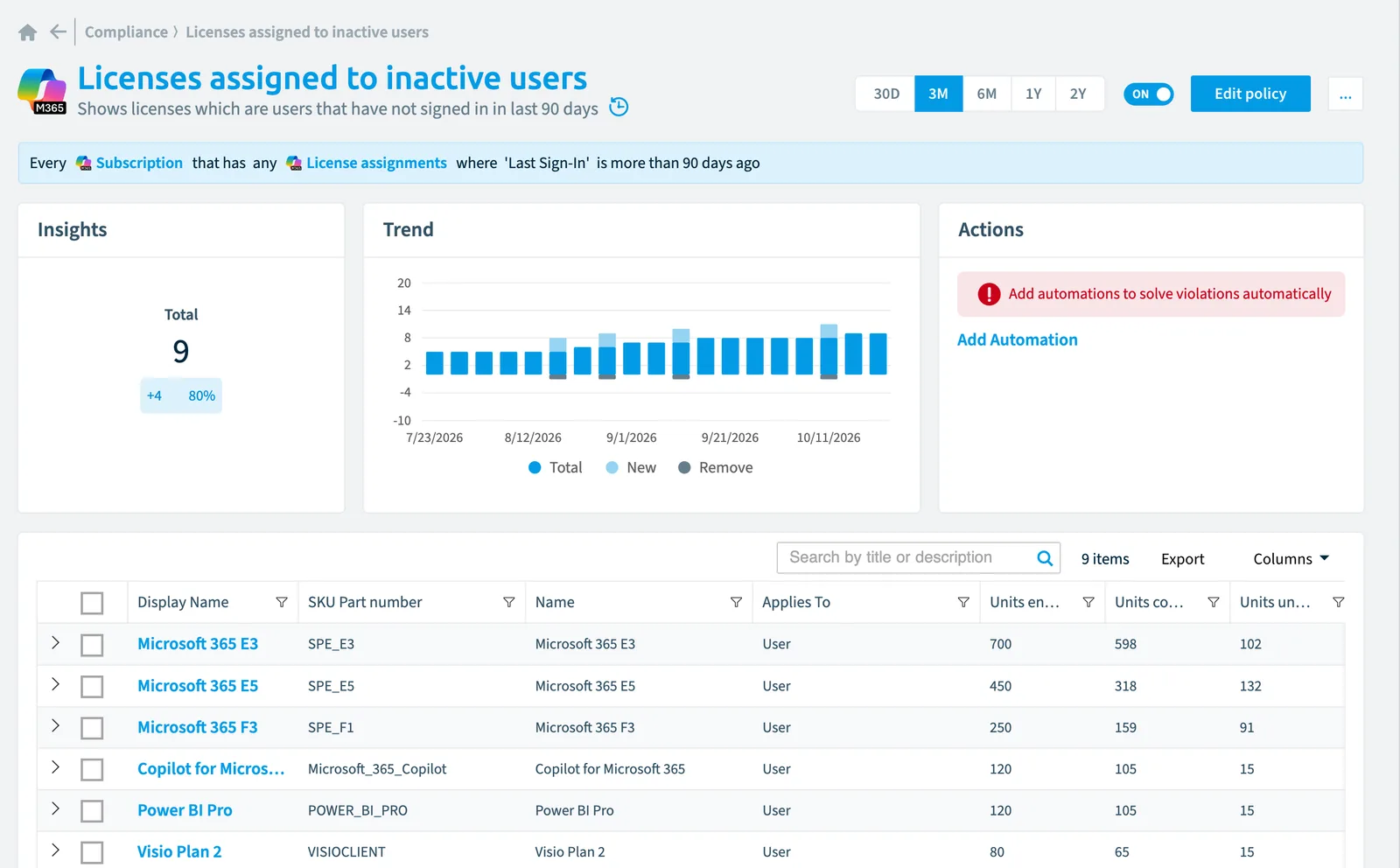
Shows licenses which are users that have not signed in in last 90 days.
Why it matters
Users who haven't signed in for 90 days while retaining active licenses waste organizational resources and may no longer require access. Investigate inactive users to determine if they're on extended leave or have changed roles, revoke licenses from users who no longer need access, and implement automated monitoring through Rencore Governance to flag inactive users for manager review before license removal to balance cost optimization with legitimate absence scenarios.
The rule
Every Subscription that has any License assignments where Last Sign-In is more than 90 days ago
In Rencore Governance
Details
| Applies to | Subscription |
|---|---|
| Connector | Microsoft 365 |
| Severity | Medium |
| Category | Costs |
| Recommended | Yes |
| Recommended automation | None |
| License type | Standard |
Related policies
Other policies that check Subscription objects:
- Licenses assigned to external users (Medium)
- Licenses assigned to disabled users (Medium)
- Licenses with less than 10 units available (Information)
- License usage for Visio, Project and Power BI Pro (Medium)
- Licenses with unused seats (Medium)
- Unused licenses (Low)
Frequently asked questions
What does the licenses assigned to inactive users policy detect?
The Licenses assigned to inactive users policy shows licenses which are users that have not signed in in the last 90 days.
Which objects does the licenses assigned to inactive users policy check?
The Licenses assigned to inactive users policy checks Subscription objects from the Microsoft 365 inventory and reports each one that matches its rule as a violation.
How severe is a violation of the licenses assigned to inactive users policy?
Violations of the Licenses assigned to inactive users policy have Medium severity. The policy is in the Costs category.
Which module includes the licenses assigned to inactive users policy?
The Licenses assigned to inactive users policy comes with the Microsoft 365 connector in the Digital Workplace module of Rencore Governance, which every Plan includes.
Was this page helpful?
Thanks for the feedback.
Thanks. What was wrong?