
Inactive Power BI content alert
AI summary
This policy identifies Power BI content not accessed for 30 days so you can archive or remove unused items and prevent decisions based on outdated information.
What it detects
Identifies all unused content types for possible archiving or removal to improve environment efficiency.
Why it matters
Content nobody has opened for a month may be outdated, and outdated reports lead to decisions based on old numbers. Unused items also keep scheduled refreshes running and add to what people have to search through. Review the list with the owners and archive or delete what is not used.
The rule
Every Unused Artifact where Last Accessed Date is more than 30 days ago
In Rencore Governance
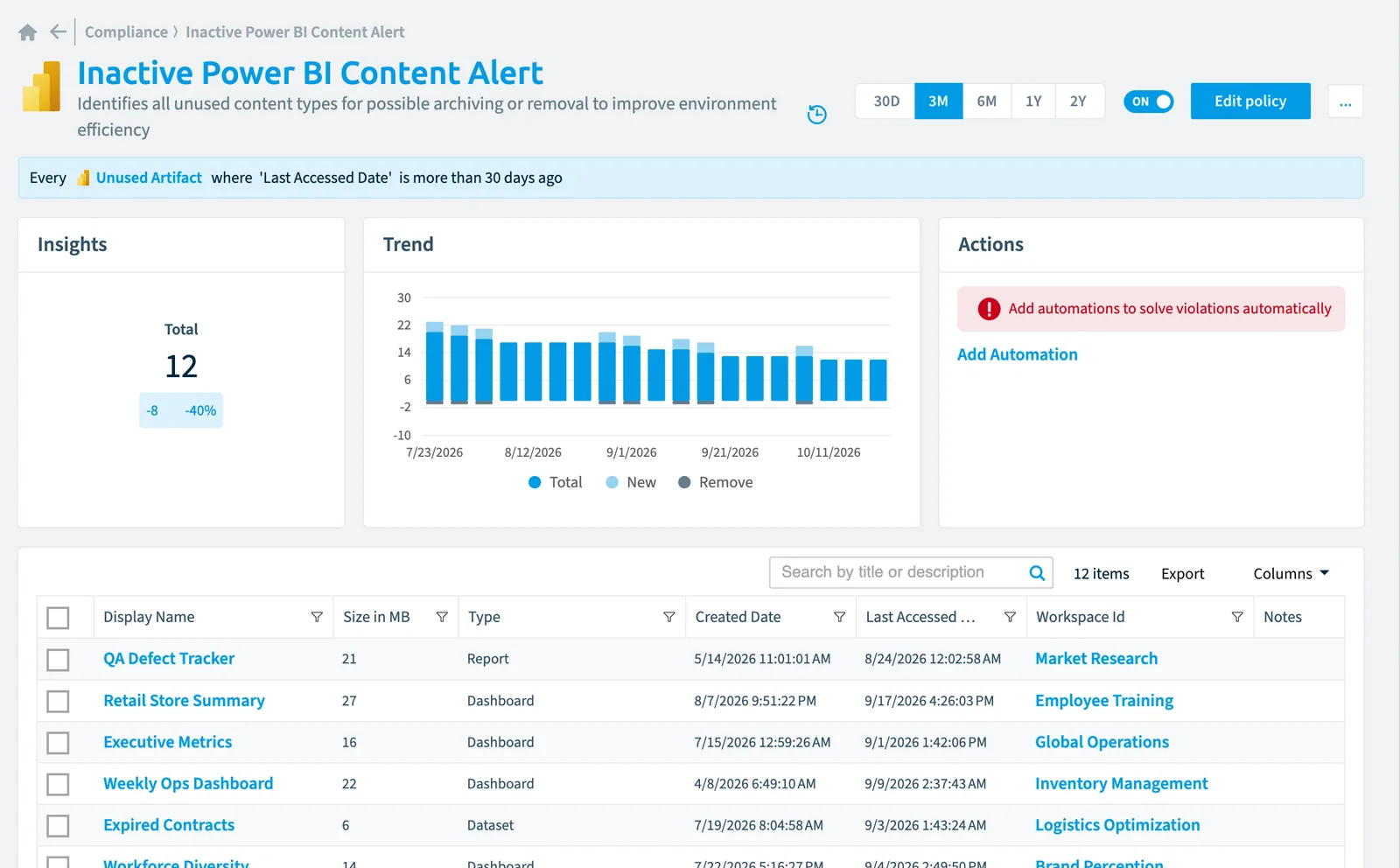
Details
| Applies to | Unused artifact |
|---|---|
| Connector | Power BI |
| Severity | Medium |
| Category | Sprawl |
| Recommended | Yes |
| Recommended automation | None |
| License type | Standard |
Related policies
Other policies that check Unused artifact objects:
- Inactive Power BI reports (Medium)
Frequently asked questions
What does the inactive Power BI content alert policy detect?
What does the inactive Power BI content alert policy detect?The Inactive Power BI content alert policy identifies all unused content types for possible archiving or removal to improve environment efficiency.
Which objects does the inactive Power BI content alert policy check?
Which objects does the inactive Power BI content alert policy check?The Inactive Power BI content alert policy checks Unused artifact objects from the Power BI inventory and reports each one that matches its rule as a violation.
How severe is a violation of the inactive Power BI content alert policy?
How severe is a violation of the inactive Power BI content alert policy?Violations of the Inactive Power BI content alert policy have Medium severity. The policy is in the Sprawl category.
Which module includes the inactive Power BI content alert policy?
Which module includes the inactive Power BI content alert policy?The Inactive Power BI content alert policy comes with the Power BI connector in the Apps, Automation & BI module of Rencore Governance, an add-on module on the Premium and Enterprise Plans.
Was this page helpful?
Thanks for the feedback.
Thanks. What was wrong?