
Orphaned Power BI datasets
AI summary
Orphaned datasets consume Power BI capacity and refresh on schedule even when no reports use them. Use this detection rule to identify unused datasets you can delete, reducing sprawl and freeing resources.
What it detects
Identifies datasets not connected to any reports that may be consuming resources unnecessarily.
Why it matters
A dataset (now called a semantic model) that no report uses still refreshes on its schedule, uses capacity and keeps a copy of the source data. Unless people query it directly, for example with Analyze in Excel, it can usually be deleted. Check with the owner first.
The rule
Every Dataset that has no Reports
In Rencore Governance
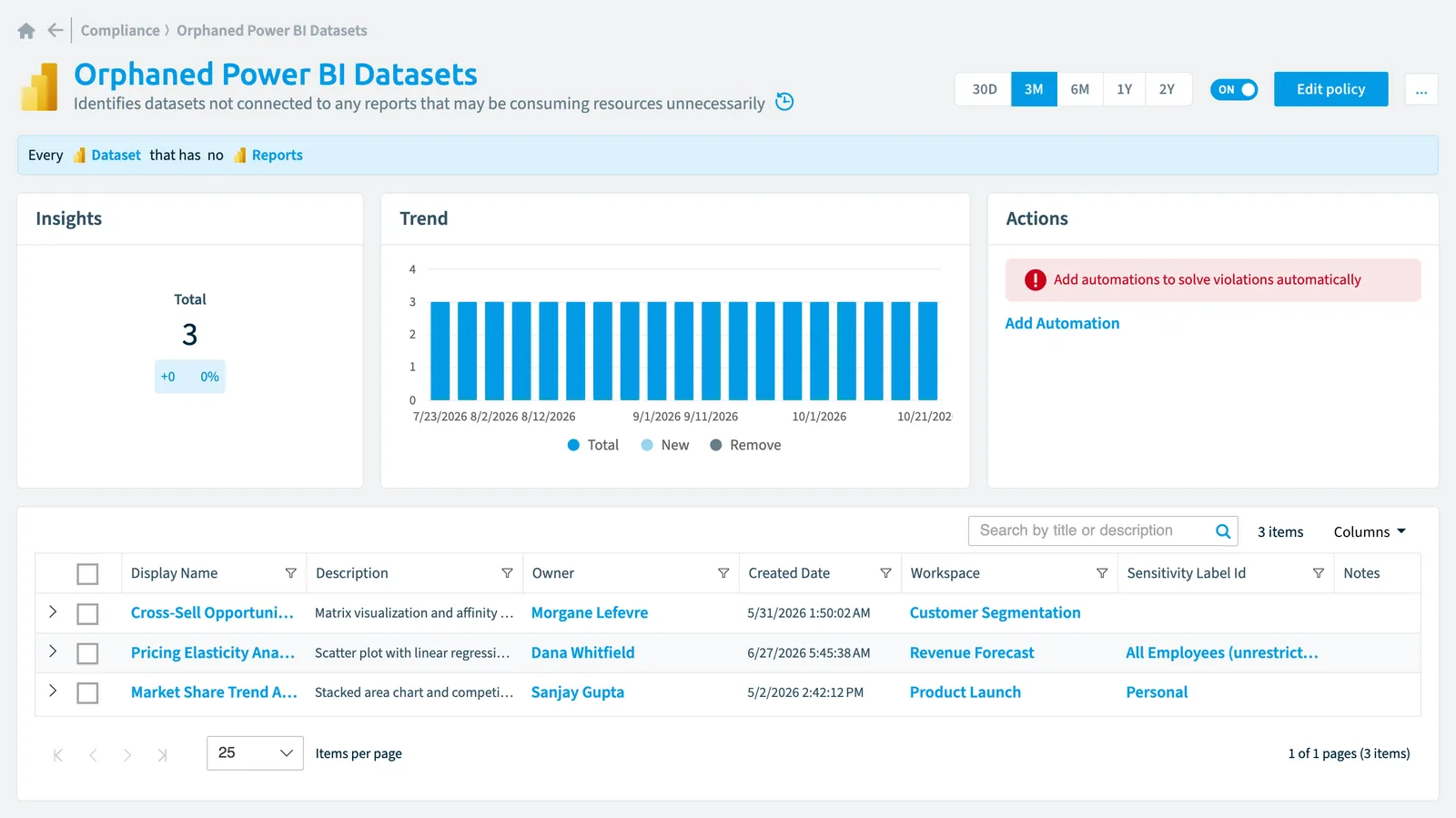
Details
Frequently asked questions
What does the orphaned Power BI datasets policy detect?
What does the orphaned Power BI datasets policy detect?The Orphaned Power BI datasets policy identifies datasets not connected to any reports that may be consuming resources unnecessarily.
Which objects does the orphaned Power BI datasets policy check?
Which objects does the orphaned Power BI datasets policy check?The Orphaned Power BI datasets policy checks Dataset objects from the Power BI inventory and reports each one that matches its rule as a violation.
How severe is a violation of the orphaned Power BI datasets policy?
How severe is a violation of the orphaned Power BI datasets policy?Violations of the Orphaned Power BI datasets policy have Medium severity. The policy is in the Sprawl category.
Which module includes the orphaned Power BI datasets policy?
Which module includes the orphaned Power BI datasets policy?The Orphaned Power BI datasets policy comes with the Power BI connector in the Apps, Automation & BI module of Rencore Governance, an add-on module on the Premium and Enterprise Plans.
Was this page helpful?
Thanks for the feedback.
Thanks. What was wrong?