
Empty Workspace cleanup alert
AI summary
This policy identifies empty workspaces that contain no reports or dashboards, helping you clean up your workspace environment. Use it to find and delete workspaces that no longer serve a purpose.
What it detects
Identifies unused workspace containers that should be removed to maintain environment cleanliness.
Why it matters
A workspace without reports or dashboards clutters the workspace list, and its members keep access to any semantic models or other items left in it. Ask the workspace admins whether it is still needed and delete it if not.
The rule
Every Workspace that has no Reports and no Dashboards
In Rencore Governance
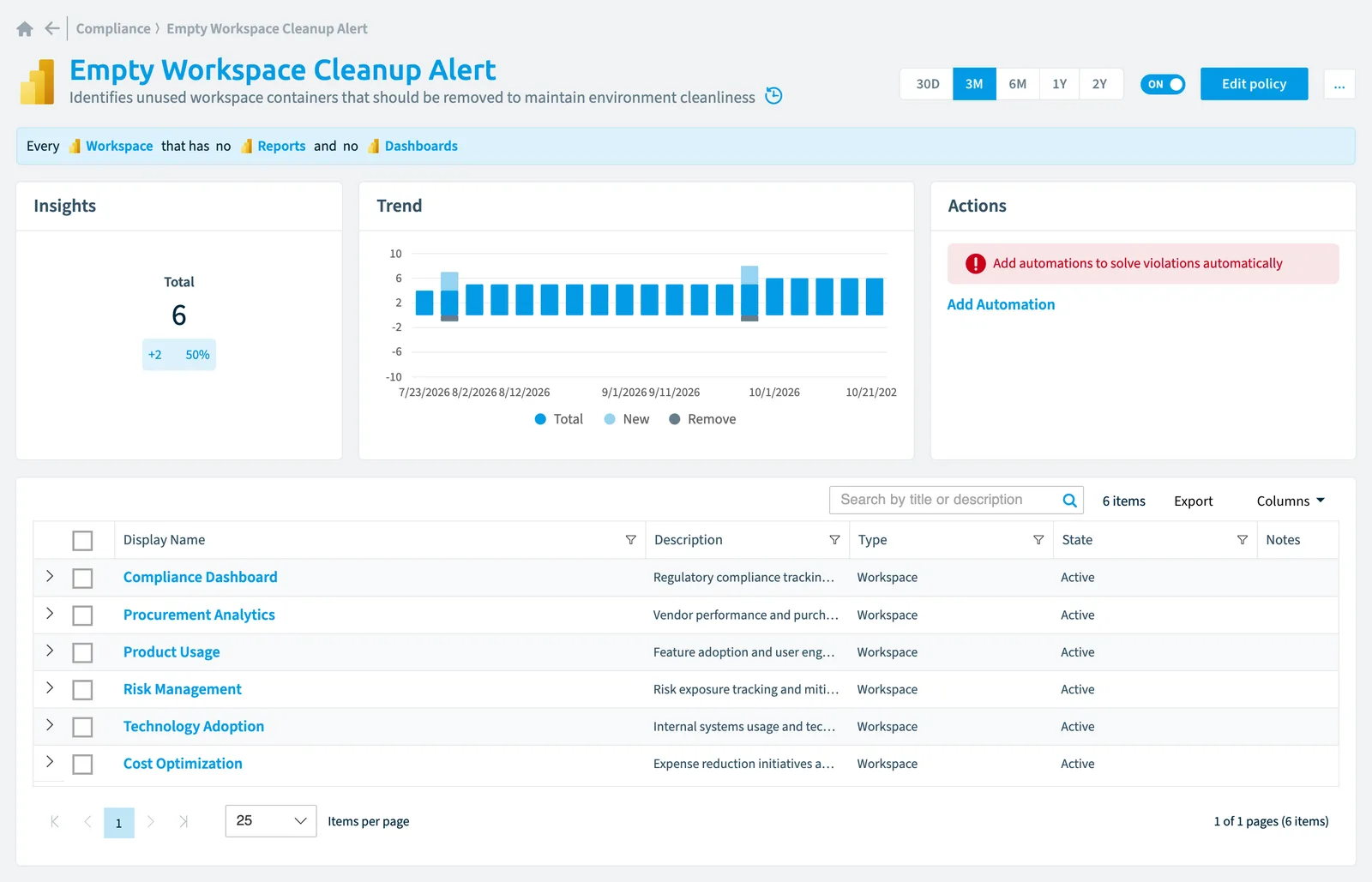
Details
| Applies to | Workspace |
|---|---|
| Connector | Power BI |
| Severity | Medium |
| Category | Sprawl |
| Recommended | Yes |
| Recommended automation | None |
| License type | Standard |
Related policies
Other policies that check Workspace objects:
- Inactive Power BI Workspaces (Medium)
- Power BI Workspaces with external access (Medium)
- Power BI Workspaces without administrators (Medium)
Frequently asked questions
What does the empty Workspace cleanup alert policy detect?
The Empty Workspace cleanup alert policy identifies unused workspace containers that should be removed to maintain environment cleanliness.
Which objects does the empty Workspace cleanup alert policy check?
The Empty Workspace cleanup alert policy checks Workspace objects from the Power BI inventory and reports each one that matches its rule as a violation.
How severe is a violation of the empty Workspace cleanup alert policy?
Violations of the Empty Workspace cleanup alert policy have Medium severity. The policy is in the Sprawl category.
Which module includes the empty Workspace cleanup alert policy?
The Empty Workspace cleanup alert policy comes with the Power BI connector in the Apps, Automation & BI module of Rencore Governance, an add-on module on the Premium and Enterprise Plans.
Was this page helpful?
Thanks for the feedback.
Thanks. What was wrong?