
Device usage
AI summary
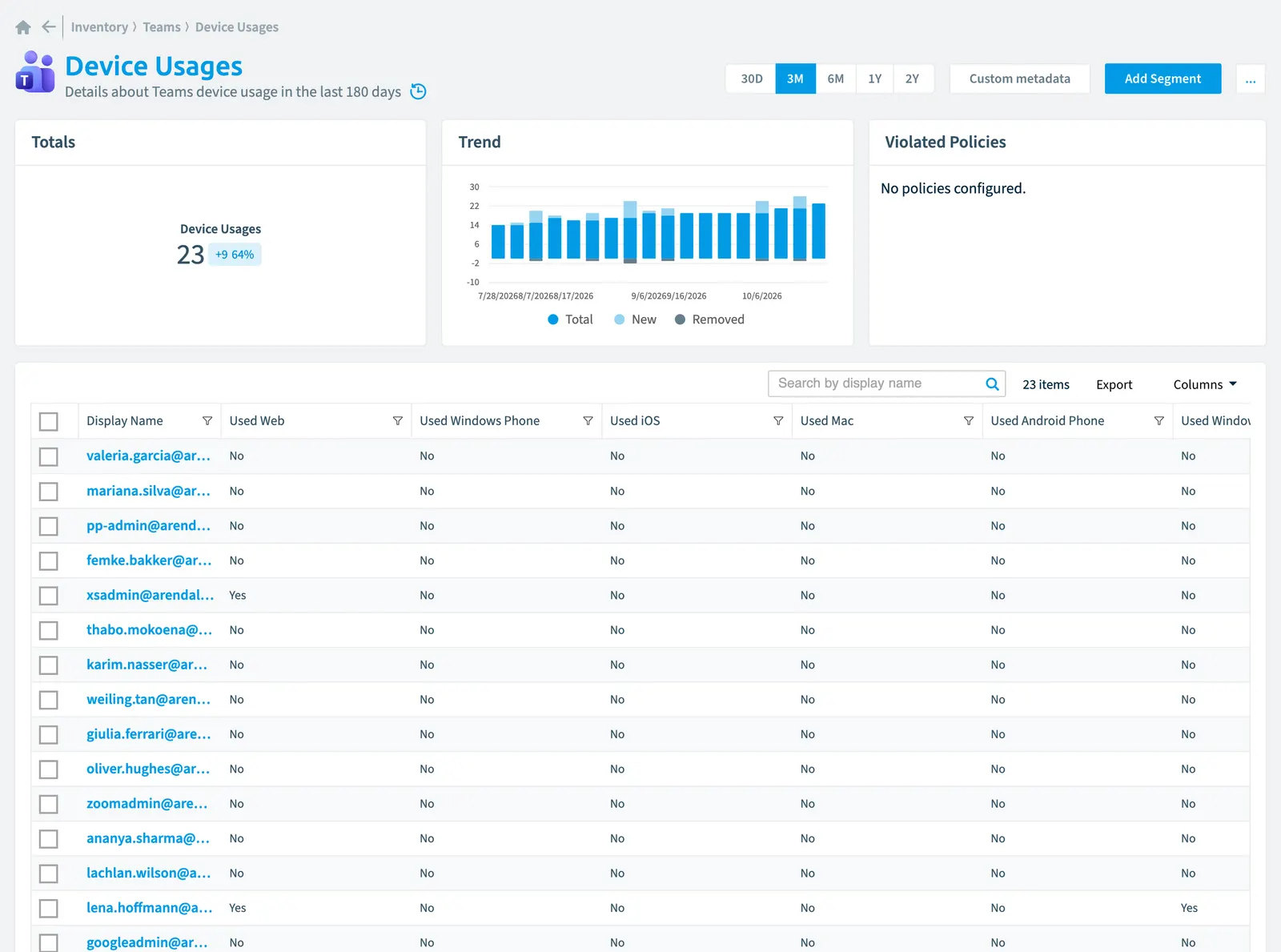
Device usage shows what devices Teams users accessed over the last 180 days, such as phones, computers, and web browsers. Rencore Governance collects 25 properties for each user across categories including device types, activity dates, user information, risk scores, and licensing status, which you can use for reports and automation.
Details about TeamsMicrosoft TeamsMicrosoft Teams is the Microsoft 365 app for chat, meetings and team collaboration.Read more device usage in the last 180 days
Part of the Teams inventory.
In Rencore Governance
Scan settings
| Default scanning interval | Allowed scanning intervals | Data removal during incremental scan |
|---|---|---|
| Default | Daily, Weekly, Bi-Weekly, Monthly, Never, Initial | Yes |
Properties
25 properties in 7 groups. Open a group to see its properties.
Name and identity 4
| Property | Type | Description | Automation placeholder |
|---|---|---|---|
| Deleted UserDeleted objectWhen you delete a user or a Microsoft 365 group, Microsoft Entra ID keeps it soft-deleted for 30 days.Read more Name | String | {{DeviceUsage. | |
| Display Name | String | {{DeviceUsage. | |
| User Id | String | Id of the user | {{DeviceUsage. |
| User Principal Name | String | {{DeviceUsage. |
Organization and location 2
| Property | Type | Description | Automation placeholder |
|---|---|---|---|
| Used Android Phone | String | {{DeviceUsage. | |
| Used Windows Phone | String | {{DeviceUsage. |
Activity and usage 8
| Property | Type | Description | Automation placeholder |
|---|---|---|---|
| Last Activity Date | DateTime | Date when user was last active in Microsoft Teams | {{DeviceUsage. |
| Last scan update | DateTime | Shows when this object was last updated in a scan. If an object is found during a scan but no property has been changed this date will not change. | {{DeviceUsage. |
| Used Chrome OS | String | {{DeviceUsage. | |
| Used Linux | String | {{DeviceUsage. | |
| Used Mac | String | {{DeviceUsage. | |
| Used Web | String | {{DeviceUsage. | |
| Used Windows | String | {{DeviceUsage. | |
| Used iOS | String | {{DeviceUsage. |
Dates and scanning 6
| Property | Type | Description | Automation placeholder |
|---|---|---|---|
| Initially Scanned | DateTime | Shows when this object was initially found in a scan. | {{DeviceUsage. |
| Deleted Date | DateTime | {{DeviceUsage. | |
| Deleted User | String | {{DeviceUsage. | |
| Is Deleted | Boolean | {{DeviceUsage. | |
| Report Period | Int32 | Specifies the length of time in days over which the report data is aggregated. | {{DeviceUsage. |
| Report Refresh Date | DateTime | Date when the report data last been refreshed by Microsoft | {{DeviceUsage. |
Security and compliance 3
| Property | Type | Description | Automation placeholder |
|---|---|---|---|
| Risk Score | Int32 | Stores risk score | {{DeviceUsage. |
| Risk Score Update | DateTime | Stores risk score update | {{DeviceUsage. |
| Risk Score Value | String | Stores risk score value like Low_Low | {{DeviceUsage. |
Storage, licences and cost 1
| Property | Type | Description | Automation placeholder |
|---|---|---|---|
| Is Licensed | String | {{DeviceUsage. |
Other properties 1
| Property | Type | Description | Automation placeholder |
|---|---|---|---|
| User | String | {{DeviceUsage. |
Relations
| Relation | Connector | Description |
|---|---|---|
| Deleted user | Microsoft 365Microsoft 365Microsoft 365 is the Microsoft cloud suite of Teams, SharePoint, OneDrive, Exchange and the Office apps.Read more | User who was deleted |
| User | Microsoft 365 | User who performed the action |
Segments
This object does currently not have any segments.
Actions
This object does currently not have any actions.
Frequently asked questions
What is the device usage object in Rencore Governance?
Details about Teams device usage in the last 180 days. Device usage is an object type in the Teams inventory of Rencore Governance.
Which properties does Rencore Governance collect for device usage?
Rencore Governance collects 25 properties for Device usage, such as Initially Scanned, Deleted Date, Deleted User and 22 more.
How often is device usage scanned?
You can change the scan interval of Device usage objects under Configure objects (daily, weekly, bi-weekly, monthly, never or initial (collected once)). The interval is a target, not a guarantee: a scan can run later than planned.
Which module includes the Teams connector?
Which module includes the Teams connector?The Teams connector is part of the Digital Workplace module of Rencore Governance, which every Plan includes. The connector is generally available.
Was this page helpful?
Thanks for the feedback.
Thanks. What was wrong?