
Teams with very few owners
AI summary
A governance check identifies Teams with one or no owner, which creates problems when the owner leaves. You can use the Send one email per Team owner automation to ask the owner to add a second owner.
What it detects
Shows TeamsMicrosoft TeamsMicrosoft Teams is the Microsoft 365 app for chat, meetings and team collaboration.Read more which have 1 or no owner.
Why it matters
A team with one owner depends on one person, and a team with none depends on nobody. When the only owner leaves, nobody can add members, manage channels or decide when the team can go. Add a second owner. The Send one email per Team ownerWorkspace ownerA workspace owner is an owner of a Microsoft 365 workspace, such as a Team, a SharePoint site or a group.Read more automation can ask the current owner to do it.
The rule
Every Team that has less than or equal 1 Teams Owners
In Rencore Governance
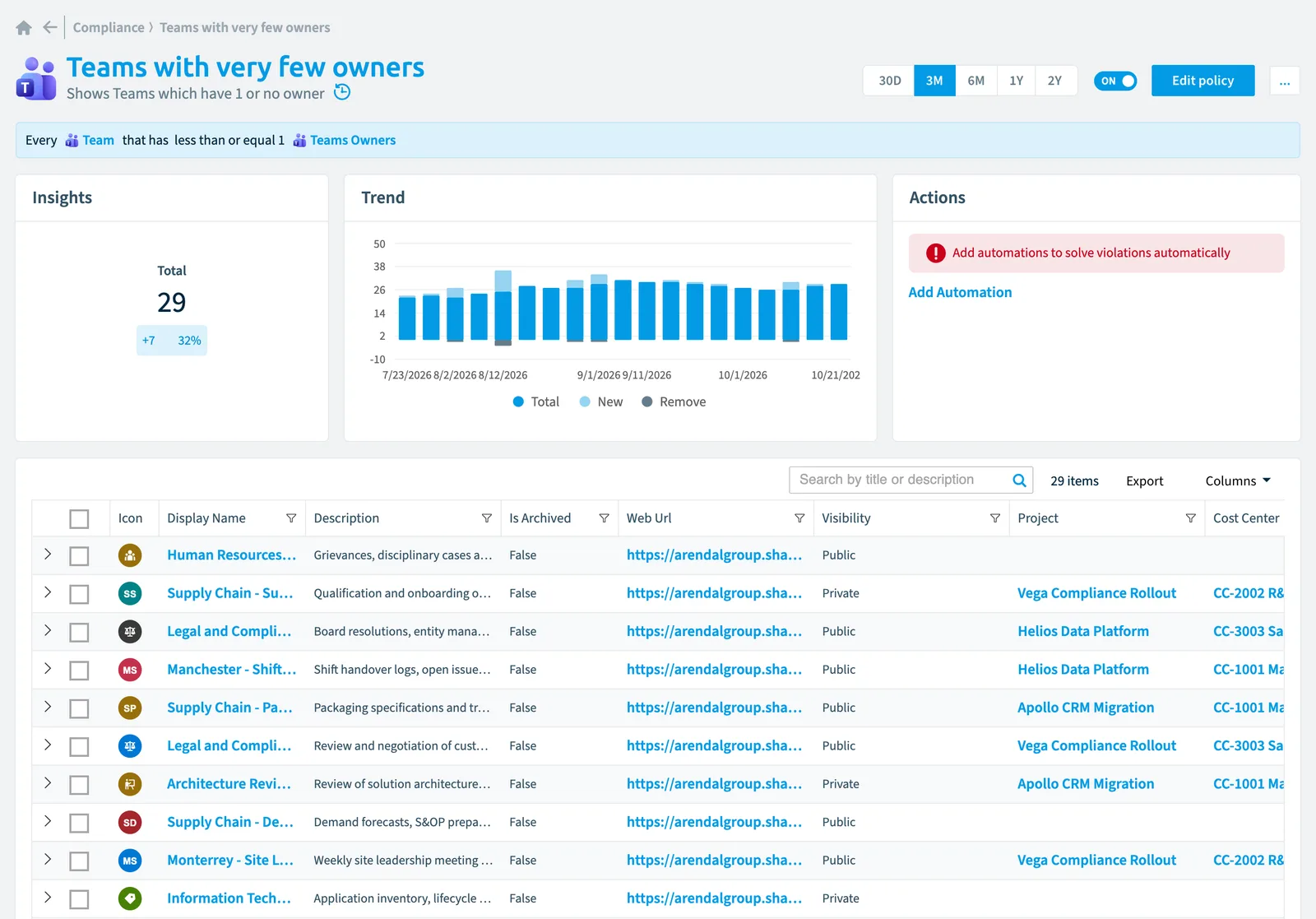
Details
| Applies to | Team |
|---|---|
| Connector | Teams |
| Severity | High |
| Category | Operation |
| Recommended | Yes |
| Recommended automation | None |
| License type | Standard |
Related policies
Other policies that check Team objects:
- Teams with a disabled owner account (Medium)
- Teams with private channels (Information)
- Teams with many channels (Information)
- Teams that use forbidden/misleading words in display name (Low)
- Teams with only disabled owner accounts (Medium)
- Teams that reach the 200 channel limit (Medium)
- Teams with very few users (Medium)
- Teams with many users (High)
- Teams that reach the 100 owner limit (Medium)
- Inactive teams (Medium)
- Teams with inactive external users (Information)
- New Teams (Information)
- Public Teams (Information)
- Team contains Copilot agent and external members (High)
- Teams with external users (Low)
- Teams with less than 2 owners (Medium)
- Teams with many owners (Low)
- Teams without owners (Medium)
- Teams that use prohibited words in the name or description (High)
Frequently asked questions
What does the Teams with very few owners policy detect?
What does the Teams with very few owners policy detect?The Teams with very few owners policy shows Teams which have 1 or no owner.
Which objects does the Teams with very few owners policy check?
Which objects does the Teams with very few owners policy check?The Teams with very few owners policy checks Team objects from the Teams inventory and reports each one that matches its rule as a violation.
How severe is a violation of the Teams with very few owners policy?
How severe is a violation of the Teams with very few owners policy?Violations of the Teams with very few owners policy have High severity. The policy is in the Operation category.
Which module includes the Teams with very few owners policy?
Which module includes the Teams with very few owners policy?The Teams with very few owners policy comes with the Teams connector in the Digital Workplace module of Rencore Governance, which every Plan includes.
Was this page helpful?
Thanks for the feedback.
Thanks. What was wrong?