
Users to be licensed with Rencore Governance

AI summary
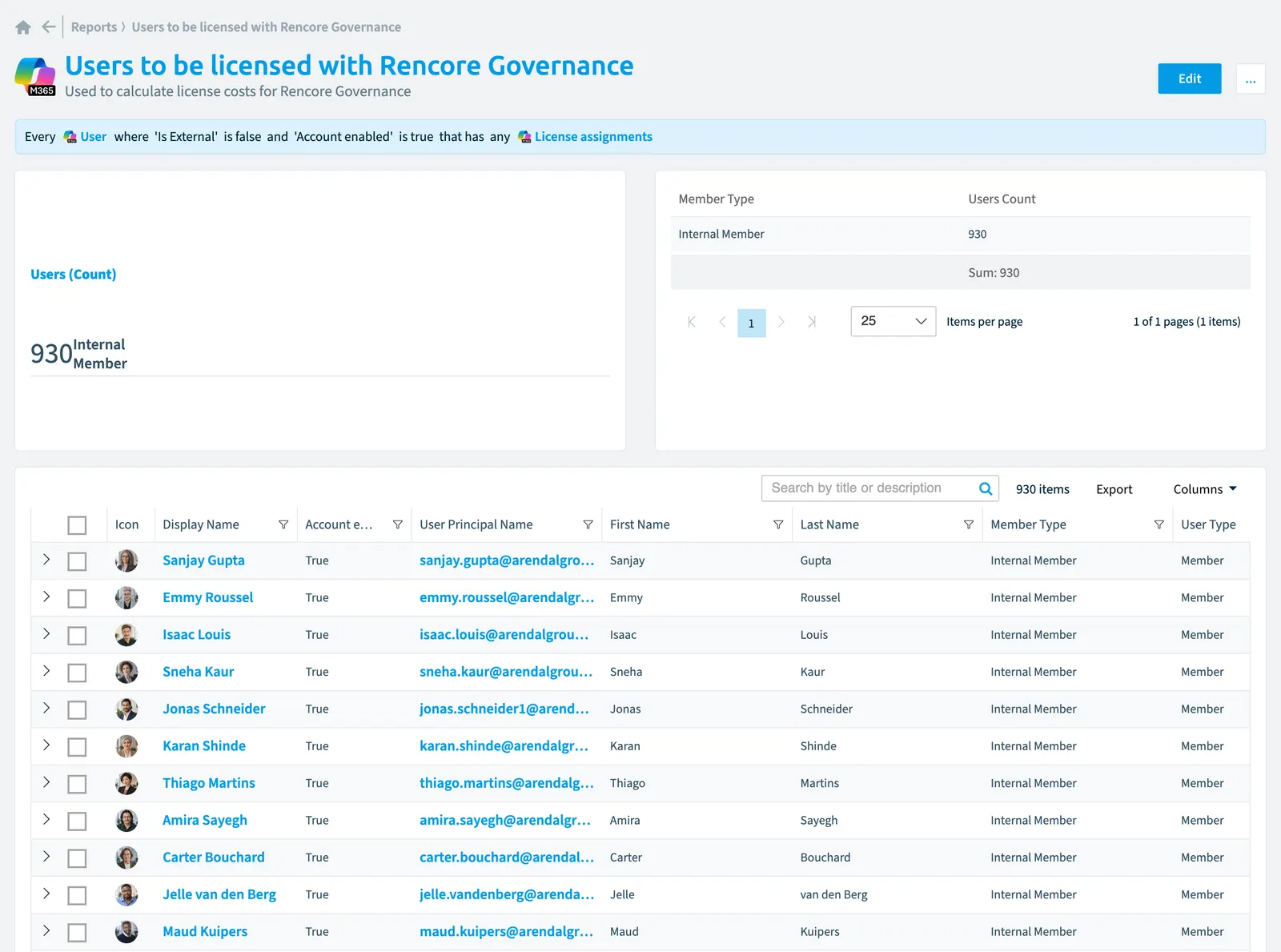
The report shows internal, enabled Microsoft 365 users with licenses that count toward your Rencore Governance licensing costs. It displays the top 10 by member type.
"Users to be licensed with Rencore Governance" is a report for Microsoft 365Microsoft 365Microsoft 365 is the Microsoft cloud suite of Teams, SharePoint, OneDrive, Exchange and the Office apps.Read more in Rencore Governance. Used to calculate license costs for Rencore Governance.
What it shows
The report shows User objects from the Microsoft 365 inventory.
The rule
Every User where Is External is false and Account enabled is true that has any License assignments
Chart
| Chart type | KPI tile |
|---|---|
| Shows | Member Type |
| Measure | Number of User objects |
| Sorted by | Member Type, ascending |
| Limit | Top 10 |
In Rencore Governance
Details
| Reports on | User |
|---|---|
| Connector | Microsoft 365 |
| Category | Operation |
| Chart type | KPI tile |
| Recommended | No |
| Status | Generally available |
Other reports for this object
- Active Copilot license inventory (CopilotMicrosoft 365 CopilotMicrosoft 365 Copilot is the AI assistant in the Microsoft 365 apps. Rencore Governance covers it with the Copilot connector, part of the AI & Agents module.Read more)
- Copilot sessions by department (Copilot)
- Copilot sessions by geographic region (Copilot)
- Department Copilot cost analysis - monthly (Copilot)
- Geographic region Copilot cost analysis - monthly (Copilot)
- Agent creation by department - 90 days (Copilot StudioCopilot StudioCopilot Studio is the Microsoft tool for building your own AI agents. Rencore Governance covers it with the Copilot Studio connector, part of the AI & Agents module.Read more)
- External users
- Internal users
- Email domains of external users
- Users by region
- Users by type
Frequently asked questions
What does the users to be licensed with Rencore Governance report show?
The Users to be licensed with Rencore Governance report: used to calculate license costs for Rencore Governance.
What is the rule of the users to be licensed with Rencore Governance report?
Every User where Is External is false and Account enabled is true that has any License assignments.
Which objects does the users to be licensed with Rencore Governance report use?
The Users to be licensed with Rencore Governance report works on User objects from the Microsoft 365 inventory and shows them as a kpi tile.
Which module includes the users to be licensed with Rencore Governance report?
The Users to be licensed with Rencore Governance report comes with the Microsoft 365 connector in the Digital Workplace module of Rencore Governance, which every Plan includes.
Was this page helpful?
Thanks for the feedback.
Thanks. What was wrong?