
Confidential site referenced in Copilot agent
AI summary
Rencore Governance flags Copilot agents that access SharePoint sites labeled Confidential or Strictly Confidential, as this risks unauthorized exposure of sensitive data. You should disconnect these agents from classified sites or implement proper access permissions and conditional access policies. Review agent responses for any confidential information that may have been disclosed.
What it detects
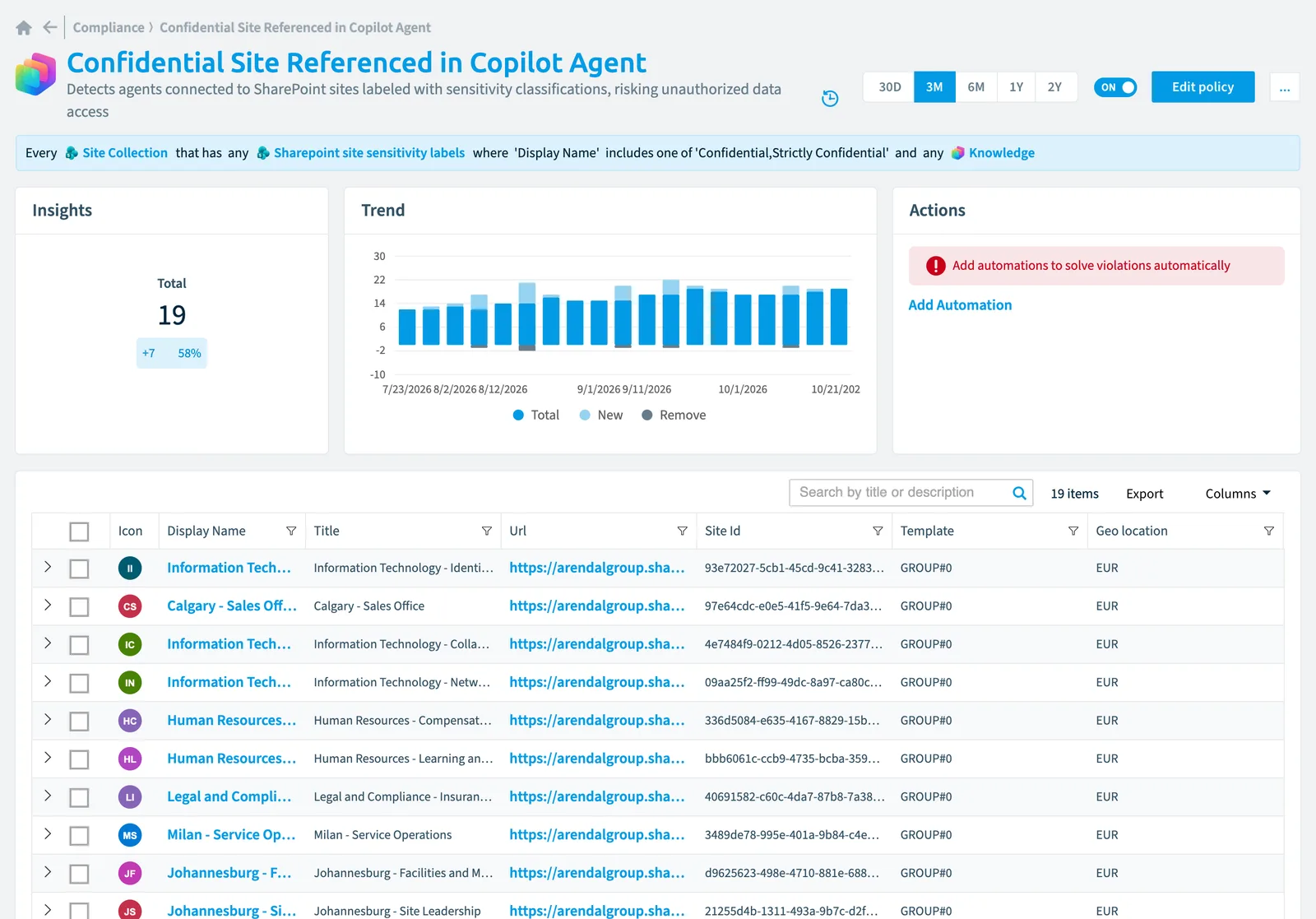
Detects agents connected to SharePoint sites labeled with sensitivity classifications, risking unauthorized data access.
Why it matters
Disconnect agents from SharePoint sites containing sensitive and classified data or ensure correct access permissions for agents are in place to prevent unauthorized information disclosure, as agents may inadvertently expose confidential content to users without proper clearance levels. Review the agent's knowledge sourcesKnowledge sourceA knowledge source is data that a Copilot Studio agent uses to answer, such as public websites, SharePoint and OneDrive, Dataverse or uploaded files.Read more and replace sensitive sites with appropriately classified alternatives, implement conditional access policies to ensure only authorized users can interact with agents that must access sensitive data, and audit existing agent responses for any leaked confidential information.
The rule
Every Site Collection that has any Sharepoint site sensitivity labels where Display Name includes one of 'Confidential,Strictly Confidential' and any Knowledge
 Site
SiteIn Rencore Governance
Details
| Applies to | Site collection |
|---|---|
| Connector | Copilot Studio |
| Severity | High |
| Category | Security |
| Recommended | Yes |
| Recommended automation | None |
| License type | Standard |
Related policies
Other policies that check Site collection objects:
- Unused classic sites (Low)
- SharePoint extranet sites (Information)
- Classic sites (Information)
- SharePoint site is inactive for more than 90 days (Medium)
- Site collections with subsites (Information)
- SharePoint site collection lacks sensitivity label (Medium)
- SharePoint site collections near storage limit (High)
- SharePoint site collections with disabled owners accounts (Low)
- SharePoint site collection is owned by external users (High)
- SharePoint site collections with less than 2 site owners (Medium)
- SharePoint site collections without any owners (Medium)
- SharePoint site collection contains more than 10 agents (Medium)
- Site collection is unused with more than 1 GB (Medium)
- Sites that have no hubsite configured (Information)
- Site collection is near subsite limit (Low)
- Site collection is near the list/library limit (Low)
- Site collections has reached the list/library limit (Medium)
- Site collection has reached the subsite limit (Medium)
Frequently asked questions
 What does the confidential site referenced in Copilot agent policy detect?
What does the confidential site referenced in Copilot agent policy detect?The Confidential site referenced in Copilot agent policy detects agents connected to SharePoint sites labeled with sensitivity classifications, risking unauthorized data access.
Which objects does the confidential site referenced in Copilot agent policy check?
Which objects does the confidential site referenced in Copilot agent policy check?The Confidential site referenced in Copilot agent policy checks Site collection objects from the Copilot Studio inventory and reports each one that matches its rule as a violation.
How severe is a violation of the confidential site referenced in Copilot agent policy?
How severe is a violation of the confidential site referenced in Copilot agent policy?Violations of the Confidential site referenced in Copilot agent policy have High severity. The policy is in the Security category.
Which module includes the confidential site referenced in Copilot agent policy?
Which module includes the confidential site referenced in Copilot agent policy?The Confidential site referenced in Copilot agent policy comes with the Copilot Studio connector in the AI & Agents module of Rencore Governance, an add-on module on the Premium and Enterprise Plans.
Was this page helpful?
Thanks for the feedback.
Thanks. What was wrong?