
Deleted group
AI summary
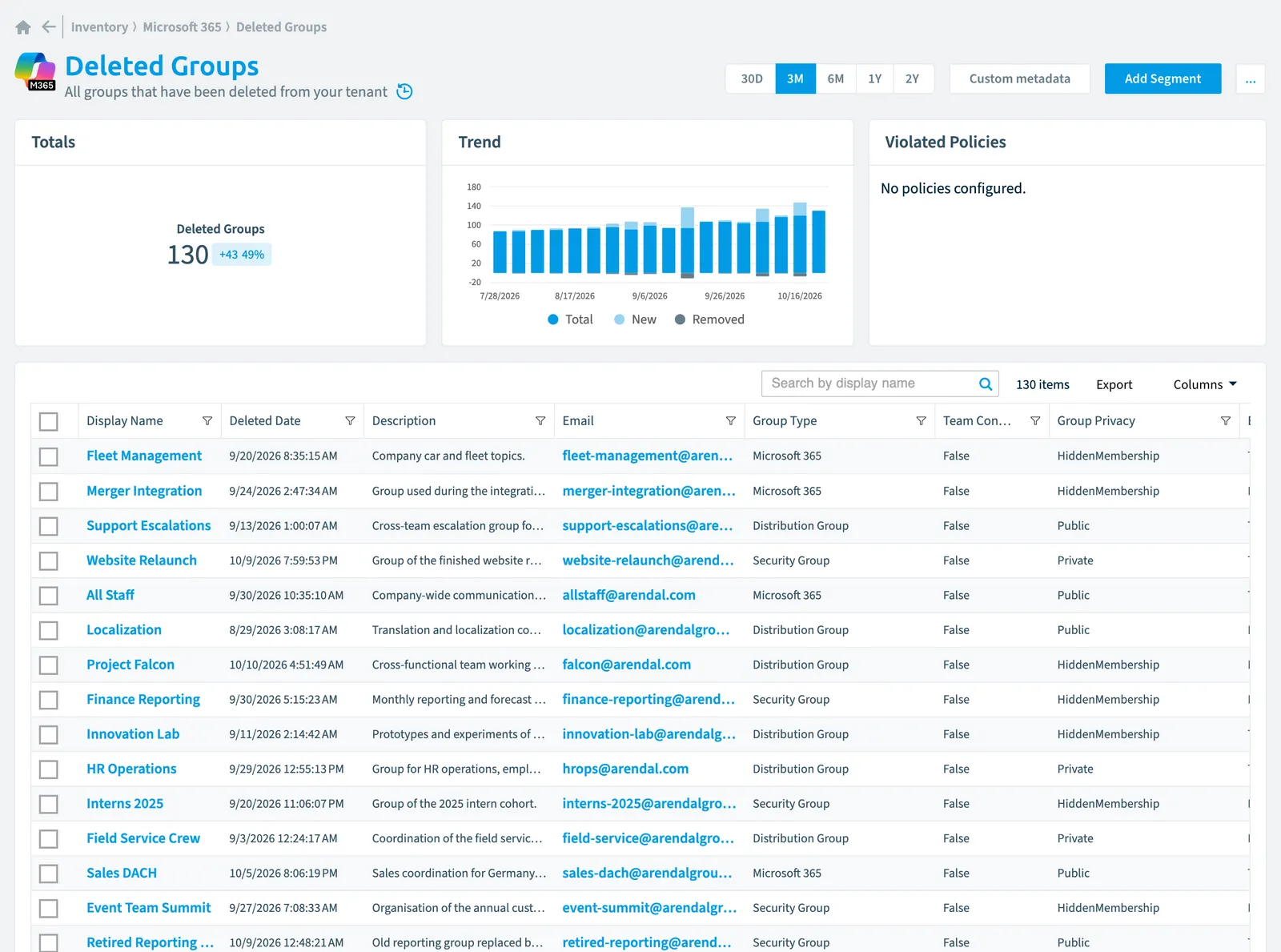
The deleted group object tracks groups removed from your Microsoft 365 tenant in Rencore Governance's inventory. You can scan these groups at intervals ranging from daily to monthly and view detailed properties including creation and deletion dates, email, group type, and risk scores. A restore action lets you recover deleted groups if needed.
All groups that have been deleted from your tenant
Part of the Microsoft 365 inventory.
In Rencore Governance
Scan settings
| Default scanning interval | Allowed scanning intervals | Data removal during incremental scan |
|---|---|---|
| Daily | Daily, Weekly, Bi-Weekly, Monthly, Never, Initial | Yes |
Properties
| Property | Type | Description | Automation placeholder |
|---|---|---|---|
| Classification | String | Describes a classification for the group (such as low, medium or high business impact) | {{DeletedGroup. |
| Initially Scanned | DateTime | Shows when this object was initially found in a scan. | {{DeletedGroup. |
| Deleted Date | DateTime | {{DeletedGroup. | |
| Description | String | An optional description for the group | {{DeletedGroup. |
| Display Name | String | {{DeletedGroup. | |
| String | The SMTP address for the group, for example | {{DeletedGroup. | |
| Email enabled | Boolean | Specifies whether the group is mail-enabled | {{DeletedGroup. |
| Expiration Date | DateTime | Timestamp of when the group is set to expire | {{DeletedGroup. |
| Created Date | DateTime | Timestamp of when the group was created | {{DeletedGroup. |
| Group Id | String | The unique identifier for the group | {{DeletedGroup. |
| Group Privacy | String | Specifies the group join policy and group content visibility for groups Allowed values: Hidden Membership, Private, Public. | {{DeletedGroup. |
| Group Type | String | Specifies the group type and its membership Allowed values: Distribution Group, Microsoft 365Microsoft 365Microsoft 365 is the Microsoft cloud suite of Teams, SharePoint, OneDrive, Exchange and the Office apps.Read more, Security GroupSecurity groupA security group is a Microsoft Entra group that gives a set of users access to resources.Read more. | {{DeletedGroup. |
| onPremises Sync Enabled | Boolean | true if this user object is currently being synced from an on-premises Active Directory (AD); otherwise the user isn't being synced and can be managed in Microsoft Entra IDMicrosoft Entra IDMicrosoft Entra ID, formerly Azure Active Directory, is the Microsoft identity service behind every Microsoft 365 tenant.Read more. | {{DeletedGroup. |
| Last scan update | DateTime | Shows when this object was last updated in a scan. If an object is found during a scan but no property has been changed this date will not change. | {{DeletedGroup. |
| MailNickname | String | The mail alias for the group, unique for Microsoft 365 groupsMicrosoft 365 groupA Microsoft 365 Group is the membership object behind many Microsoft 365 workspaces.Read more in the organization. Maximum length is 64 characters. | {{DeletedGroup. |
| Membership Type | String | Specifies the group membership type. Allowed values: Assigned, Dynamic. | {{DeletedGroup. |
| Preferred Data LocationData centerThe data center is the Microsoft Azure region where Rencore Governance stores all data of a Workspace.Read more | String | The preferred data location for the Microsoft 365 group. By default, the group inherits the group creator's preferred data location. | {{DeletedGroup. |
| Risk Score | Int32 | Stores risk score | {{DeletedGroup. |
| Risk Score Update | DateTime | Stores risk score update | {{DeletedGroup. |
| Risk Score Value | String | Stores risk score value like Low_Low | {{DeletedGroup. |
| Security Identifier | String | Contains the on-premises security identifier (SID) for the group that was synchronized from on-premises to the cloud. | {{DeletedGroup. |
| Team Connected | Boolean | Specifies Team as group resources that are provisioned as part of creating a Microsoft 365 group | {{DeletedGroup. |
| SharePoint Site | Site | Default scanning intervalScan intervalA scan interval is how often Rencore Governance aims to scan one object type, such as daily or weekly.Read more: Monthly. | {{DeletedGroup. |
| SharePoint Site Url | String | {{DeletedGroup. |
Relations
| Relation | Connector | Description |
|---|---|---|
| Site | SharePoint | All root site and subsites of a SharePoint site collectionSite collectionA site collection is the top-level SharePoint container that holds a root site, its subsites, lists, libraries and files.Read more |
| Deleted team | TeamsMicrosoft TeamsMicrosoft Teams is the Microsoft 365 app for chat, meetings and team collaboration.Read more | All teams that have been deleted |
Segments
This object does currently not have any segments.
Actions
- Restore deleted groupDeleted objectWhen you delete a user or a Microsoft 365 group, Microsoft Entra ID keeps it soft-deleted for 30 days.Read more
Frequently asked questions
What is the deleted group object in Rencore Governance?
All groups that have been deleted from your tenant. Deleted group is an object type in the Microsoft 365 inventory of Rencore Governance.
Which properties does Rencore Governance collect for deleted group?
Rencore Governance collects 24 properties for Deleted group, such as Classification, Initially Scanned, Deleted Date and 21 more.
How often is deleted group scanned?
By default daily. You can change the scan interval of Deleted group objects under Configure objects (daily, weekly, bi-weekly, monthly, never or initial (collected once)). The interval is a target, not a guarantee: a scan can run later than planned.
Which actions can I run on deleted group objects?
The built-in actions for Deleted group objects are Restore deleted group.
 Which module includes the Microsoft 365 connector?
Which module includes the Microsoft 365 connector?The Microsoft 365 connector is part of the Digital Workplace module of Rencore Governance, which every Plan includes. The connector is generally available.
Was this page helpful?
Thanks for the feedback.
Thanks. What was wrong?