
Inactive user still holding objects
AI summary
This governance rule identifies inactive ChatGPT workspace users who still own custom GPTs, projects, agents, Codex environments, or library files. These orphaned objects remain active with their sharing and connections intact but no one accountable, so you should reassign or clean them up before removing the user.
What it detects
Detects inactive workspace users who still own GPTs, projects, agents, CodexChatGPT CodexCodex is the OpenAI coding agent that is part of a ChatGPT Enterprise workspace.Read more environments or library files.
Why it matters
Everything this user owns is already orphaned - it keeps running, keeps its sharing and keeps its external connections, with nobody accountable. Reassign or clean up the objects before removing the membership, because removing the user does not remove what they built.
The rule
Every ChatGPT User where Status equals 'inactive' that has any ChatGPT Custom GPTs or any ChatGPT Projects or any ChatGPT Agents or any ChatGPT Codex Environments or any ChatGPT Library Files
In Rencore Governance
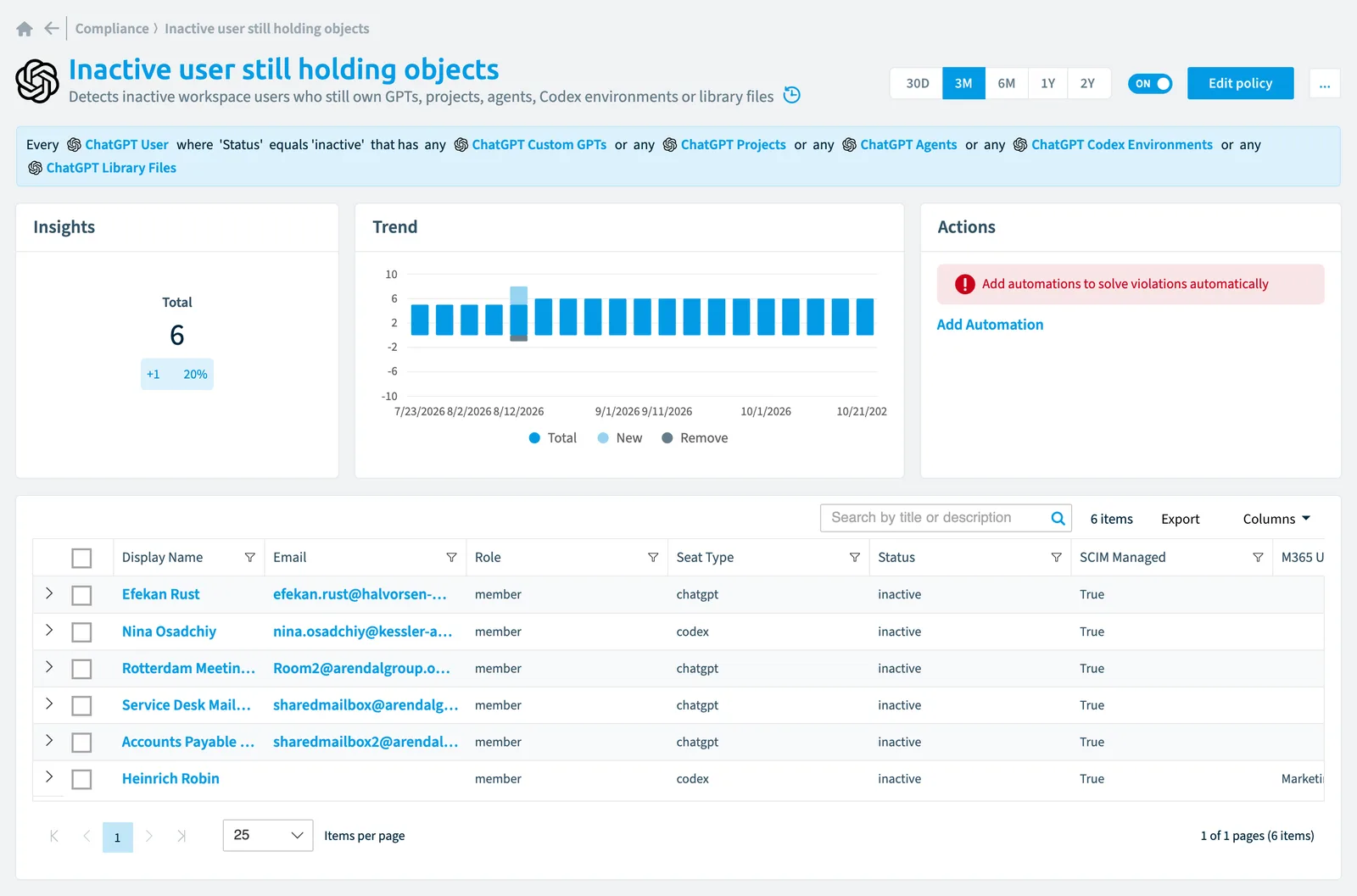
Details
| Applies to | ChatGPT user |
|---|---|
| Connector | ChatGPT Enterprise |
| Severity | High |
| Category | User OffboardingLeaverA leaver is someone who has left your organization but whose account may still hold licenses, workspaces, ownership and OneDrive content.Read more |
| Recommended | Yes |
| Recommended automation | None |
| License type | Standard |
Related policies
Other policies that check ChatGPT user objects:
- Codex seat with no Codex usage (Low)
- Idle ChatGPT seat (Low)
- Manually managed ChatGPT user (Medium)
- ChatGPT login bypassed SSO (High)
- ChatGPT user with no Entra ID identity (High)
- ChatGPT user with no spend cap (Medium)
- ChatGPT user over 80% of their spend cap (Medium)
Frequently asked questions
What does the inactive user still holding objects policy detect?
The Inactive user still holding objects policy detects inactive workspace users who still own GPTs, projects, agents, Codex environments or library files.
Which objects does the inactive user still holding objects policy check?
The Inactive user still holding objects policy checks ChatGPT user objects from the ChatGPT Enterprise inventory and reports each one that matches its rule as a violation.
How severe is a violation of the inactive user still holding objects policy?
Violations of the Inactive user still holding objects policy have High severity. The policy is in the User Offboarding category.
Which module includes the inactive user still holding objects policy?
The Inactive user still holding objects policy comes with the ChatGPT Enterprise connector (in preview) in the AI & Agents module of Rencore Governance, an add-on module on the Premium and Enterprise Plans.
Was this page helpful?
Thanks for the feedback.
Thanks. What was wrong?